
Participant
October 7, 2015

P: Preview Thumbnails are Black

  • October 7, 2015
  • 42 replies
  • 1976 views

Hello
Just did my first import....but after import finish in Library all previews/thumbnails show BLACK, see imagine. I have ReSync'd even Exit out then come back and Previews not showing. All other folders are OK, just not the NEW import. Checked with Actual folder on MAC Finder and these ok. Any ideas?
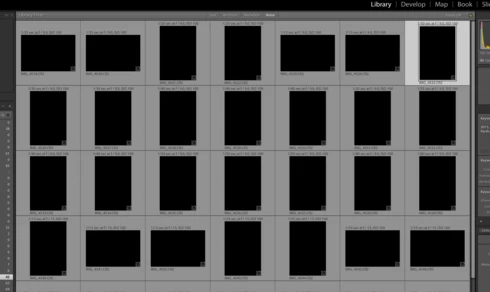
This topic has been closed for replies.

42 replies

johnrellis
Legend
October 11, 2015
See the article posted by Rikk Flohr above.
Inspiring
October 11, 2015


Just updated Lightroom CC 2015 last night (10th Oct) on Windows PC and a laptop. All photo imports now just black out as they import. Previously imported photos are fine.
Participating Frequently
October 11, 2015
1: this problem only started when I opened LR CC2015.2 the first time and the squares were black and then changed to gray automatically.

2: I did not touch my monitor settings which were working perfectly with CC2015.1 but now when I roll back to CC2015.1 it too shows only gray squares.

3: I have reinstalled my LR 5.7.1 and it is working perfectly!!! fast and NO GRAY OR BLACK squares.

If the preview cache for 2015.2 and 2015 .1 is corrupted I can only conclude that this happened with the 2015.2 install.

where do I find the preview cache and how do I rename it?

I'm an old generation photographer and not a geek.
Rikk Flohr_Photography
Community Manager
October 10, 2015
This thread is about Black Thumbnails not Gray. Gray thumbnails are usually symptomatic of a bad monitor profile or a corrupt preview cache. Try recalibrating your monitor.

If changing the calibration profile or recalibrating doesn't work, you should look at renaming your preview cache.
Rikk Flohr: Adobe Photography Org
Participating Frequently
October 10, 2015
sorry, but this work around does not work for me!

In the library mode: both the grid view and the thumbnails remain grayed out.

In the develop mode: the photos appear in the workspace but remain grayed out in the thumbnails. I can only change/select the photo by using the next/back arrow keys. not the most efficient workflow........

It is the same for existing and/or new imports.
Participating Frequently
October 10, 2015
Victoria, thanks. 80-90% of my photos are JPG, mostly from a Fuji camera. Since these generally need little or no adjustment, I decided to leave Auto Tone off in the preferences panel as you suggested, but not apply it manually (most of the time). If it weren't for the bug and your suggestion, it might have taken me (an Aperture refugee) a long time to realize that Auto Tone could be suppressed.
Rikk Flohr_Photography
Community Manager
October 10, 2015
Rikk Flohr: Adobe Photography Org
Participant
October 9, 2015
These suggestions worked on an existing import where the problem occurred and also prevented the dark previews on a new import trial attempt. Thank you!
Participant
October 9, 2015


LR CC 2015 v2 after import from camera card as well as hard drive folder displays all images with dark -5 exposure in the develop module. Slider adjustment has no effect. Solution seems to be to apply the Auto Tone function, which results in a viewable thumbnail and image display. Running on MacBook 2008 with 8GB of ram and fully updated El Capitan op sys.
Participating Frequently
October 9, 2015
oh dear, back to square one......the little man inside my computer is very fickle......now I have gray squares on nthe film strip and only the photo on screen shows up in the thumbnail......am going sorting by clicking move button on work space.
Oh well back to 5.7.1