

P: SDK: catalog:triggerImportUI() doesn't open Import with the supplied path on Windows
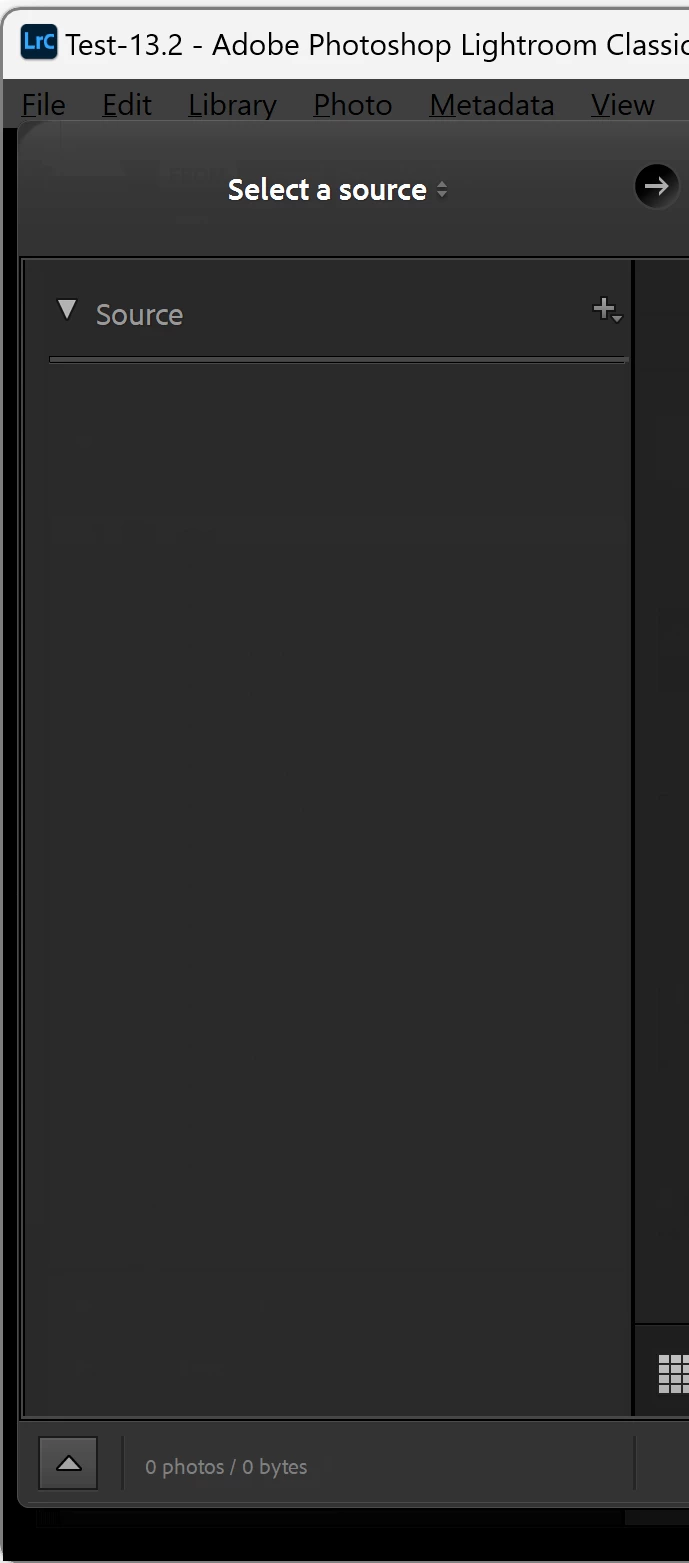
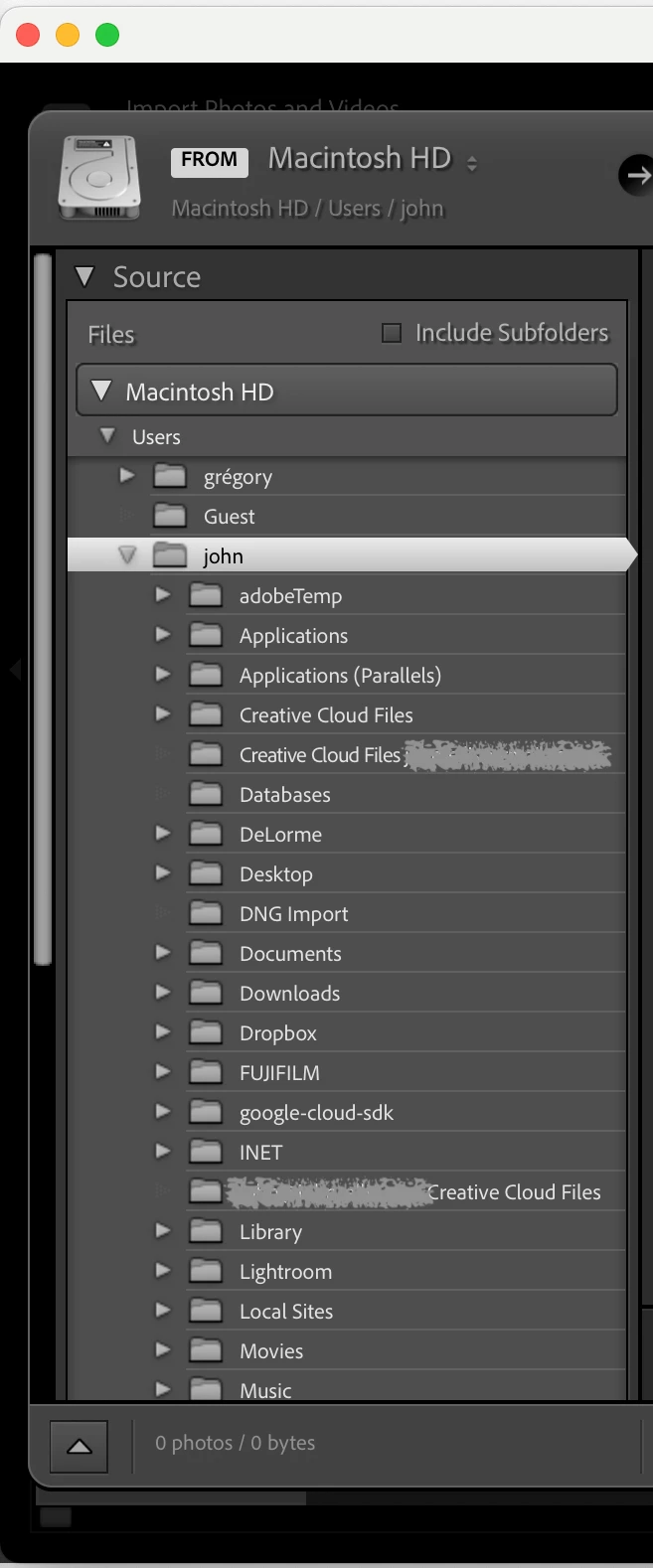
On Windows, the method catalog:triggerImportUI (path) opens the Import window but doesn't set the initial source to "path". It works correctly on Mac.
To reproduce on LR 13.0.1 / Windows 11:
1. Save this script to the file "test-import.lua":
local path = import "LrPathUtils".getStandardFilePath ("home")
import "LrDialogs".message (path)
local catalog = import "LrApplication".activeCatalog()
catalog:triggerImportUI (path)
2. In LR, do Scripts > Open User Scripts Folder and place "test-import.lua" in that folder.
3. Restart LR.
4. Do Scripts > test-import and observe that the Import window opens but no source is selected in the Source panel. The Windows 11 result is on the left, Mac OS 14.1 on the right:


 AdChoices