

EdwardJohnAllen
Inspiring
May 14, 2015

P: Set a default "Import Preset"

  • May 14, 2015
  • 33 replies
  • 674 views

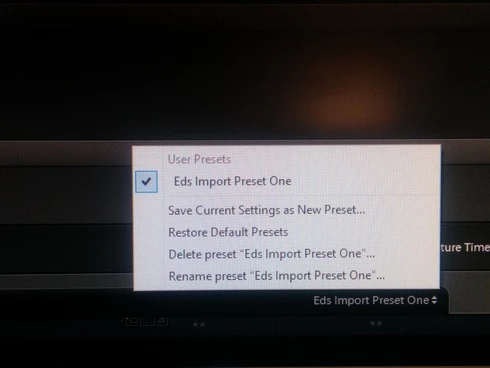
It would be handy to allow users to select an Import Preset as a default, instead of what appears to happen that none are selected when you open the Import dialogue pane.Even with only one configured (See screenshot) I still have to go in & select it each time.
This topic has been closed for replies.

33 replies

Participating Frequently
May 14, 2015
I'm not sure what broader functions you are referring to, and I don't see anything along the bottom that you refer to.

Give me examples of what functions, settings you are trying to use.
EdwardJohnAllen
Inspiring
May 14, 2015
Hi Lynn
We might be at cross purposes on this one: The "Develop Settings" one in the RH panel does "stay put" but (to my understanding) the overall preset that governs a broader set of functions is the one along the bottom of the Import window, no?

It's this one that I'd love to see "Stay put" too.
Participating Frequently
May 14, 2015
That's already in there and it stays until you change it under the section on the right side of screen "Apply during import", "Develop Settings" and then choose your develop preset.