
strandvej
Participating Frequently
May 4, 2015 5:42 AM UTC
Released

P: slideshow - images rendered as swapped blocks

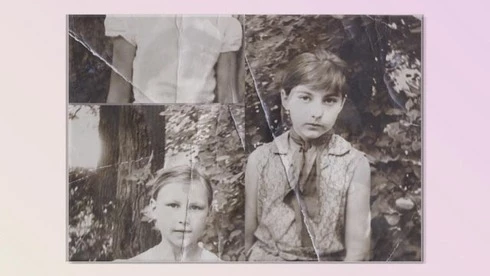
Lightroom 6.0 slideshow (Windows 7)- when exporting slideshow as 1080p high quality video - some of tiff images rendered as swapped blocks - i.e. bottom left 1/4 corner of the picture shown at the top left and vice versa.
This topic is closed to new replies. Start a new post to keep the conversation going.

55 replies

strandvej
strandvejAuthor
Participating Frequently
May 21, 2015 8:23 PM UTC
Please, update on the progress.
Translate
strandvej
strandvejAuthor
Participating Frequently
May 21, 2015 8:18 PM UTC
Hi. Please, use same link above - I've re-shared it again.
Alex.
Translate
Participating Frequently
May 21, 2015 5:23 PM UTC
Yes, I am now working on this problem. Would you please sending some test images so that I can reproduce it first?
Translate
Participating Frequently
May 21, 2015 5:22 PM UTC
Hi Alex, Would you please share those raw images one more time, I want to download it again and open a new bug for this problem. Hopefully we can get it fixed soon.
Translate
ralfh69618566
Participating Frequently
May 21, 2015 2:50 PM UTC
I am already 3 projects behind in publishing slideshows which my customers are used (LR 5) to see on a very short notice. Please fix the swapped block issue ASAP or let us know a reliable work around!
Translate
Inspiring
May 21, 2015 1:14 PM UTC
Same issue on radeon hd 7900 and dual screen conf..
Translate
Participant
May 21, 2015 10:31 AM UTC
Is there any update on your progress?

I'm desperate for a solution and will be forced to use Animoto for my slideshows if there is no fix soon! :o(
Translate
ralfh69618566
Participating Frequently
May 18, 2015 3:25 PM UTC
Issue is shown much more often when I create a 1080p slideshow compared with the same slideshow rendered as 720p.
Translate
Inspiring
May 15, 2015 10:17 PM UTC
Ran into the same issue today after upgrading to LR6. Deleting the images and re-importing them seems to fix it sometimes but not others. It only seems to get fixed when the "play" option recreates the slide/file portion that is affected, but on a couple of occasions it corrupted another image too. Very frustrating. Finally had to delete one troublesome image that I couldn't get rectified.
Translate
Participant
May 14, 2015 8:51 AM UTC
I also have the same issue and am using the Radeon 5700 and a dual screen setup.
Translate