


Participant
November 27, 2022

P: Updated to 12.1 & seeing "Failed to initialize pixel-mask storage' error after relaunch (Win)

  • November 27, 2022
  • 32 replies
  • 7476 views

Based on posted recommendations here, I updated my LR C to 12.1., however, I still do get the error message and am not able to open LR at all. 
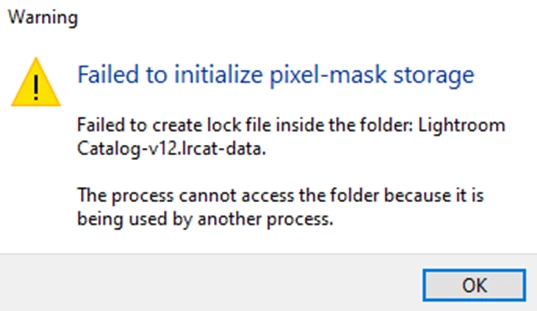
 

What shall I do?

Views


32 replies

AxelMatt
Community Expert
Community Expert
December 16, 2022

It seems Lightroom wasn't closed properly and so there's remaining a .lock file besides the catalog file.


If Lightroom is running it creates a .lock file for the opened catalog next to the approriate .lrcat file.

On LRs regulary shut down this file was deleted. If LR crashes the .lock file remains in the appropriate folder.

In this case the .lock file must be deleted manually.

More informations about this, you'll find here: 

The Lightroom catalog cannot be opened because another application already has it opened - lrcat.loc...


Another point could be that Lifghtroom doesn't have full access rights to the folder with the catalog file. Please check if LR does have full right to the appropriate folder.

My System: Intel i7-8700K - 64GB RAM - NVidia Geforce RTX 3060 - Windows 11 Pro 25H2 -- LR-Classic 15 - Photoshop 27 - Nik Collection 8 - PureRAW 5 - Topaz Photo
Participating Frequently
November 27, 2022

Hello. I keep getting this message "Failed to create lock file inside the folder: McCarthy 2022.lrcat-data.

The process cannot access the folder because it is being used by another process." when trying to open any of my cataloges. It's so frustrating! Anyone know what I can do to fix this?


Thanks,

Hannah

GoldingD
Legend
November 27, 2022
Participating Frequently
November 27, 2022

I wish I could! When I open creative cloud it says my light room classic doesnt need an upgrade. What do I do if that happens? Thank you!