
Known Participant
September 24, 2020

P: Video Import Error caused by MediaCore plugins

  • September 24, 2020
  • 18 replies
  • 759 views

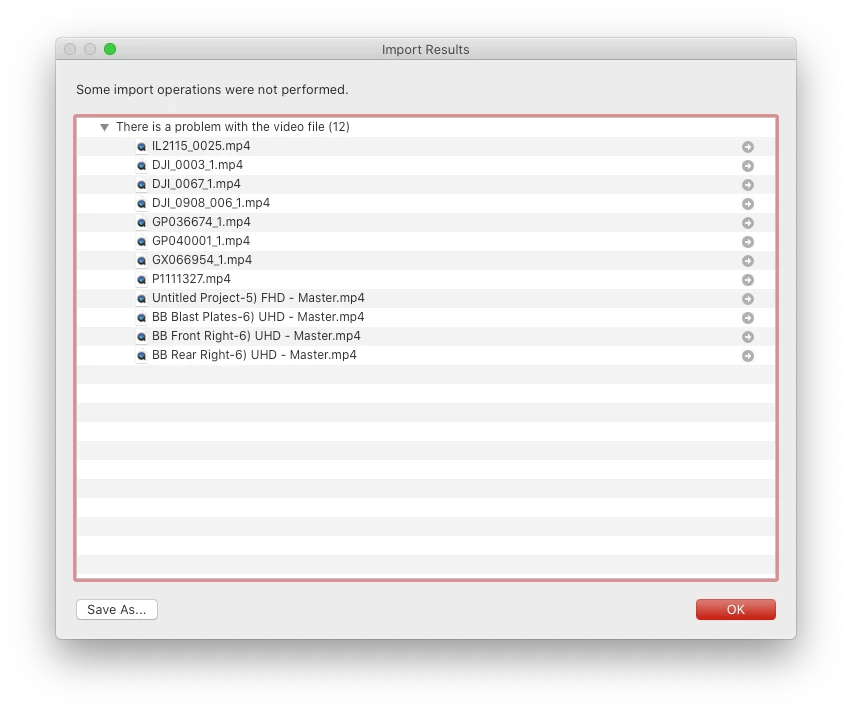
When I try to import video files into my catalog it tells me "There is a problem with the video file (12)".  There is no issue with my video files.  I removed a video that had previously been imported to my catalog with no issue and tried reimporting as a test and it would not import.  I received the same message.  I created a new catalog to test and same message and video would not import.  This is a recent issue as i have been able to import videos with no problems.  The issue is occurring on both my Mac Book Pro and my Mac Pro.


18 replies

kimballisms
Inspiring
April 24, 2021

I had the same problem.  I'm lucky in that I don't use premiere, so I just deleted the plugin file.

But I hope Adobe files this as a bug and looks into it.  Premiere plugins shouldn't be reducing LR's functionality.

Inspiring
April 24, 2021

I am using LR Classic v10.2 build [202103041821-226a1211] Camera Raw v13.2 on my

iMac (27", late 2013) 32GB NVIDIA GeForce GTX 780M 4GB running macOS Catalina v10.15.7.

Furthermore, I use Adobe Premiere Pro 2021 v15.1 with the GoPro FX Reframe plugin-1.2.1.133 for 360° shots.

Also I have Insta360 Studio 2021 v3.6.4 installed. Which installs the file /Library/Application Support/Adobe/Common/Plug-ins/7.0/MediaCore/Insta360Importer.bundle.

As of this moment, LR no longer shows me any video files under Library. If I now rename the file Insta360Importer.bundle to e.g. Insta360Importer.$bundle, the video files are displayed again after restarting LR.

What can I do so I don't have to keep renaming?

Inspiring
September 28, 2020

Yes, I did also email them. We can only hope that Insta360 will remedy this issue in a future update. It's a shame that an ill behaved plugin can have such annoying and difficult to diagnose consequences.


Luckily I don't work with Insta360 files very often so for now just moving the plugin in/out of that folder isn't too much of an inconvenience for me.


Anyway, I'm happy to hear that I could help you!

Known Participant
September 28, 2020

Thank you for your help!  This solved the issue.  I hate this dynamiclink.  This is the second time I've had an issue involving it.  I sent insta360 an email telling them the issue with their plugin.  Did you also notify them?  You seem to understand the logs and issue better than me. 

Known Participant
September 28, 2020

It appears i have the same insta360importer plugin installed

Inspiring
September 28, 2020

Try removing the Insta360Importer plugin from /Library/Application Support/Adobe/Common/Plug-ins/7.0/MediaCore/ . I am almost 100% certain this is the culprit.

Known Participant
September 28, 2020
Here is that log


Inspiring
September 28, 2020

That looks exactly like what I saw. What does the dynamiclinkmediaserver log file say? ( ~/Library/Application Support/Adobe/dynamiclinkmediaserver/13.0/Plugin Loading.log )