
Participant
June 20, 2021

P: (Win/Mac) Lightroom Classic 12.0 Unable to export: Watermarking Failed
  • June 20, 2021
  • 170 replies
  • 38849 views

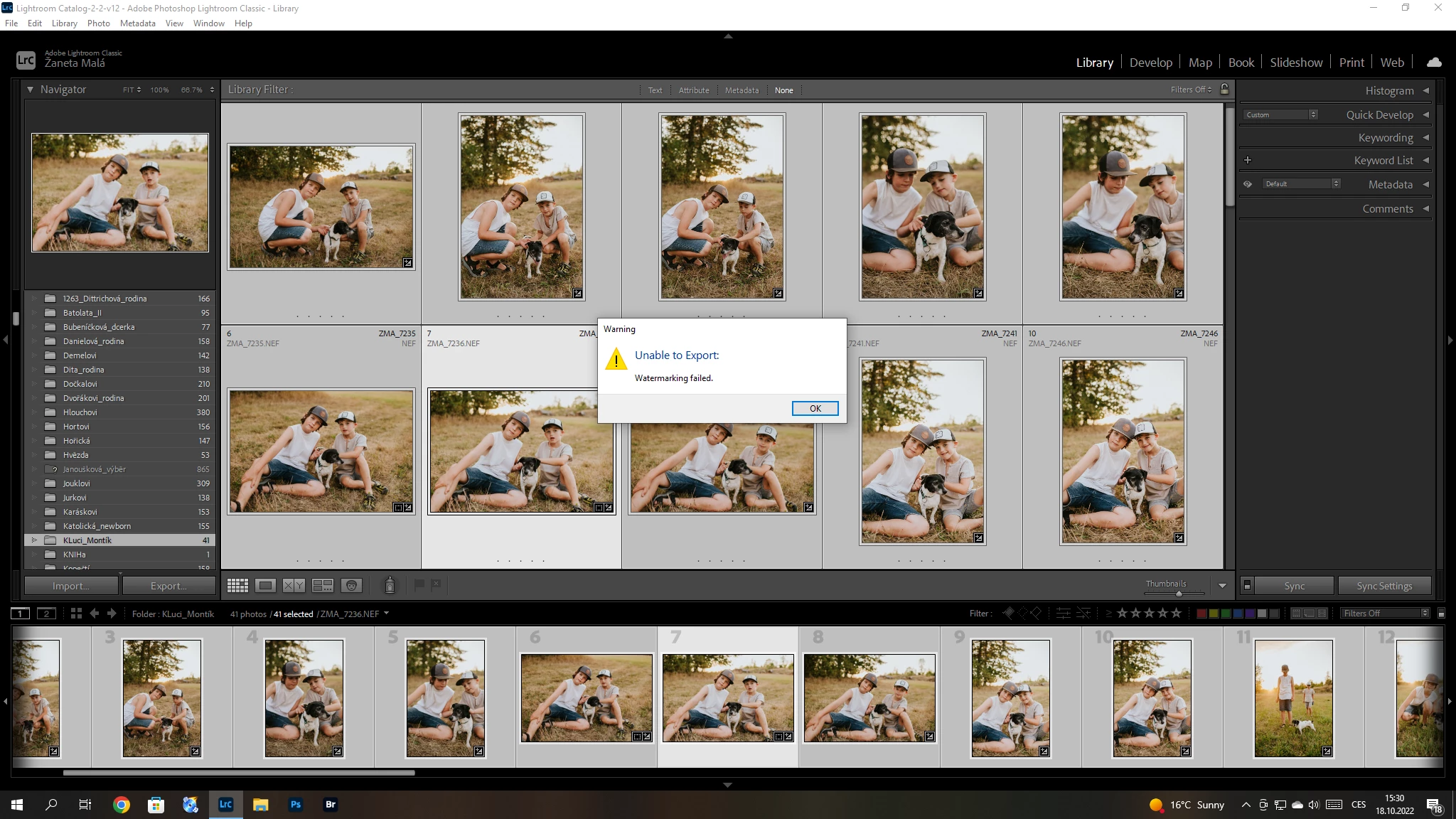
Hello, I have a problem with export my pictures after update Adobe Lightroom classic catalog. I´m not using watermark. So, I can´t understand this failer error. Can anybody help me please? 


{Title updated by moderator}

170 replies

Participating Frequently
October 20, 2022

Hi, I have deleted my watermarks.

Participant
October 20, 2022

I can't export my picture anymore, my pictures have no watermark. Here is the message:

Unable to export watermarking failed.

This happen after new version of oct 2022

johnrellis
Legend
October 20, 2022

@FedeZNTwrote, "I did as suggested by Sameer K and it is working now. "


Did you reset preferences or delete all your watermarks?

Participating Frequently
October 20, 2022

Hi, same problem here. I did as suggested by Sameer K and it is working now. Thank you for the help

johnrellis
Legend
October 20, 2022

"Answer provided by Sameer K. marked "1 Correct Answer",  method 2 as he said."


Resetting preferences has worked for some but not all posting here.


He also listed moving all your presets to the desktop , effectively deleting them, which probably would have worked for you too.


By changing Graphic to Text of a preset, you've edited the preset to remove a reference to a graphic that is no longer at its original location.  That's the first workaround I listed above.


(It's important to understand this issue in detail quickly so we can have an authoritative list of workarounds.)

Participant
October 20, 2022

Answer provided by Sameer K. marked "1 Correct Answer",  method 2 as he said.

Kunaal26705641osyd
Participant
October 20, 2022

Im having the same problem i can no longer export due to watermark Adobe need to fix this asap... the only way round it is go to watermark click on text then space bar and save... this is the only way i can export

johnrellis
Legend
October 20, 2022

Many people have reported that these workarounds have solved the problem for them:


- Edit or delete any preset that is referring to a graphic that is no longer at the location referenced by the preset. In the Watermark Editor, select each preset in turn, and if it is Graphic, verify that the graphic appears in the preview image -- if it doesn't, edit the preset's graphic or delete the preset.


- Delete all watermark presets. An easy way to do that: Go to Preferences > Presets and click Show All Other Lightroom Presets. That will open Finder / File Explorer on the "Lightroom" settings folder. The "Watermarks" subfolder contains all the presets (.lrtemplate files).  Move them to your desktop and restart LR.


- Reset LR's preferences:

https://www.lightroomqueen.com/articles-page/how-do-i-reset-lightrooms-preferences/


That article explains how to restore the old preferences if resetting doesn't help.

Participant
October 21, 2022

I just upgraded Lighroom Clasic, when I try to export I get a watermark error, watermark check box not checked. 

Participant
October 20, 2022

Hi Guys, Just updated to the latest V12 and upon trying to export i get a;


"unable to export, watermarking failed" error. (see pics)


As you can see from the pics, i'm not even using watermarks.


Never happened before i updated.


Can anybody shed some light on this please?


(I can edit in PS and export works there)


regards


Adrian Brown

Participant
October 20, 2022

Same effect here with Windows and Mac. A little nightmare.

Workaround on Mac (only, up to now): Create an compleatly empty transparent and tiny PNG. Activate watermark-function in export-dialogue and use this PNG as a (sensless) watermark. Save this as an new setting. Export works with this setting well.

Participant
October 20, 2022

I watched a video on this workaround, and it is not working around this BIG issue for me. Adobe needs a fix ASAP.