


Participant
June 20, 2021

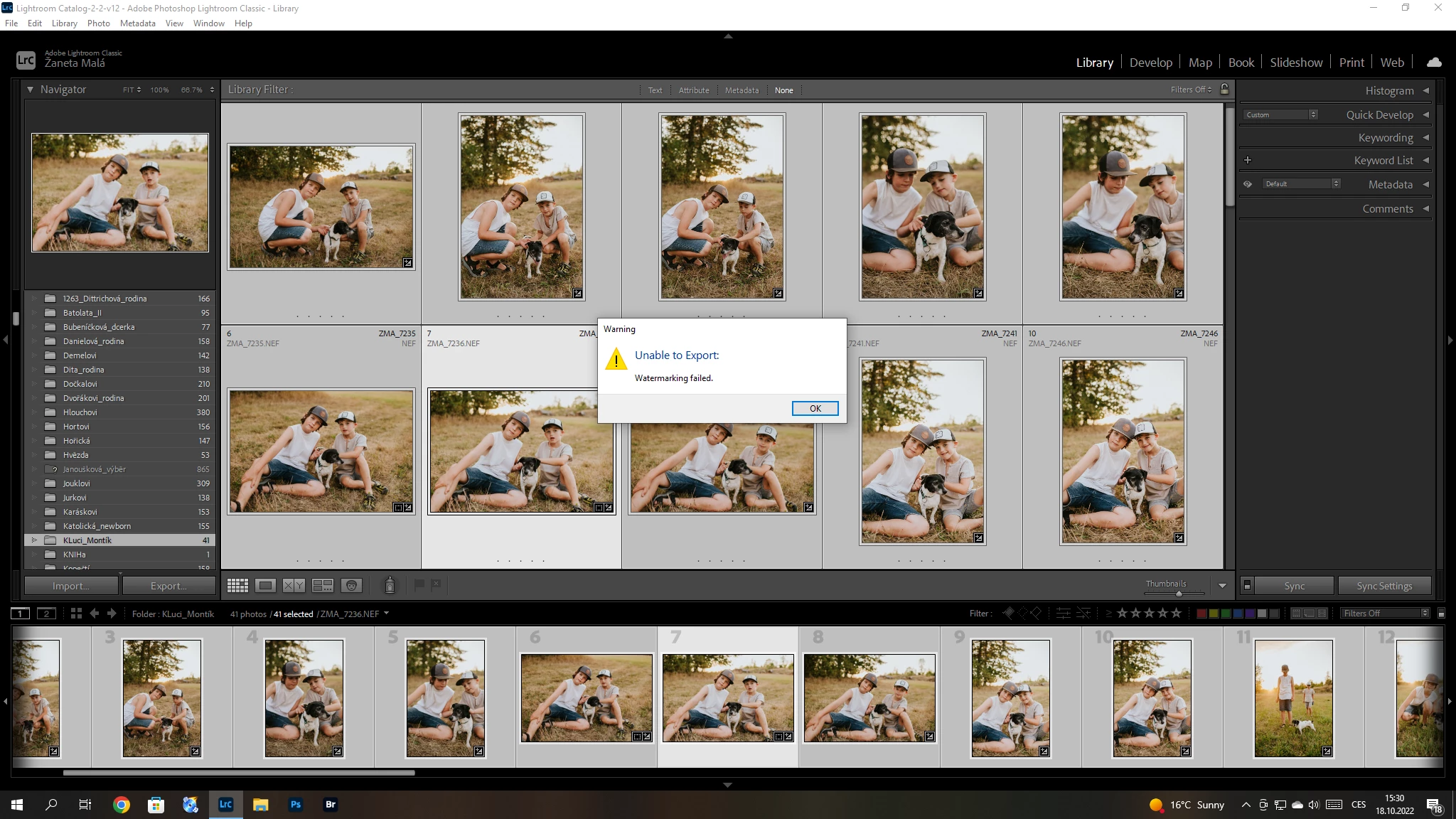
P: (Win/Mac) Lightroom Classic 12.0 Unable to export: Watermarking Failed
  • June 20, 2021
  • 170 replies
  • 38823 views

Hello, I have a problem with export my pictures after update Adobe Lightroom classic catalog. I´m not using watermark. So, I can´t understand this failer error. Can anybody help me please? 


{Title updated by moderator}

170 replies

kentdesign
Community Expert
Community Expert
July 4, 2023

Just glad that it is working now!!

Tyeshia
Participant
July 4, 2023

Yes. Thank you for responding. I just discovered that the external hardrive that has my watermark files on it was unplugged. *rookie mistake*

kentdesign
Community Expert
Community Expert
July 4, 2023

If your Lightroom is up to date, and your are still having problems, here are two steps to try:

Reset Lightroom Classic's preferences by following the steps in this article (I prefer using method 2): https://helpx.adobe.com/lightroom-classic/help/setting-preferences-lightroom.html


If the issue exists, please go to the following location & back up your Watermark presets.

Go to Preferences > Presets and click Show All Other Lightroom Presets.

That will open Finder / File Explorer in the "Lightroom" settings folder.

The "Watermarks" subfolder contains all the presets (.lrtemplate files). 

Move them to your desktop and restart Lightroom Classic.

kentdesign
Community Expert
Community Expert
July 4, 2023

Hello. First have you updated Lightroom Classic?


And what are your operating system and version of Lightroom?


Tyeshia
Participant
July 4, 2023

I have not been having issues until today. Now I am getting the watermarking failed error. I have reset preferences and it still is not working. HELP!

Community Expert
January 22, 2023

Watermarks - both text and graphic - have been working just fine for quite a while now. You might need to recreate your watermark definitions.

Participant
January 22, 2023

Lightroom Clasic version 12.1 - and I still can not use my watermarks

kentdesign
Community Expert
Community Expert
January 6, 2023

I only know tips for this issue on Mac... And on Mac, I would recommend uninstalling, Clearing all Adobe cache, restarting and then reinstalling. I dont know for PC!

Participating Frequently
January 5, 2023

Win 10.

Latest cc update.

It's been reoccurring so requires Adobe intervention.

Reinstall uninstall over and over does not help.


kentdesign
Community Expert
Community Expert
January 5, 2023

Ok so now please tell us your operating system, which version of CC, and any details that might help one of us help you sort this.  If you are subscribed to the CC, you really do not need Adobe to help you uninstall and reinstall remotely. You can easily do it yourself. One of the things I do when doing this on a Mac is to log out after uninstalling and turn the computer off. Then start the computer and download the Creative Cloud Installer, then download my software. So are you Mac or PC, and which OS?