
Participant
June 20, 2021

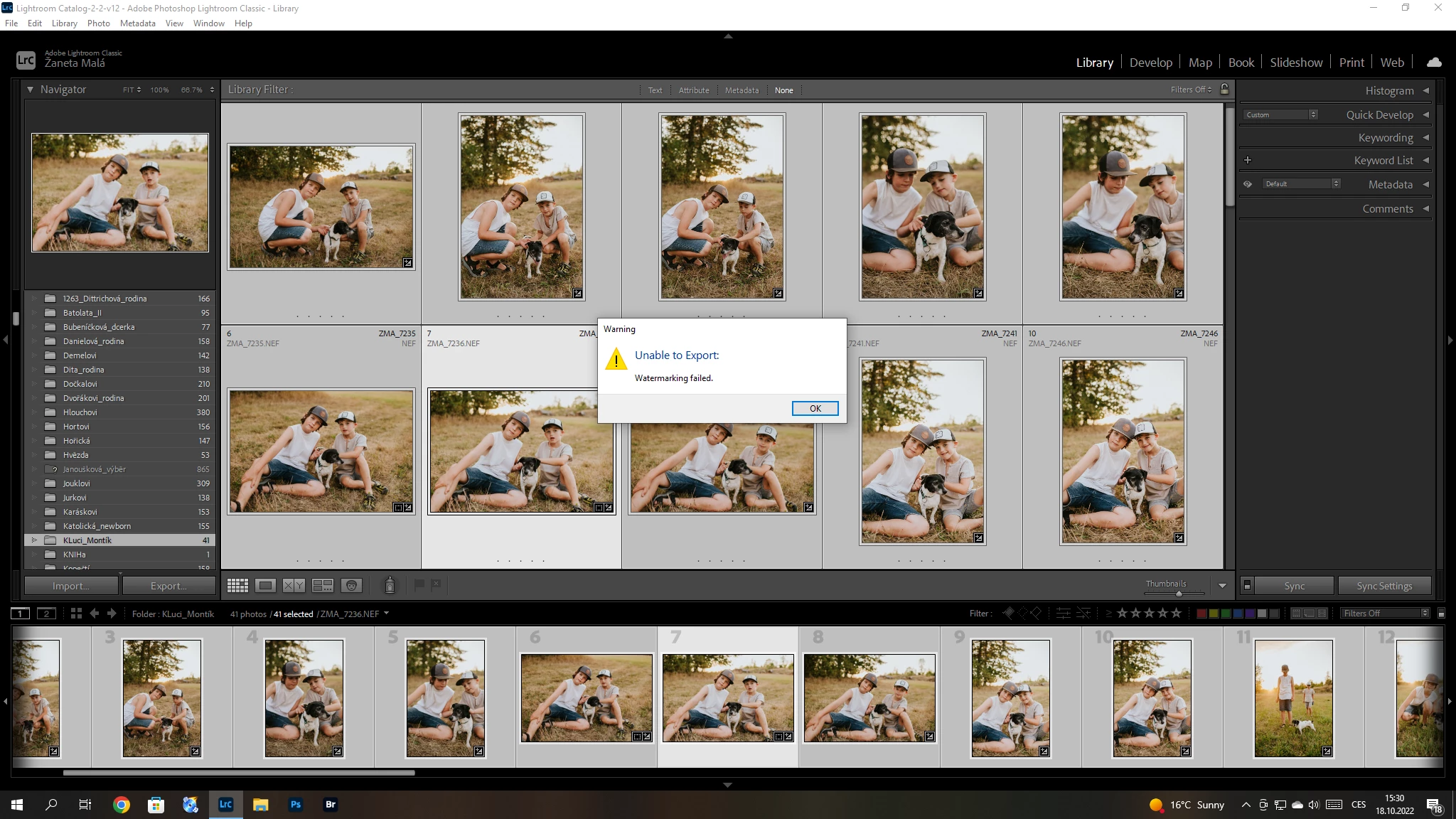
P: (Win/Mac) Lightroom Classic 12.0 Unable to export: Watermarking Failed
  • June 20, 2021
  • 170 replies
  • 38845 views

Hello, I have a problem with export my pictures after update Adobe Lightroom classic catalog. I´m not using watermark. So, I can´t understand this failer error. Can anybody help me please? 


{Title updated by moderator}

170 replies

kentdesign
Community Expert
Community Expert
October 25, 2022

Please read all the correct answers above and below in this thread  - the answers that are in green!!!


Participating Frequently
October 25, 2022

I am unable to export!!


I get an error meesage saying "Unable to Export: Watermarking failed." 
I never ever use the watermarking feature. It is not even enabled. 

What the hell is going on?? 


I am at a complete standstill, unable to do my job becuase of this damn bug and your insistance in auto-updating!

How do I go back to the opther version so I can get my work done???! 

Participant
October 25, 2022
Bonjour,
La réponse à ce problème se trouve dans le billet de la communauté. Il faut
supprimer un fichier et c'est bien expliqué. Passez en revue l'ensemble du
billet. Bonne continuation.

Philippe Reginster
Participating Frequently
October 25, 2022

I am unable to export!!


I get an error meesage saying "Unable to Export: Watermarking failed." 
I never ever use the watermarking feature. It is not even enabled. 

What the hell is going on?? 


I am at a complete standstill, unable to do my job becuase of this damn bug and your insistance in auto-updating!

How do I go back to the opther version so I can get my work done???! 

Participant
October 25, 2022

Ich kann zur Zeit keine Fotos aus Lightroom exportieren. Ich bekomme immer die Meldung " Export nicht möglich, Wasserzeichemarkierung fehlgeschlagen" Ich nutze keine Wasserzeichen.

Ich arbeite mit der aktuellen Version 12.0

Participant
October 25, 2022

Ok, cela fonctionne maintenant.

Merci à tous

RadamBrown
Known Participant
October 25, 2022

Yes, just delete your watermark(s) in the preferences like Sameer instructs, close LC, restart it, try exporting again...worked for me!

August_The_Dragonfly
Participating Frequently
October 25, 2022

One work around I found was to edit my images, save their metadata, import them into Photoshop's ACR and export from there. I will try the 0% watermark workaround as well

August_The_Dragonfly
Participating Frequently
October 25, 2022

This did not have any affect on the problem. No watermark is being applied to render this error

Participant
October 25, 2022

Create a new EMPTY Watersign and use it... it will work then.


The problem will be solved in the next update