
Participant
June 20, 2021

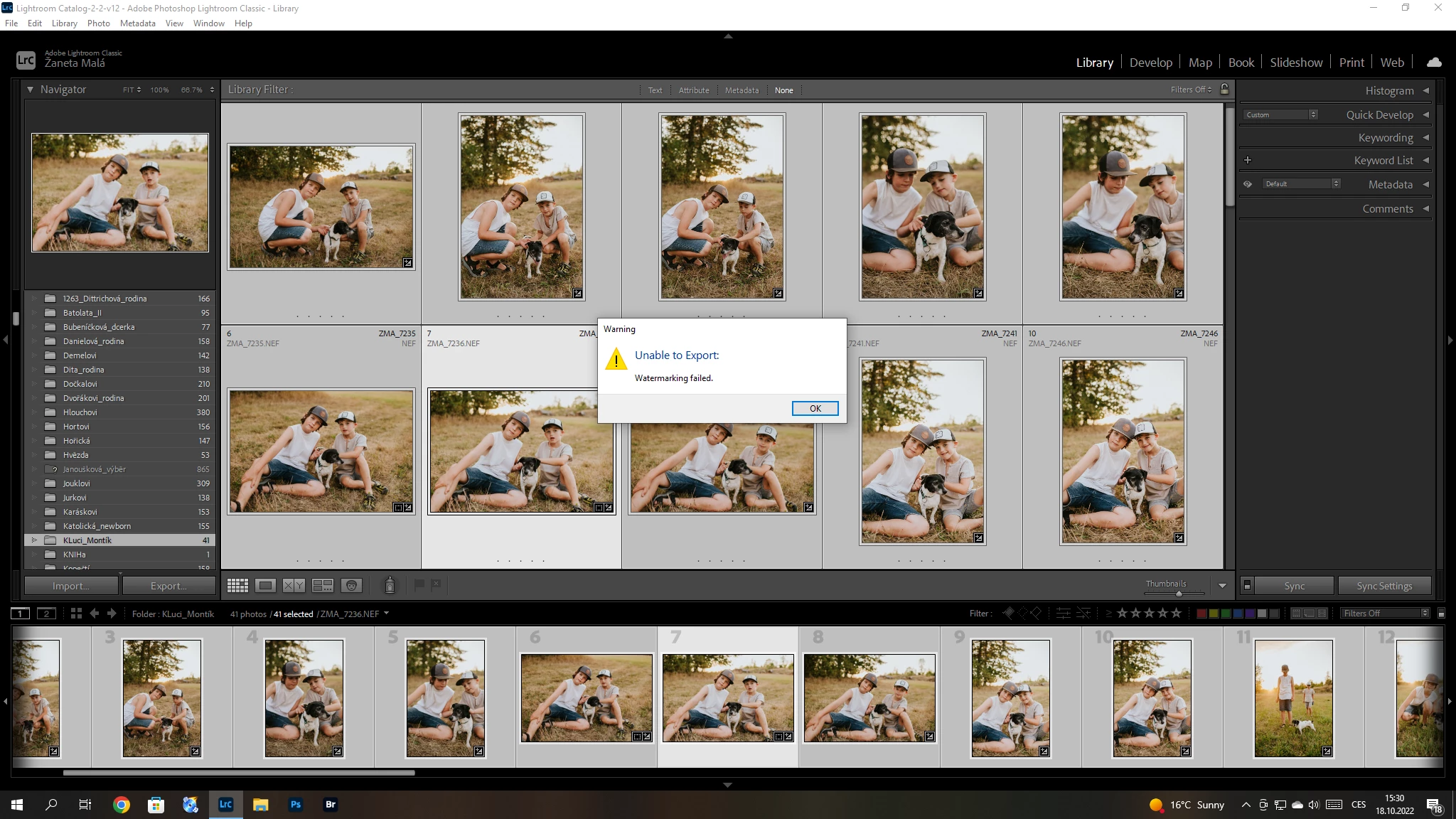
P: (Win/Mac) Lightroom Classic 12.0 Unable to export: Watermarking Failed
  • June 20, 2021
  • 170 replies
  • 38845 views

Hello, I have a problem with export my pictures after update Adobe Lightroom classic catalog. I´m not using watermark. So, I can´t understand this failer error. Can anybody help me please? 


{Title updated by moderator}

170 replies

Margot_brt
Participant
October 25, 2022

Lors de l'export de mes photos, le message d'erreur suivant s'affiche et m'empêche de les exporter.

Même lorsque je ne coche pas la case filigrane dans les paramètres d'export, le message s'affiche...

Après désinstallation et réinstallation du logiciel, le problème persiste et rend donc son utilisation impossible...


Je suis sous macOS Monterey version 12.6  et Lightroom Classic version 12.0


melanievry
Participant
October 25, 2022

Bonjour, 

J'ai exactement le même problème depuis hier et ça, depuis la nouvelle mise à jour. 

J'ai contacté l'assistance qui est censée revenir vers moi par email. Je ferai un retour ici dès que j'ai des nouvelles qui j'espère, seront rapide.

Autant dire que c'est compliqué de ne pas pouvoir exporter ses photos traitées alors que c'est notre métier et qu'on doit tenir des deadline. 

kentdesign
Community Expert
Community Expert
October 24, 2022

Hopefully the fix works for everyone! Please everyone read Sameer's explanation!

Participant
October 24, 2022

Thank you this worked for me. Seriously this bug was trying my sanity on a Monday. 

Participant
October 24, 2022

I found a quick solve today when I had this problem in LR Classic. I went ahead and made a watermark that was 0% opacity and text. Then on export, I turned on the watermark and selected the one I created. It exported fine. Then I turned it off and it exported fine with no error code. Hopefully this helps!

Participant
October 24, 2022

Depuis l'installation de la dernière version de LRC sur mac, je n'arrive plus à exporter/ Un message d'erreur fait référence à un filigrane que je n'utilise pas

kentdesign
Community Expert
Community Expert
October 24, 2022

So true - and the funny partis this watermarking problem does not affect every single user! I personally have not yet had the problem!

kmsleong
Participant
October 24, 2022

I receive the following message when I try to export a photo from LrC, latest update from my Macbook with the latest OS system.  I have not expoerienced this problem before and did not change any settings.  I did not choose any use of watermarks when exporting, yet I receive the message.  Don't know why - please help! 

Susan 

Participating Frequently
October 24, 2022

I managed the issue , following the advice of Sameer K, now it works properly

Participant
October 24, 2022

Bonjour, depuis peu ma signature ne s'applique plus sur mes photos à l'exportation...

Cela focntionne lorsque j'y applique du texte mais si j'y applique (comme je l'ai pourtant toujours fait) une image png (comme ma signature) elle apparaît bien dans l'aperçu lorsque je modifie le fliligrane mais une fois la photo exportée elle est vierge. 

Participant
October 24, 2022

Bonjour, depuis peu ma signature ne s'applique plus sur mes photos à l'exportation...

Cela focntionne lorsque j'y applique du texte mais si j'y applique (comme je l'ai pourtant toujours fait) une image png (comme ma signature) elle apparaît bien dans l'aperçu lorsque je modifie le filigrane mais une fois la photo exportée elle est vierge. 

LindaLMP
Participating Frequently
October 24, 2022

The updates are outstanding and absolutely worth the minor inconvenience it takes to fix the problem until Adobe corrects it. They can't possibly ensure it will work flawlessly on thousands of different computer configurations. They will work on fixing the issue that some people have. Wait if you want, or take a few steps to fix it on your end.