


Crystal Visionary
Known Participant
November 9, 2017

P: Zooming very large images shows grey box

  • November 9, 2017
  • 49 replies
  • 2160 views

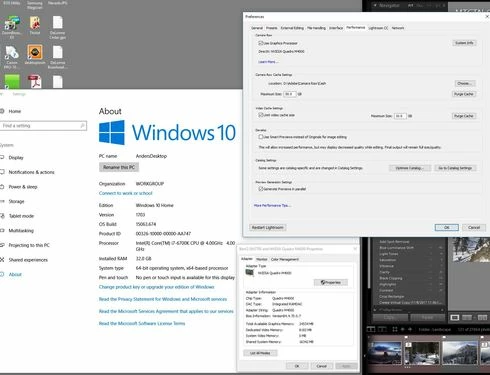
I am using lightroom Classic CC 7.0.1 and Camera Raw 10.0. Is there a limit to how large a file can be and still be able to create a 1:1 preview?  I have a 16 bit TIFF that is 26246 x 2899 pixels.  When I try to view it at 1:1 or any other size except "Fit" in the Library module, it refuses to draw (Fill works so long as I don't try 1:1 first).  I just see a grey box. I can view it in any size in the Develop module or Photoshop, but not the Library module.  Does the Library module have a size limit, and if so, what is it?  I also checked the Task Manager and it showed the CPU and disk had little or no activity, and memory was using 15GB which is not unusual on my system. I have 3.67 Terabytes of unused disk space. I have an i7 6700K processor running at 4.00GHz and 32GB of DDR4 Sdram memory and Windows 10 version 1703.
This topic has been closed for replies.

49 replies

Todd Shaner
Legend
August 18, 2020
Rikk I can confirm this issue is fixed in LrC 9.4 on my Windows 10 system. Thank you!
cehilton
Participating Frequently
August 18, 2020
why does Adobe phone support refuse to acknowledge bugs that an Adobe official has logged instead of wasting customers time by insisting that the cause is something that the customer has to fix?
Legend
August 18, 2020
Confirming that this problem is now fixed in LrC 9.4.
Rikk Flohr_Photography
Community Manager
August 18, 2020

Updates to Camera Raw, Lightroom Classic, and the Lightroom Ecosystem were released yesterday evening and contain a fix for this issue.  Please install the appropriate update and see if it solves this problem. 

Thank you for your patience.
Rikk Flohr: Adobe Photography Org
Participant
August 15, 2020
Same with me... a brand new install on a new system I built and won't display a pano at 100% in Library mode but does in Develop.

Participating Frequently
August 1, 2020
To those having this issue on Windows and trying to analyse what might be happening, I recommend HWinfo64 (https://www.hwinfo.com/)  along with ProcessExplorer and ProcessMonitor (at https://docs.microsoft.com/en-us/sysinternals/downloads/process-utilities) as some of the best tools to see what's actually happening.


Crystal Visionary
Known Participant
July 31, 2020
There are so many problems that have been in Lightroom for so long.  I have to believe Adobe does not care about it's noncorporate customers.  They are chasing the big bucks.
Crystal Visionary
Known Participant
July 31, 2020
That is what happens when you have a monopoly on the market.  They just don't care!
johnrellis
Legend
July 28, 2020
Ignore anything phone support says -- they're completely unreliable and will say anything to close a case.
cehilton
Participating Frequently
July 28, 2020
any updates to this?  Adobe phone support won't admit that it's a known bug.