


Crystal Visionary
Known Participant
November 9, 2017

P: Zooming very large images shows grey box

  • November 9, 2017
  • 49 replies
  • 2160 views

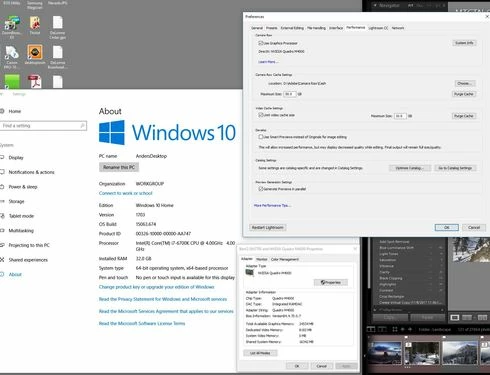
I am using lightroom Classic CC 7.0.1 and Camera Raw 10.0. Is there a limit to how large a file can be and still be able to create a 1:1 preview?  I have a 16 bit TIFF that is 26246 x 2899 pixels.  When I try to view it at 1:1 or any other size except "Fit" in the Library module, it refuses to draw (Fill works so long as I don't try 1:1 first).  I just see a grey box. I can view it in any size in the Develop module or Photoshop, but not the Library module.  Does the Library module have a size limit, and if so, what is it?  I also checked the Task Manager and it showed the CPU and disk had little or no activity, and memory was using 15GB which is not unusual on my system. I have 3.67 Terabytes of unused disk space. I have an i7 6700K processor running at 4.00GHz and 32GB of DDR4 Sdram memory and Windows 10 version 1703.
This topic has been closed for replies.

49 replies

cehilton
Participating Frequently
July 22, 2020
I'm running Lrc 9.3 and have the same problem.

I wasted 2 hours yesterday chatting with Adobe techs and doing all the usual things they suggested, e.g. reset preferences. 

17 minutes into my first chat I asked if they had researched and whether the problem was a known bug.  I didn't get a response so I asked again and was told it was not.  Did the tech really research?

Whatever their excuse, Adobe needs to do better when customers contact them about bugs that have been known, for 3 years especially.

Participant
April 8, 2020
LR 9.2 and this issue still exists. It is about time we get this solved.
Todd Shaner
Legend
March 6, 2020
Thanks Rikk!
Rikk Flohr_Photography
Community Manager
March 5, 2020
I can repro with this file. I will log it. 
Rikk Flohr: Adobe Photography Org
Todd Shaner
Legend
March 5, 2020
Here you go:
https://www.dropbox.com/s/ziw9jh4bqviqceu/16385x16385_2tothe14power%2B1_IMG_0154.JPG?...
You will need to click on 'Open' and then 'Download' to access the file. I guess Dropbox can't handle picture files this large.
Rikk Flohr_Photography
Community Manager
March 5, 2020
Todd, I picked this up off your other thread. I cannot duplicate this. Do you have a file you can send me that exhibits this issue?
Rikk Flohr: Adobe Photography Org
Participating Frequently
January 18, 2020
Yup, first they have to *want* to fix it ...
Legend
January 17, 2020
Surely it can’t take more than 2 years to fix this? Come on Lightroom development team, lift your game. I've been developing software in one form or another for more than 40 years and you don't ask the user to fault find or troubleshoot for you. You take the issue onboard, do your own testing, track down the problem and fix it. The developer debugs their own software, not the paying user. There seems to be some sort of in-house aversion to fixing problems in Lightroom, much to the annoyance of the Lr's customers.

Todd Shaner
Legend
January 16, 2020
Simon, the blank screen Library preview occurs with 'Use Graphics Processor' set to Off on my Windows 10 system with LR Classic 9.1. It appears to be a 2 to the 14th power long edge size. Anything greater than 16,384 px produces a blank Library preview at 1:1 view.
Adobe Employee
January 16, 2020
Try temporarily turn off the GPU acceleration from Lightroom>Edit>Preferences>Performance to see if it helps. There might be a GPU RAM/driver limit.

In general Lightroom has a hard maximum image size limit of 65000 px on the long edge or a maximum total of 512 mega pixels, whichever comes first.