JesperJohag
Known Participant
Nov 13, 2026 4:05 PM UTC
Open for Voting

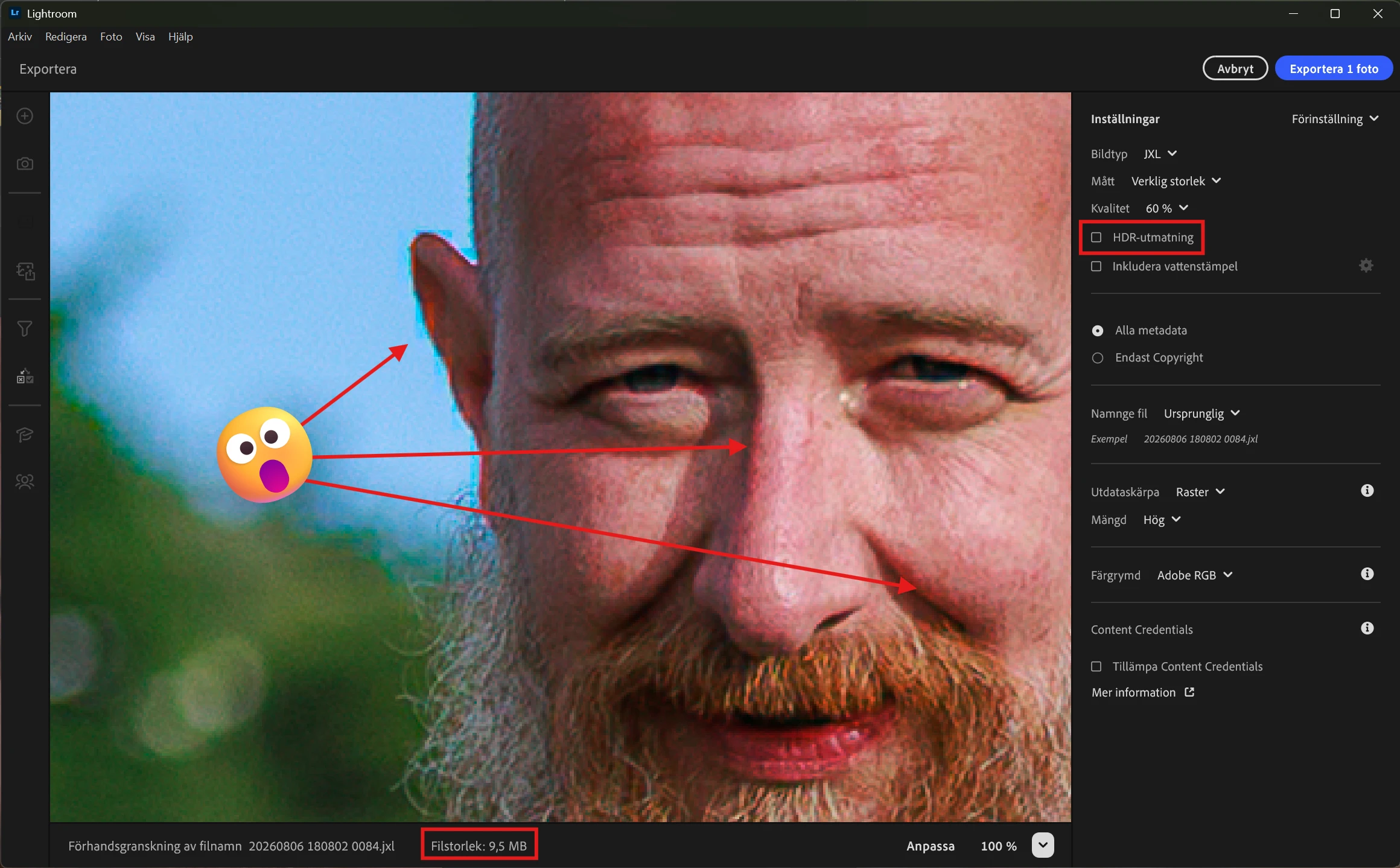
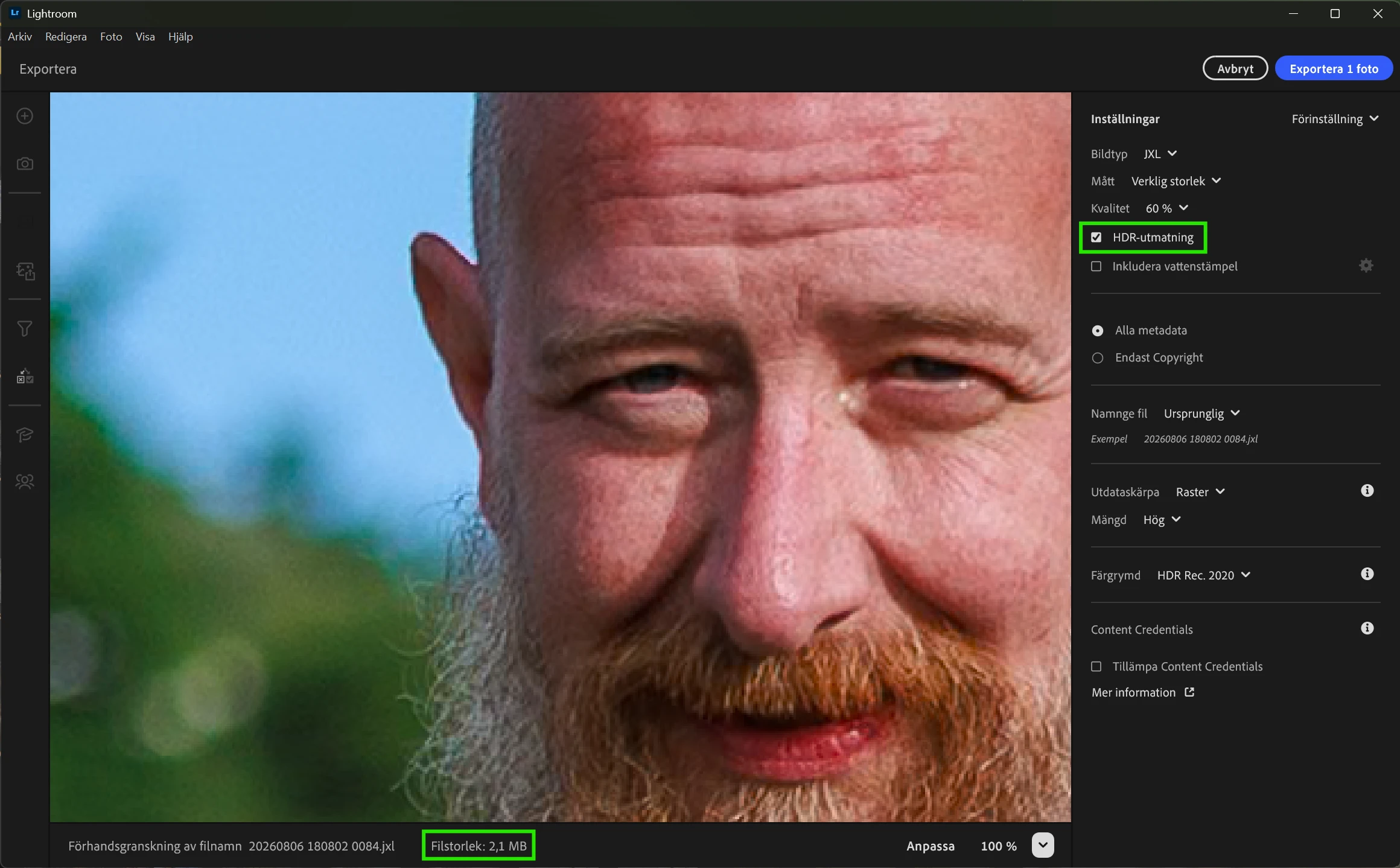
Exported jpeg xl files are corrupted

I have noticed this problem in Lightroom for years but not cared, but now when I finally understand the greatness of Jpeg XL and want to use it I can not because the exported images looks like 💩.
 

  • Jpeg xl files exported in non HDR are corrupt, and very big. (HDR looks fine, and are resonable in size.)
  • Lightroom Desktop Version Number: 10.0
  • Windows 11 26H2
  • Canon EOS R8, latest firmware
  • Reproduction Instructions: Export file to jpeg xl in sdr.
  • Expected result: A good looking picture without artifacts
  • The Actual Result: A nasty bloated picture with severe artifacts.
     

    3 replies

    Participating Frequently
    Nov 14, 2026 5:00 PM UTC

    To bring modern tech like Jpeg XL forward, issues like this really need to get fixed quickly.

    When users try out a new format and get broken files, it completely kills user confidence in adopting modern standards. Fixing this on Adobes end is crucial so people can actually trust Jpeg Xl and start actually using it.

    Seems like an easy fix since Jonnyawesome3 already pointed out the root cause.

    Translate
    JesperJohag
    Known Participant
    Nov 13, 2026 4:09 PM UTC

    Hey ​@Jonnyawsom3! 🙂 Is this related to the BUG with stitched photos in Lightroom? (jpeg xl-files of panoramas are huge. | Community)

    Translate
    Participant
    Nov 13, 2026 4:59 PM UTC

    Yes, it's the same issue with the same fix:


    Translate