
Green Circle Artifacts When Using Blemish Removal in Lightroom Mobile on Google Pixel 11 Pro
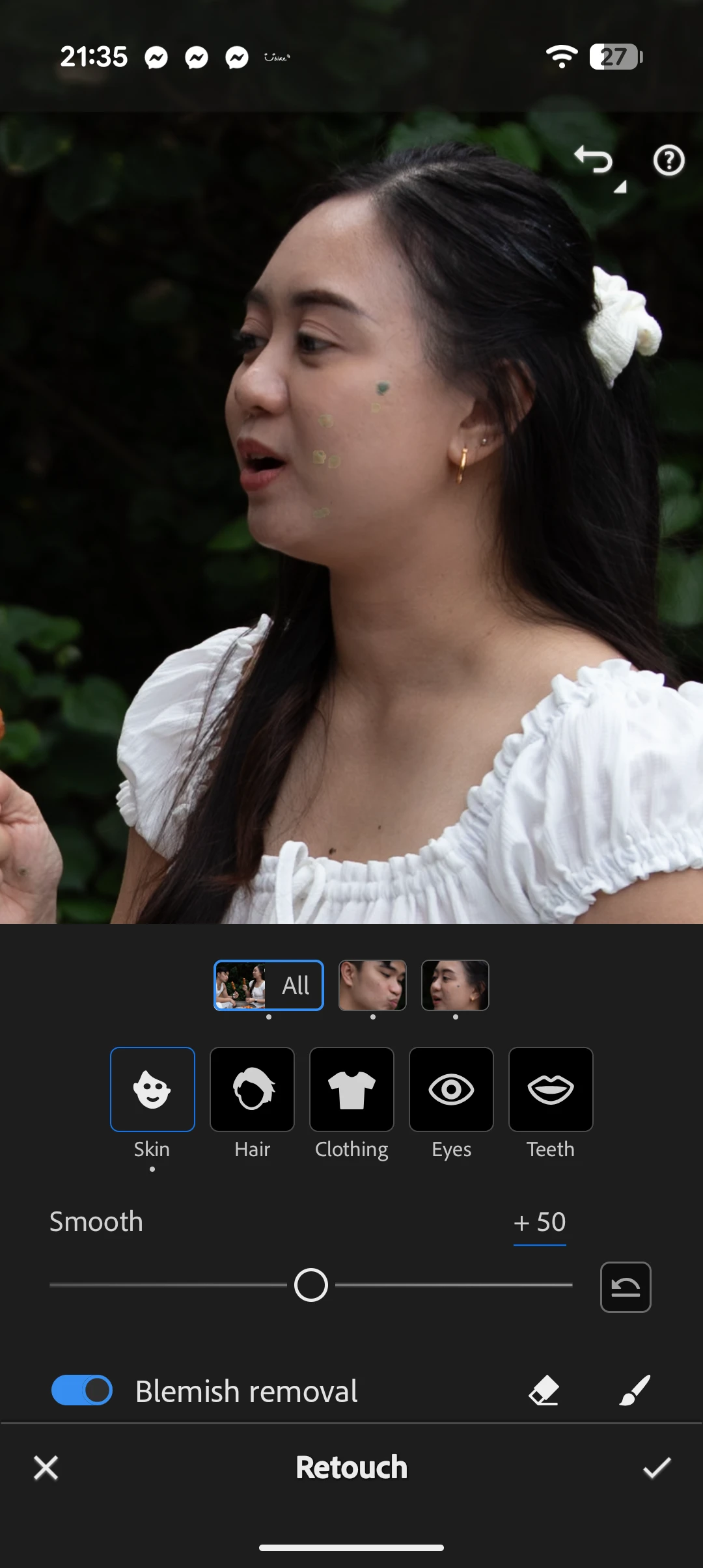
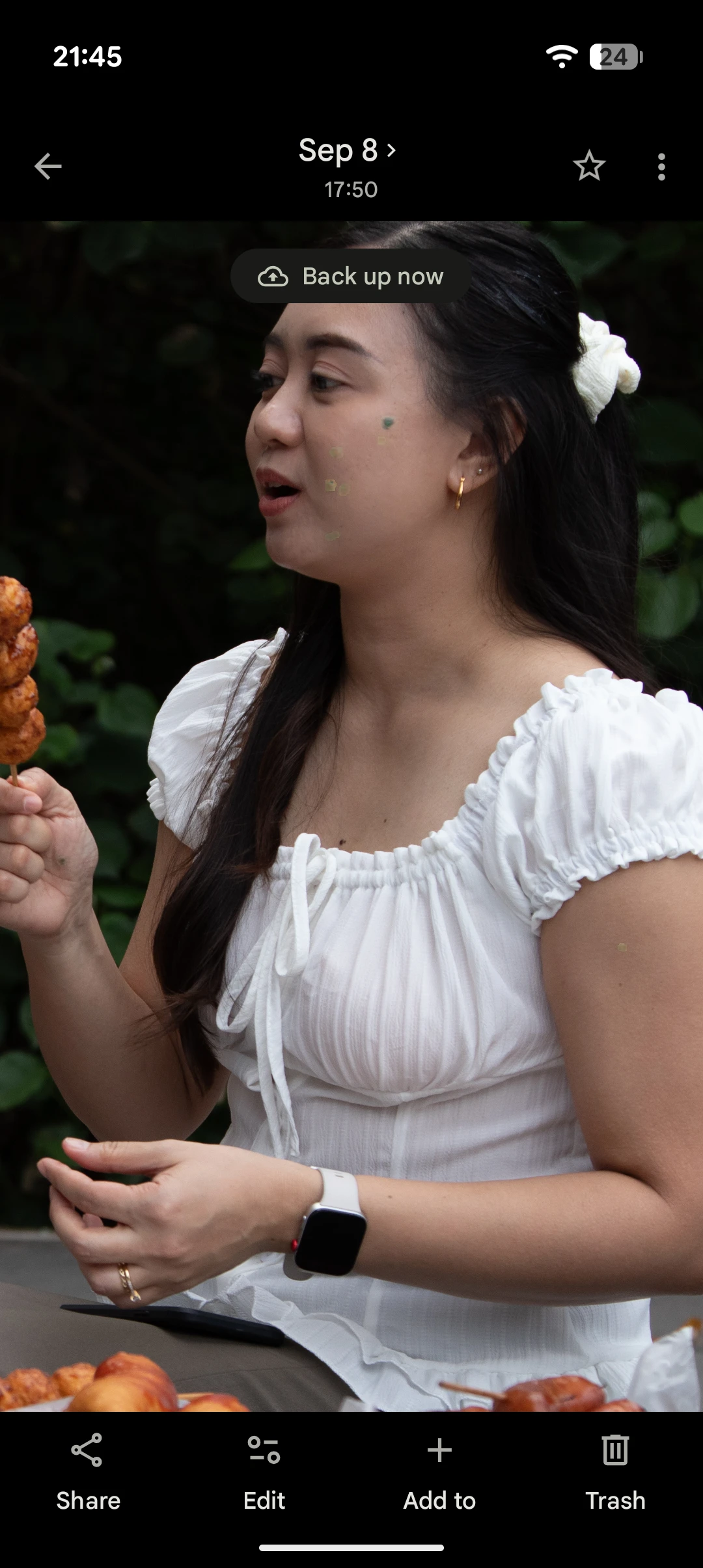
Hello Adobe Support Team,
I'm experiencing a problem with Lightroom Mobile on my Google Pixel 11 Pro.
Whenever I use the Retouch → Blemishes tool to remove skin blemishes, green circular artifacts appear on the edited areas. The green circles remain even after exporting the photo as a JPEG.
Here are the details:
- Device: Google Pixel 11 Pro
- Application: Adobe Lightroom Mobile
- Lightroom version: 12.0.0
- Subscription: Paid subscription
- Editing feature affected: Retouch → Blemishes
Troubleshooting already performed:
1. Tested the same Lightroom account on my Huawei Nova 5T, where the Blemish Removal tool works correctly.
2. Tested Remove → Heal on my Google Pixel 11 Pro, and it works without producing green artifacts.
3. Confirmed that the green circles remain in exported JPEG files.
I am using the same Adobe account and subscription on both devices.
This makes me suspect a compatibility issue or a bug with the Blemish Removal feature on the Google Pixel 11 Pro.
Could you please investigate this issue and let me know if there is a known bug or a possible fix?
I would appreciate your assistance in resolving this problem.
Thank you.
 AdChoices