

MATTENN
Participant
May 8, 2019

Lightroom for desktop: Japanese date is strange
  • May 8, 2019
  • 6 replies
  • 134 views


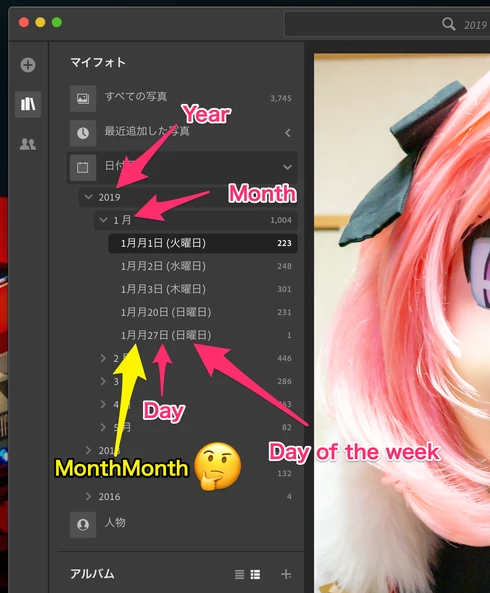
When the display language is set to Japanese, the date display of "Date order" in "My Photo" is strange.

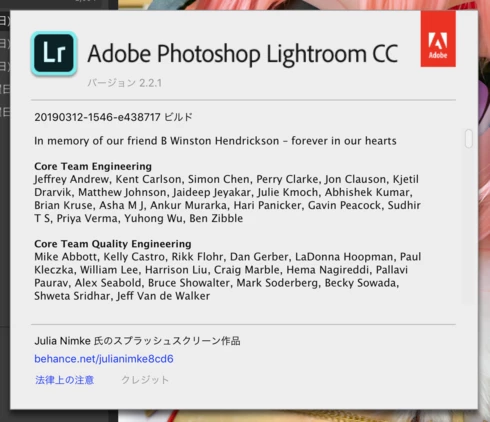
Version Infomation:

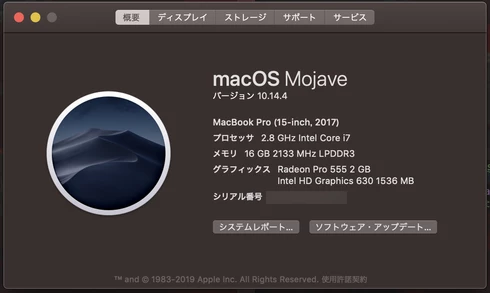
PC Infomation:
This topic has been closed for replies.

6 replies

Rikk Flohr_Photography
Community Manager
Community Manager
November 5, 2019
Lightroom Desktop 3.0 was released earlier today and contained a fix for this issue. Please update and let us know if you are still seeing the issue.

Thank you for your patience. 
Rikk Flohr: Adobe Photography Org
Inspiring
August 6, 2019
Greetings Takamasa,

This issue has been fixed on v2.4, which will be public soon. Thanks!
MATTENN
MATTENNAuthor
Participant
May 9, 2019
There is no problem with the display of year, day of week and day. However, only "Month" in "Date order" is written twice.

It will be easy to understand if you look at the image.
MATTENN
MATTENNAuthor
Participant
May 9, 2019
Thank you! I use Lightroom from now on!
Inspiring
May 9, 2019
Thanks Takamasa raised this issue. And it could be reproduced on loc test team, which has already been submitted as NMB-12638, and will be fixed on v2.4.
Rikk Flohr_Photography
Community Manager
Community Manager
May 8, 2019
Greetings Takamasa,

Can you describe how it is strange? Perhaps you could give us a date and show how it is shown in Lightroom Desktop and how you expect it to appear?
Rikk Flohr: Adobe Photography Org
