



Antoine HLMN
Known Participant
December 6, 2021

P: After Full Zoom, Image does not resolve to full resolution when dragging

  • December 6, 2021
  • 4 replies
  • 410 views


How to replicate:

Load an image on mobile (iPad or iPhone)

Zoom to max level by pinching open

Try to move around, only the initially loaded part is rendered, the rest is blurry

Same on iPad as on iPhone, latest version on iOS to date.
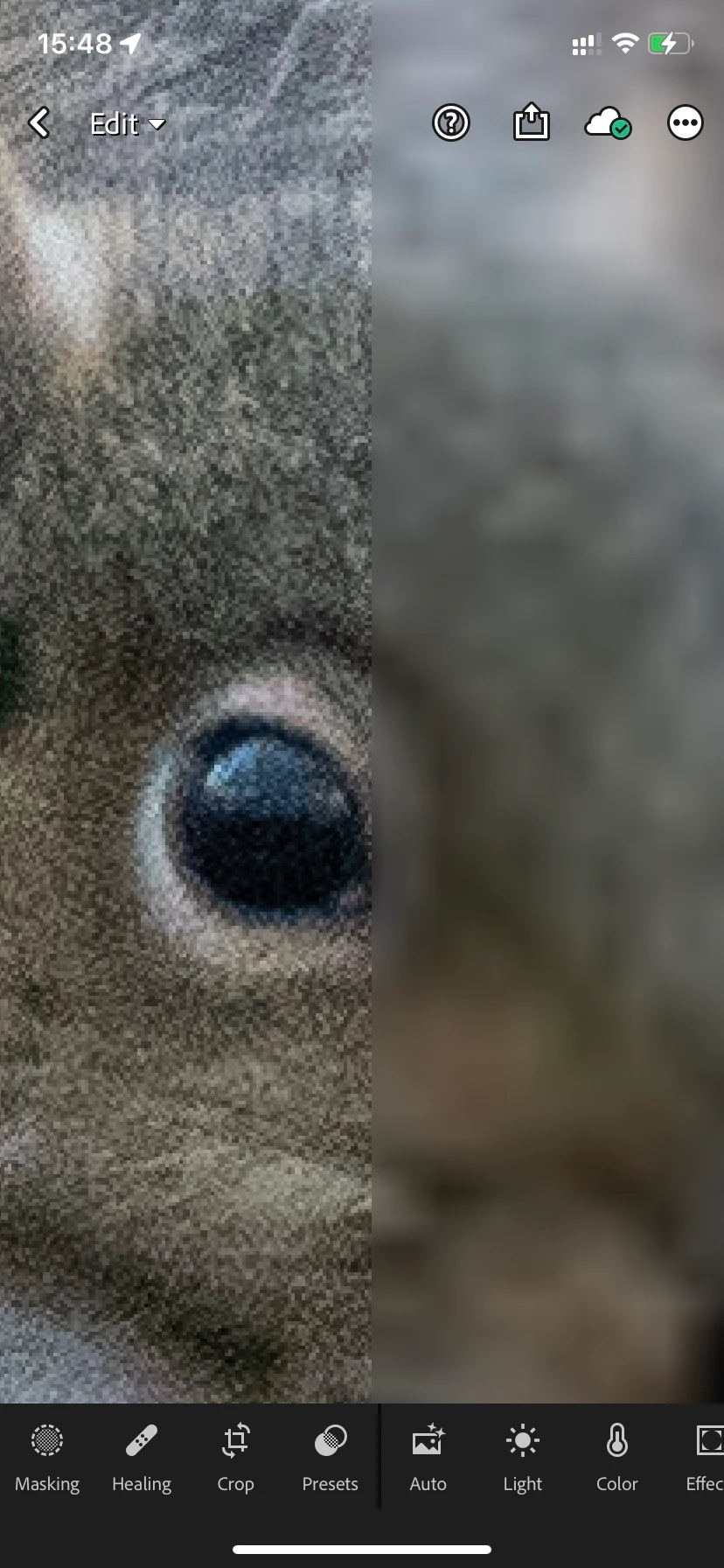

I can't upload an iPad  screenshot because the forum doesn't support iPad sized screenshots...

This topic has been closed for replies.

4 replies

Antoine HLMN
Known Participant
December 7, 2021

Awesome! Thanks

Rikk Flohr_Photography
Community Manager
Community Manager
December 7, 2021

Setting status to acknowledged

Rikk Flohr: Adobe Photography Org
Community Manager
December 7, 2021

Hi @Antoine HLMN 

Thanks for reporting this.  I was able to reproduce and will ensure a bug is logged.


As a work-around, I notice that a single tap on the image to hide the Edit UI corrects the way the image is displayed, and another single tap on the image restores the edit controls.

Rikk Flohr_Photography
Community Manager
Community Manager
December 6, 2021

I am not able to replicate this on iPhone or iPad. 

Can you provide more detail about the Album, its local storage settings, connected or not, Wifi or cellular?

Rikk Flohr: Adobe Photography Org
Antoine HLMN
Known Participant
December 7, 2021

Hi again Rikk 😉

Those are raws from the same camera: sony a7Riii, stored locally on both devices (well, imported on iPad, sotred locally on iPhone). Wifi only, no cellular. But same behavior without wifi.

Let me know if you want some raws.