


Participant
January 14, 2022

P: Color option in iPad LR does not correctly display previous setting

  • January 14, 2022
  • 2 replies
  • 499 views

Working on iPad Pro (iPadOS 15.2), App version 7.1.1 at time of post.

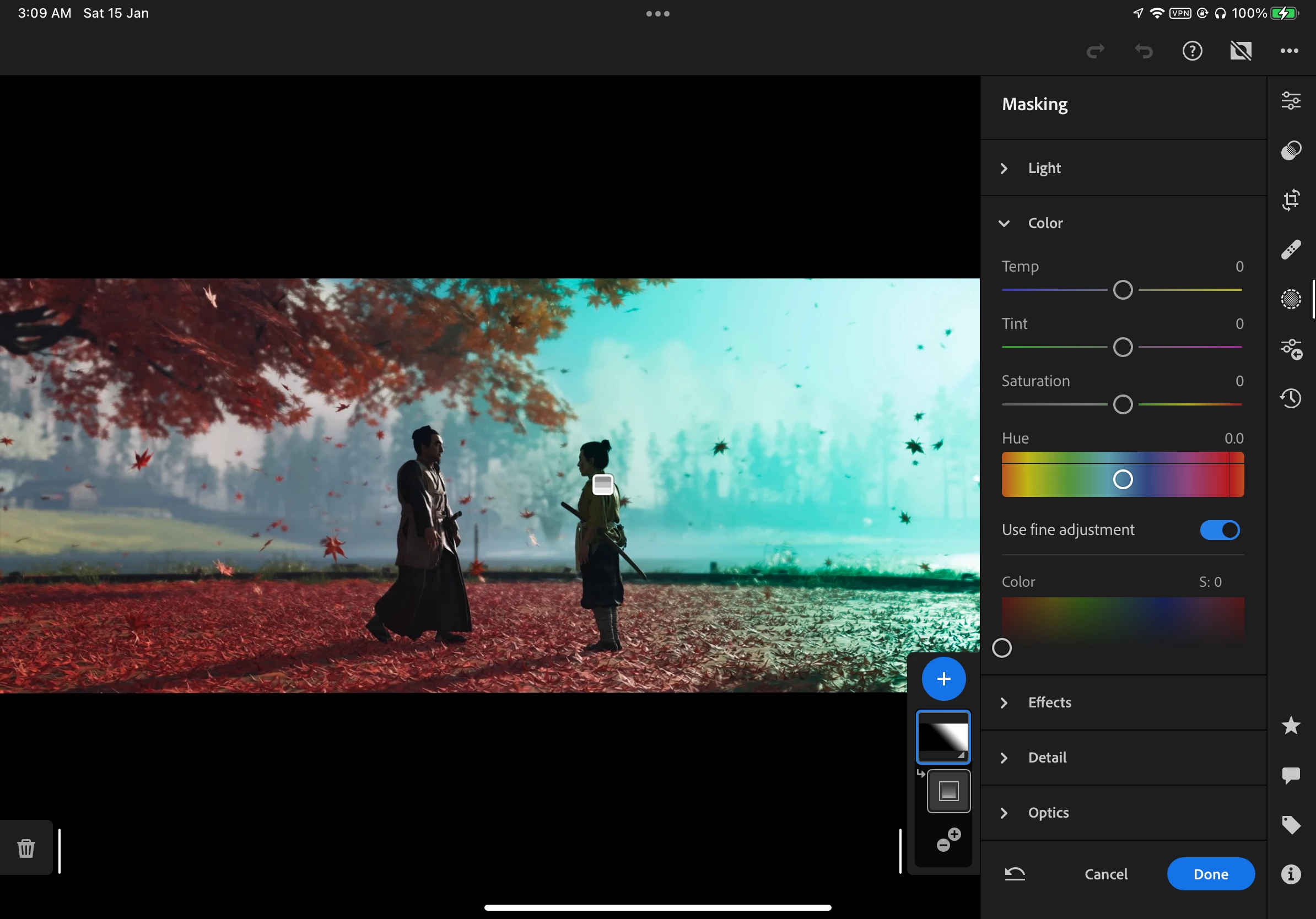
Problem: Manual coloring option in any mask does not display the existing setting from previous edits (it stays at the unset state, no color, Saturation: 0).

Steps to reproduce:

1. Edit in any mask, set any manual color in the "Color" panel, saturation > 0 (for disambiguity, Color setting in this case refers to the last option in the "Color" panel)
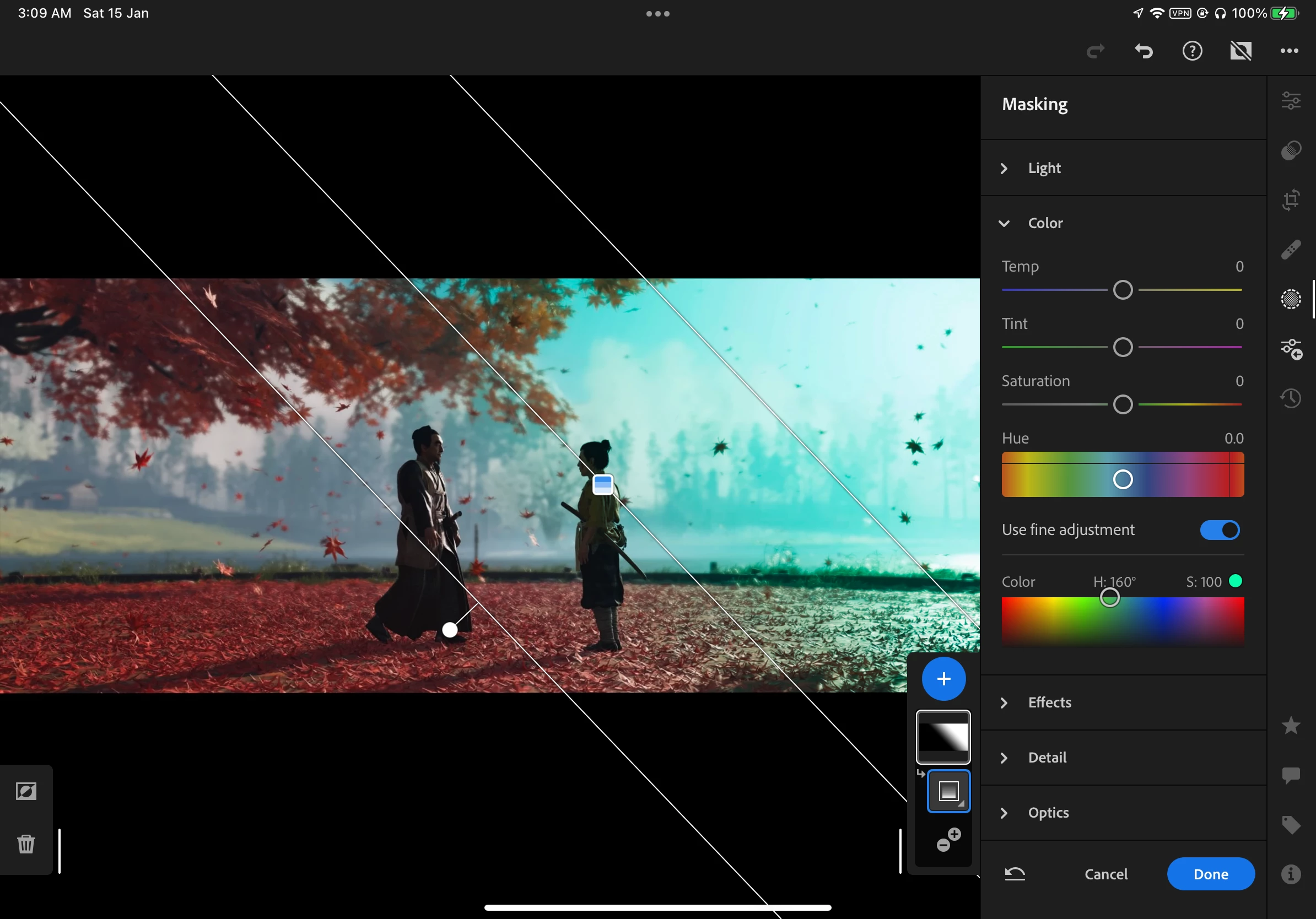
 

2. Exit mask editing by clicking "Done". The manual color will display on image as desired.

3. Enter the same mask edit, the manual color will still be correctly displayed on image, but under "Color" panel, Color setting is displayed as unset.
 

This topic has been closed for replies.

2 replies

Rikk Flohr_Photography
Community Manager
Community Manager
February 8, 2022

Updates to the Adobe Photography Products were released today and contain a fix for this issue. Please install the update via your Creative Cloud Desktop App or your respective App Store. 


Note: 

You may need to refresh the Creative Cloud App for desktop software to show an update available.  ([Ctrl/Cmd]+[Alt/Opt]+ [ R ])

For Mobile downloads, it may take several days for the update to appear in your respective App Stores.


Thank you for your patience. 

Rikk Flohr: Adobe Photography Org
Rikk Flohr_Photography
Community Manager
Community Manager
January 14, 2022

It appears to be broken on iPad but is working on iOS for iPhone. 

I will log a bug with the team.  Thanks for the report!


Set Status to Acknowledged

Rikk Flohr: Adobe Photography Org