


Participating Frequently
October 23, 2018

P: Error T505 - Trying to download Smart Preview

  • October 23, 2018
  • 14 replies
  • 323 views

In August I imported a few hundred Raw images to LR CC mobile using my iPad Pro. They are synced to LR CC through Adobe Creative Cloud to my desktop on my Mac. I have applied edits to both the mobile and desktop versions. Currently I have no problem continuing to edit these images on my desktop LR CC, BUT when I try to go into LR CC mobile and do some edits I get Error T505 - Photo Failed to Load.
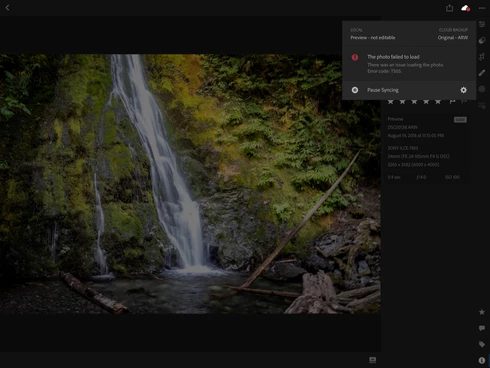
This topic has been closed for replies.

14 replies

Rikk Flohr_Photography
Community Manager
Community Manager
October 23, 2018
Douglas:

See if this temporary workaround functions for you.

1. set the asset in a album for download for offline
2. edit asset on other device or desktop to create a new revision
3. change Cloud storage & Sync to download original
4. open asset in all photos"
Rikk Flohr: Adobe Photography Org
mivorycormack
Participant
October 23, 2018
Experiencing the same problem, but LR CC Mobile version.
Participating Frequently
October 23, 2018
Thanks Rikk for responding so quickly. It appears to be happening to every RAW (.ARW) image. No problem on LR CC desktop but will not load the Smart Preview to mobile. Whether I am looking at the image in "ALL PHOTOS" or in an album, I still get the same error. 
Rikk Flohr_Photography
Community Manager
Community Manager
October 23, 2018
Douglas,

Does this happen with all of the photos or just one or two?

Rikk Flohr: Adobe Photography Org