
Known Participant
Dec 16, 2018 5:07 PM UTC
Open for Voting

P: Error trying to reset all sliders error

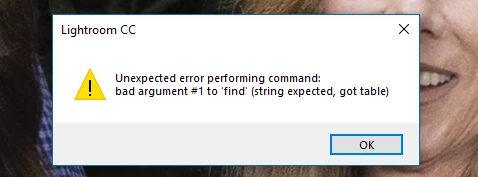
I am in the Brush tool and have brushed some part of my image and configured sliders. When I right click one of the slider headings and choose "Reset all sliders" it used to work correctly, but starting with version 2.1 of Lightroom CC I get the following error:
This topic is closed to new replies. Start a new post to keep the conversation going.

2 replies

Rikk Flohr-Retired
Adobe Employee
Jan 2, 2019 4:37 PM UTC
I am unable to duplicate what you are seeing on Mac but am seeing this error on Windows.  I will be logging a bug for this. 
Translate
Rikk Flohr: Adobe Photography Org
Inspiring
Dec 24, 2018 5:22 PM UTC
I'm getting this error as well.  Same user case, same error message.  I also see it with the linear gradient and radial gradient tools.
Translate