


Participating Frequently
February 14, 2022

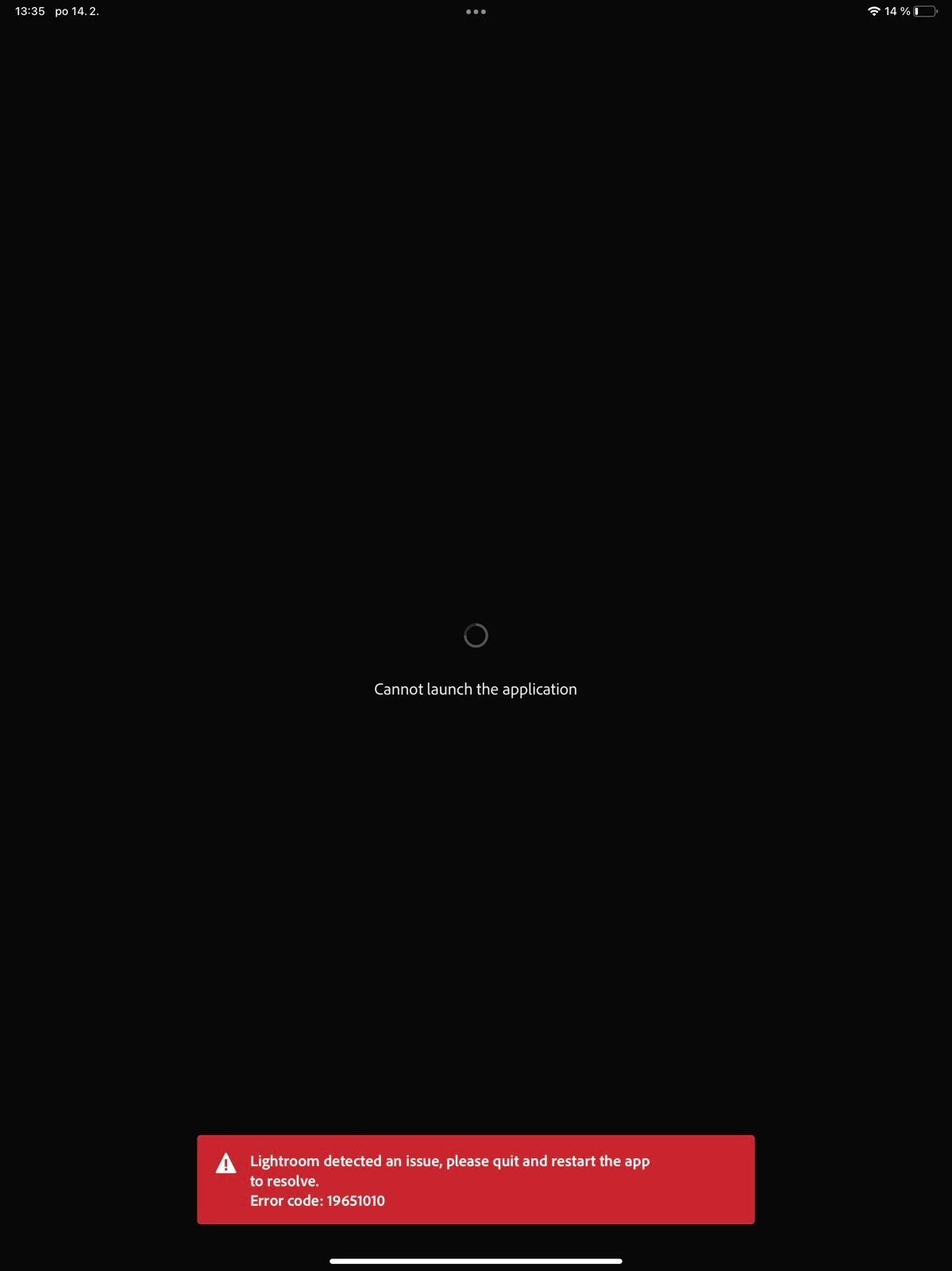
P: iOS/iPad Error: 19651010

  • February 14, 2022
  • 7 replies
  • 1555 views

Hello, I have problems with Lightroom CC iOS app on both iPhone and iPad.


Problem is that from time to time (quite offen) happens that app shows error on login and I am not able to continue. 


  1.  I have all photos in Lightroom Classic in catalogue and all photos (103000 photos and 1300 albums) are synced (collections) as a smart previews to Lightroom CC (cloud).
  2.  PC version of Lightroom CC works great, no problem there. Synchronization works between CC and Classic.
  3.  Only mobile apps stuck sometime. I noticed that some photos shows unsupported non existing camera profile and I have to click to reload proper one. Do not know how that happend.
  4.  Another case when this happens is when I download photos offline in mobile app (and close app and open again) - sometimes it is stucked


The only way how to fix this to uninstall app and login again, but i have to wait plenty of time until all photos are fetched again = app is unusable when photos are loading. 


What can I do to fix data if there are any? I did not find anything wrong. 
 

This topic has been closed for replies.

7 replies

Participant
May 30, 2023

This issue has been continuously occurring since May 2021 to present.

Same thing happened today and the error code is different.
"19651012"

I've contacted Adobe several times from 21 to last year, but nothing has changed, and they told me to delete it and reinstall it.

I saw an inquiry about tag synchronization with the classic version from someone experiencing the same phenomenon as me.

I also remember working with tag sync in older versions of Lightroom cc for compatibility with Classic.

Could the above action cause this error?

I use three devices: PC, Android, and iPad, but this only happens on the iPad.

And the same symptoms appear on the 7th generation iPad and 11th generation iPad Pro (2nd generation).

Community Manager
November 1, 2022

에펠조명


Correct, this seems to be something that occurs for some users only and the problem seems to occur on a device level.
We are still investigating this issue but have not yet been able to reproduce it.

Since you can reproduce it easier we need to try to understand what your workflow might do that's causing this to occur regularly. What clients are you using for editing your images in the Lightroom catalog?

thanks,
Ignacio

Participant
October 29, 2022

The same symptoms have been repeated for more than a year.
I wanted them to solve it, but they only gave me the answer that it was a defect in my iPad.
Whenever the symptoms repeat, you have no choice but to delete the application and download it again. It's so uncomfortable 19651010 This error is becoming more and more frequent.

Rikk Flohr_Photography
Community Manager
Community Manager
September 22, 2022

updating status and adding bug number

Rikk Flohr: Adobe Photography Org
Inspiring
September 2, 2022

This problem still exists.

Is it resolved?

Community Manager
September 2, 2022

Hi,

yes unfortunately this issue still appears to exist.
We have not yet understood why this issue occurs. 
If you can reproduce, this do you have any information about what might have changed for you running into this issue?

Do you e.g. also use Classic? And did it also occur upon network changes?

Thanks,
Ignacio

Participant
April 19, 2022

Há meia hora de hoje, 19/04/22, o lightroom móbile  travou apresentando código de erro 19651010

Community Manager
April 20, 2022

This is a uncommon error that relates to the Lightroom program's index if your files on your device.


I hope that re-installing the app might help.  Before you delete the app and install it again, please first check:
1. Lightroom iOS shows sync is complete when you tap on the cloud icon

2. sign into your same account using a web browser at lightroom.adobe.com -- please make sure your most recent edits and imported files appear

3. if possible, please do a full iOS back up of your device, so you can restore any files on your device later 


After checking these 3 actions above, please try deleting and reinstalling the app.  Does this error no longer appear?


Thank you for contacting us, and please accept our apologies for this error.


Community Manager
February 14, 2022

Hi, 

thank you for reporting this.
So, once you reach the error 19651010, you mean that restarting the app or the device doesn't help?
Once it does occur, have you checked how much free disk space you have on the device?

Thanks,
Ignacio

VogelesAuthor
Participating Frequently
February 14, 2022

Hello, restart does not help. When this happened on iPad, I immediately opened Lightroom on iPhone and same error occured there. And since then I was not able to open lightroon on both devices. So that was not related to free space of the device.


Community Manager
February 15, 2022

Can you please let us know which version of Classic and Lr on the Desktop that you are using?

Thanks,
Ignacio