

default4lzve5ikcamz
Participant
Nov 12, 2026 2:28 PM UTC
Investigating

P: iOS widget for featured Community Edits is blank

For several updates, the Lightroom mobile app on iOS is not showing any images on the home screen widget. Instead of showing recent featured community edits, all image tiles of the widget are blank white spaces.


have tried logging out and back in, reinstalling Lightroom app, restarting phone, confirming all Lightroom settings are turned on.
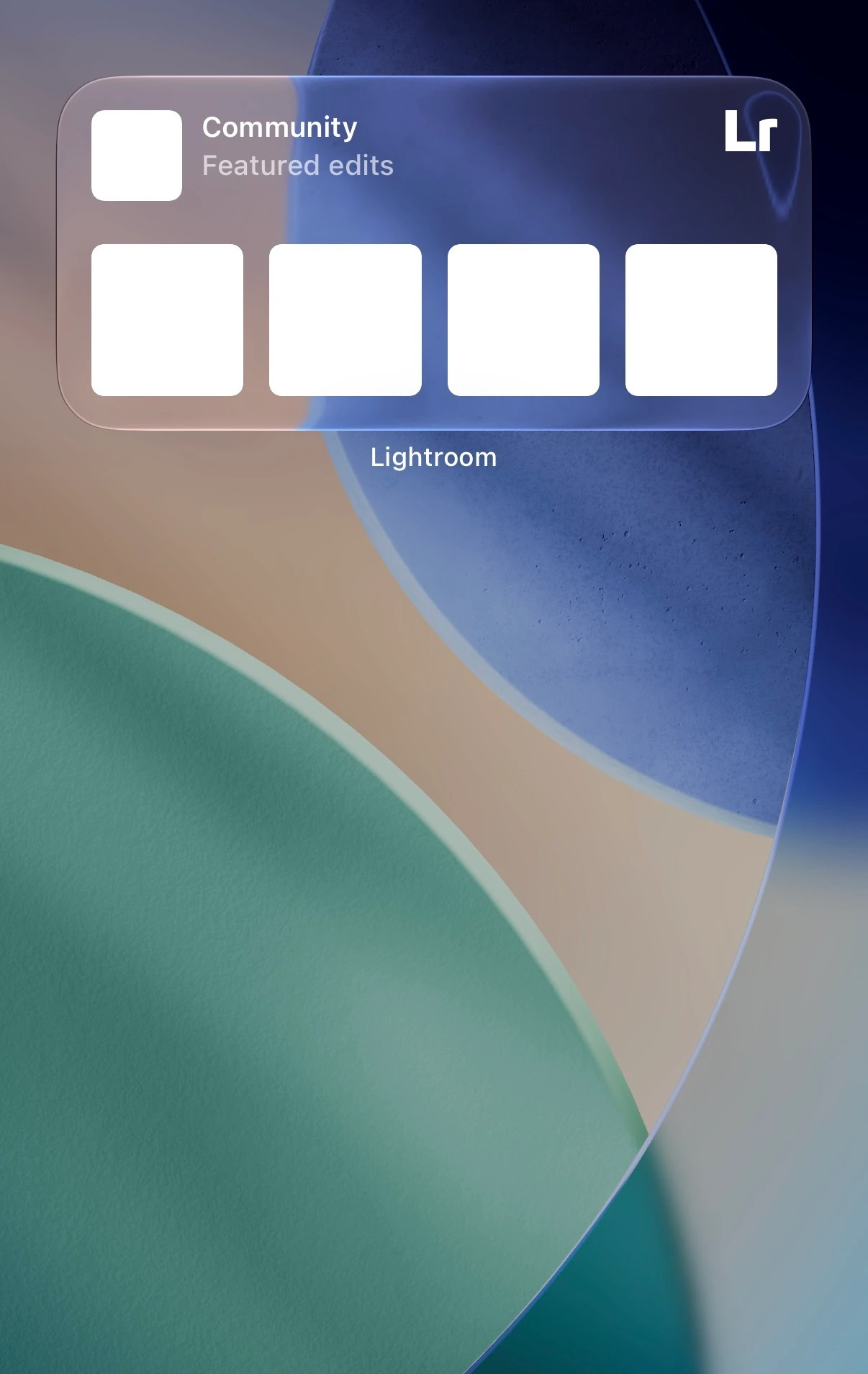


    3 replies

    default4lzve5ikcamz
    Participant
    Nov 12, 2026 9:34 PM UTC

    Would be really aesthetic to have the highlighted images in black and white for the clear/ color tinted images on tinted home screen. 

    Translate
    default4lzve5ikcamz
    Participant
    Nov 12, 2026 6:35 PM UTC

    iPhone 17 Pro, iOS 27.0.1 (I believe the problem existed with iOS 26 versions as well), Home Screen set to clear. I did see that tinted has the same issue. Default and dark show images as expected.

    Translate
    Anshul_Saini
    Community Manager
    Community Manager
    Nov 12, 2026 5:33 PM UTC

    Hi ​@default4lzve5ikcamz,

    Thanks for reporting this! I'm sorry the Community Edits widget hasn't been displaying images despite the troubleshooting you've already tried.

    We've been able to reproduce similar behavior and have shared it with the Lightroom team for investigation.

    Could you please confirm:

    1. Which iPhone model/ variant are you using (e.g., iPhone 16 Pro, 17 Pro Max)?

    2. Which iOS version is installed?

    3. Is your iPhone's Home Screen appearance set to Tinted, Clear, Default, or Dark?

    In the meantime, could you try switching your Home Screen appearance to Default or Dark and let us know whether the images reappear?

    Thanks for your patience and for helping us investigate!

    Best,
    Anshul Saini

    Translate