


Participant
January 15, 2022

P: Lightroom Downloader thinks Windows is out of date

  • January 15, 2022
  • 6 replies
  • 2634 views

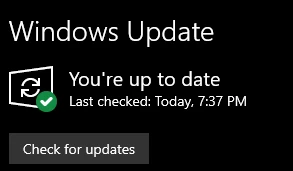
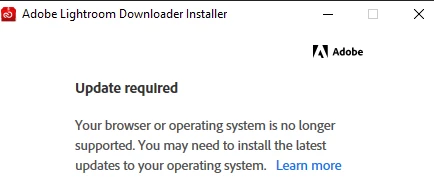
The Adobe Lightroom Downloader installer (frankly I have no idea who came up with the naming for this, as it seems intentionally designed to be easily confused with Lightroom itself) insists my operating system is out of date. I'm running the latest version of Windows 10, just updated (not Windows 11, which is not supported for whatever reason). Funnily enough, the "read more" ticket offered in the error message opens Internet Explorer 11, a browser released _9 years ago_. Please update it.
 

I do not understand why Adobe does not offer a competent way of downloading _my own files_ in bulk without relying on a standalone propietary app, and why that app has such stringent system requirements when all it does is download files from a server, but I need those files.

This topic has been closed for replies.

6 replies

Rikk Flohr_Photography
Community Manager
Community Manager
February 25, 2022

Recent issues with the Lightroom Downloader on Windows have been fixed.


With the updates, some users may experience issues with logging in via Google.


  1. Quit the Lightroom Downloader and sign into Google on your default browser. Relaunch the Downloader and try again.
  2. If that fails, click the Try Again button on the Couldn’t Sign In warning page. If you previously tried logging in with your email, login this time using your phone number instead.  And if you previously tried logging in with your phone number, login this time using your email.
  3. If both of those options fail, use the Adobe sign-in option. If you don't know your Adobe password, go to https://account.adobe.com/security, sign-in with your Adobe ID, choose Reset Your Password and follow the steps to set it. You can verify that your Google and Adobe accounts are connected on that page. Then relaunch the downloader and use Adobe sign-in with your new password.


Rikk Flohr: Adobe Photography Org
Participant
February 21, 2022

I'm having the same issue. Got an email saying I need to download my files before they are deleted. The "correct answer" here says a temporary workaround would be to use the desktop version, but obviously I don't currently have access to that. How does this work when you don't currently have a subscription? The only reason Adobe informed me I need to download my files is because I haven't had a subscription in a long time. While Adobe is working on a solution are they doing anything to compensate those of us whose files will be deleted shortly? Are we getting extensions until this is fixed?

Participant
January 30, 2022

Same problem as others are reporting.  Can we expect a fix to be posted before anymore folks data is deleted?  

Participant
January 21, 2022

Well I ended up cancelling my subscription. I literally only signed up because adobe does not offer a competent way of retrieving MY OWN FILES from their servers (unless they're exported as jpegs). Had to rely on a third party with a mac computer to download my entire portfolio. Worse than useless service

Participant
January 24, 2022

Good Afternoon,


I recieved an email saying I need to download my pictures from the cloud as they will be deleted in 30 days. so I have downloaded Lightroom Downloader from the link. but it fails to install. (Attached screenshot) My OS is Windows 10 Pro 64Bit fully updated. Any advice would be grand. 


Cheers Will


Rikk Flohr_Photography
Community Manager
Community Manager
January 18, 2022

We've acknowledged this as a bug and are working on a solution.

A temporary workaround would be to perform an export all from the LrDesktop client using Original + Settings. 


Rikk Flohr: Adobe Photography Org
SharleneO
Participating Frequently
January 17, 2022

Hi,

I had a problem with Captivate recently asking me to sign in and saying the operating system is out of date and the support page (Update your operating system to work with Adobe apps)was less than helpful, my IT guys helped me with this link: Adobe Captivate: Your browser or operating system is no longer supported., although specifically for Captivate, it might help a bit more for your Lightroom downloader.

Hope this helps or you got it sorted.

Participant
January 18, 2022

Unfortunately that doesn't work. I tested it in two computers. Adobe needs to look into this ASAP I NEED these files.

SharleneO
Participating Frequently
January 18, 2022

I have seen another suggestion to a similar problem but with InDesign, apparently downloading and installing CC (guessing that is Creative Cloud), signing in and then trying the set-up, helped the problem. 

It is very odd that Adobe needs Internet Explorer 11 to be up-to-date, regardless of when browser you usually use. It might be because Internet Explorer has the Internet Options which might form the base for other browsers, but I am just guessing.