Pivac
Participant
Nov 10, 2026 8:22 AM UTC
Investigating

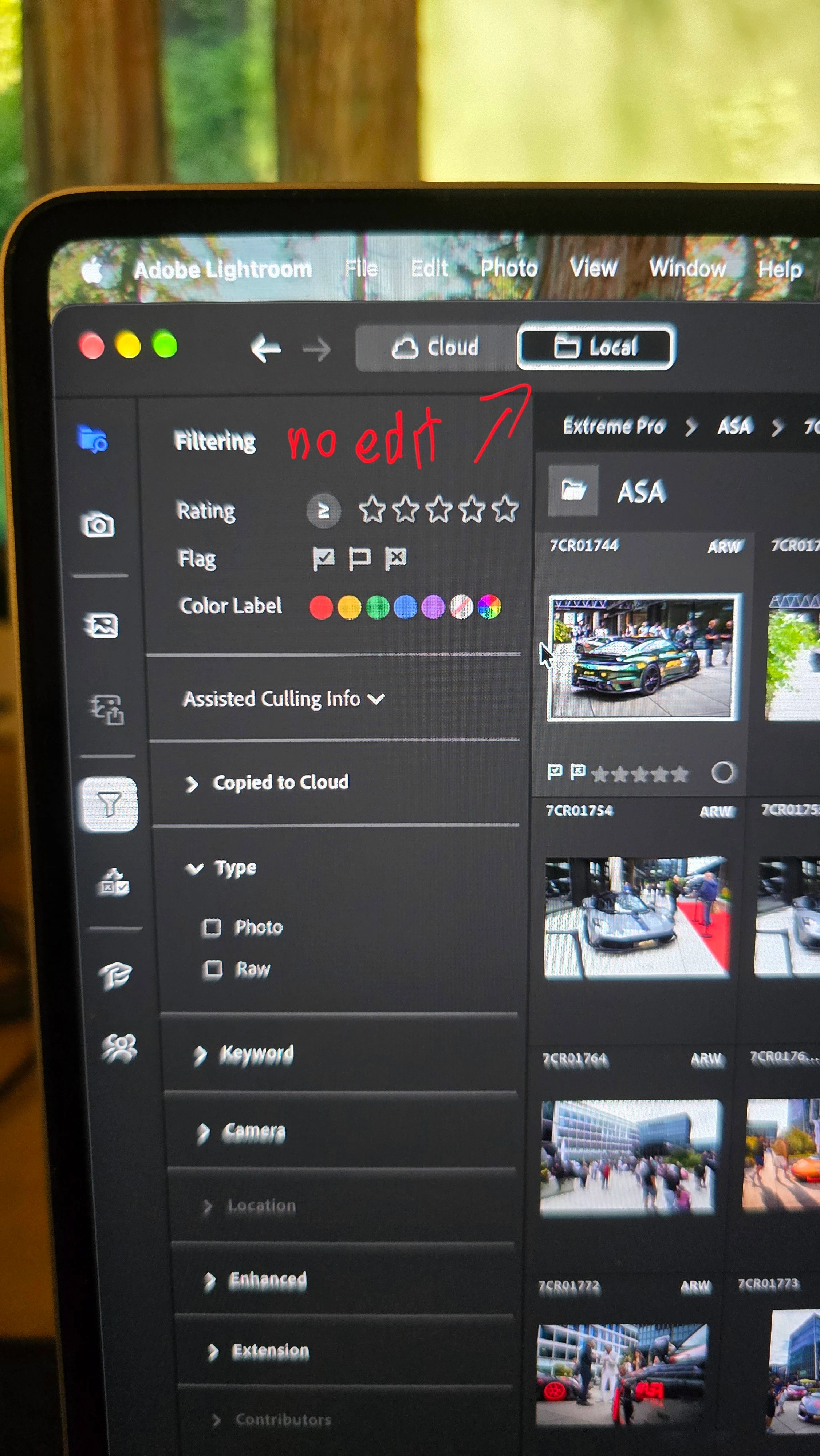
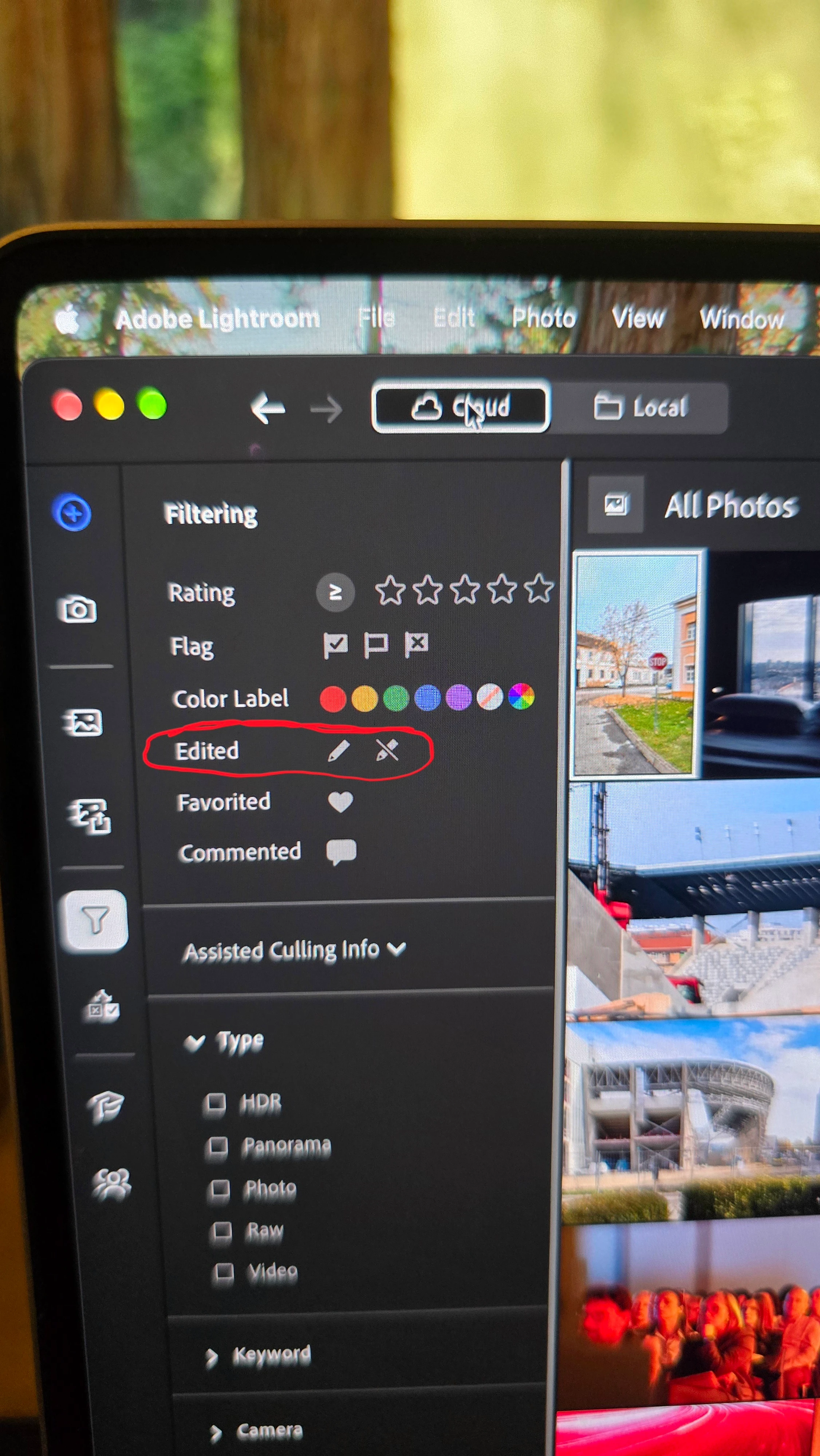
P: LrD v10.0: Edited filter parameter is missing in Local mode


    Pinned Reply By Sameer K

    Hey, @Pivac. Thanks for pointing this out. I see this too, and I've logged it and shared it with the team to review.


    Thanks!
    Sameer K
    (Type '@' and type my name to mention me when you reply)

    4 replies

    Participant
    Nov 11, 2026 11:21 PM UTC

    I have the exact same problem!! It really is step back and is part of my culling process so it’s slowing down the whole process. Should I uninstall the 10.0 and reinstall 9.6 in hopes that you fix this? 


    Translate
    CORCTON34033231
    Community Expert
    Community Expert
    Nov 11, 2026 6:15 AM UTC

    Hi @Tommy26531248zft7 — you can still filter by editing status. In Lightroom, open the Filter options and choose Edited, or type edited: in the Search bar. Adobe's help for organizing photos lists both: https://helpx.adobe.com/lightroom/desktop/organize-photos/organize-photos.html


    If Edited isn't in your Filter options, please say which platform you're on (macOS or Windows) and whether you're in All Photos or an album — that would point to a bug rather than a removed feature.

    Translate
    Participating Frequently
    Nov 10, 2026 9:38 PM UTC

    latest release removes the ability to filter a search by edited yes/no.  This is a huge step back in productivity for me.  I often need to search for what has been edited already (or what has not).  Why remove a useful feature?

    Translate
    Sameer K
    Community Manager
    Sameer KCommunity ManagerPinned
    Community Manager
    Nov 10, 2026 12:20 PM UTC

    Hey, @Pivac. Thanks for pointing this out. I see this too, and I've logged it and shared it with the team to review.


    Thanks!
    Sameer K
    (Type '@' and type my name to mention me when you reply)

    Translate