

Known Participant
December 31, 2021
Released

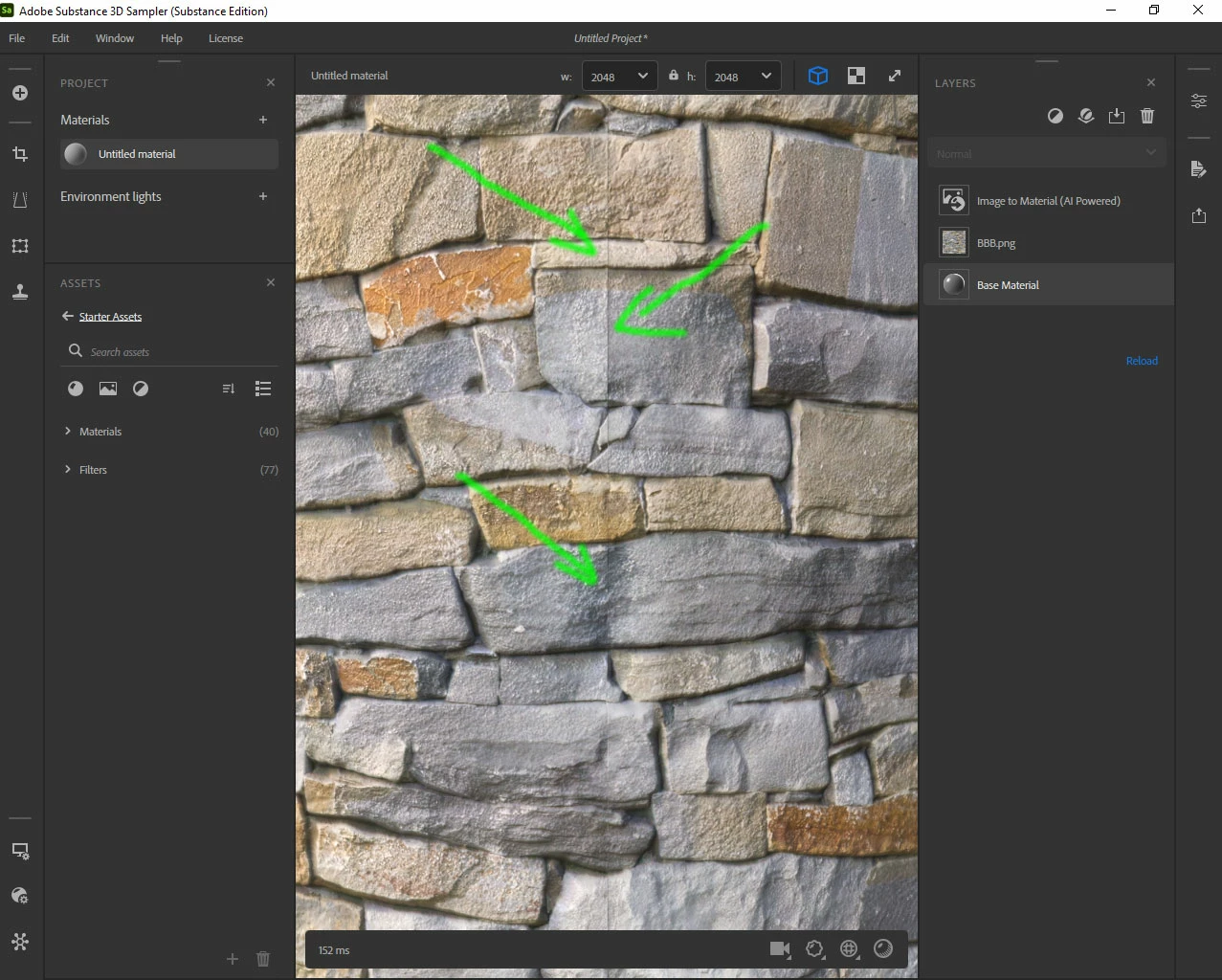
It gets such a mistake.

Substance 3D Sampler

I have a question.
If it generates PBR from a single photo already tile.
And I don't want to use the Tile knot.

It gets such a mistake.
Is there a solution for this?
Greetings, Arek
This topic is closed to new replies. Start a new post to keep the conversation going.

20 replies

Arek.OAuthor
Known Participant
February 6, 2024

Here you can best see where the problem is.
AO breaks when it is generated from a height map.
--------------------------------------

Translate
Arek.OAuthor
Known Participant
December 11, 2023

I send

Translate
Cyril Dellenbach
Community Manager
Community Manager
December 11, 2023

Hi @Arek.O,


Thanks for the report.


This is in fact something we're investigating in. Could you send me (cdellenbach@adobe.com) your project and the asset (the image), so I can add the files to our dataset.


Let me know.

Translate
Cyril Dellenbach (Micro) | Product Manager | Substance Painter
Arek.OAuthor
Known Participant
December 11, 2023

If I add Dirt, AO, Corrode, Surface Relief
the same blonde also comes out.

Translate
Arek.OAuthor
Known Participant
November 28, 2023

HI
Turns out it's a problem with Height To Normal
For some reason it doesn't generate correctly if there is Equalize first. 😞
Arek

Translate
LoryAline
Community Manager
Community Manager
November 27, 2023

Hi,

The new version of the Image to material (AI Powered) doesn't need the "preserve tiling" anymore.
Does the seam appear with the Image to material (AI Powered) or the Equalizer?

Translate
Arek.OAuthor
Known Participant
November 24, 2023

The problem returns 😞 the texture used in Photoshop and sent to Substance 3D Sampler displays incorrectly. The (AI Powered) button disappeared and appeared in (Equalizer), but it does not work there.

Regards, Arek


Translate
LoryAline
Community Manager
Community Manager
November 28, 2022

Happy to hear to it! 

Translate
Arek.OAuthor
Known Participant
November 24, 2022

Hi,
Now it displays perfectly.
Thank you very much for your quick reply !
Greetings 

Translate
LoryAline
Community Manager
Community Manager
November 24, 2022

Hi,
Did you try to enable the "preserv tiling" option?

Translate
