

Known Participant
Dec 31, 2021 10:57 AM UTC
Released

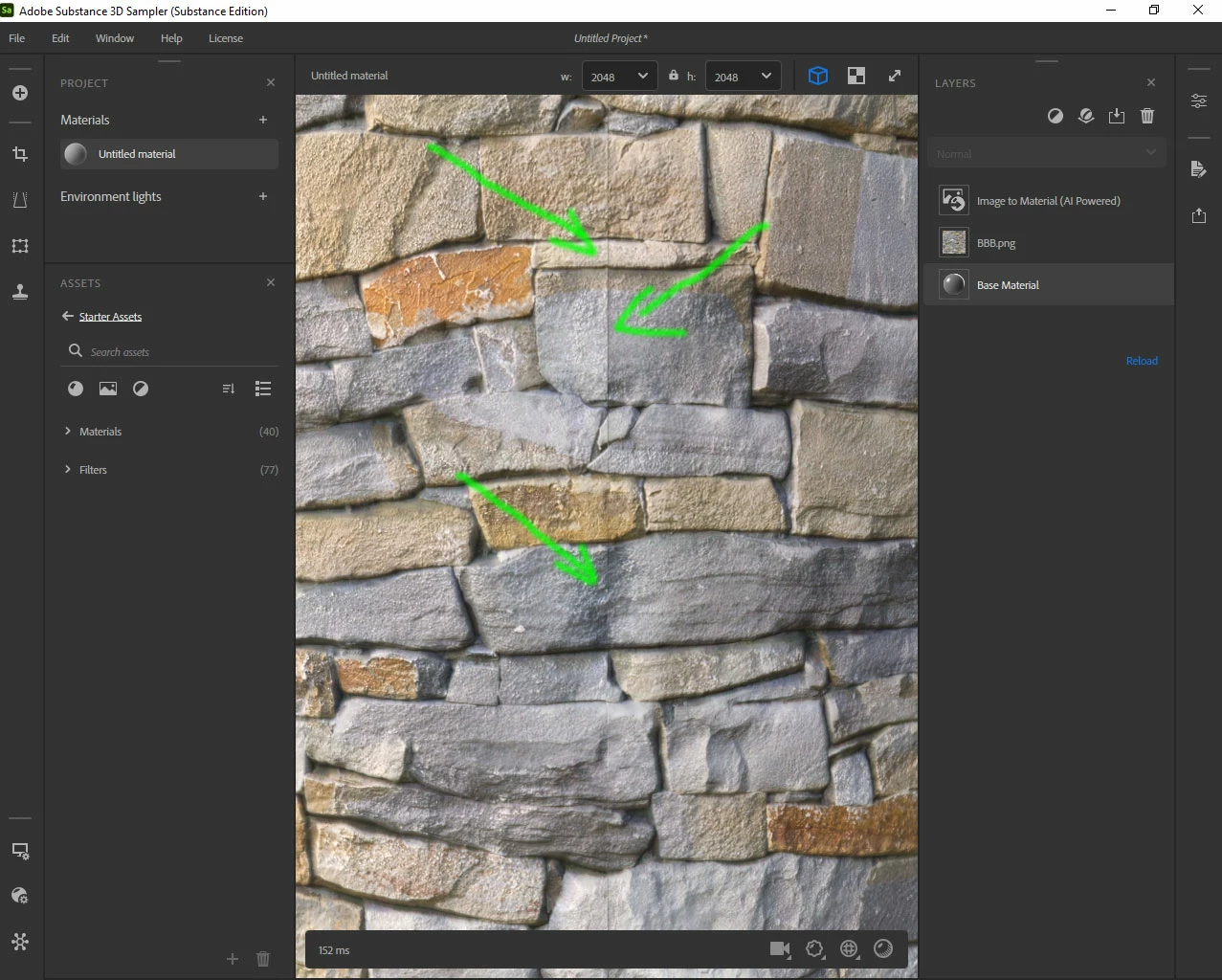
It gets such a mistake.

Substance 3D Sampler

I have a question.
If it generates PBR from a single photo already tile.
And I don't want to use the Tile knot.

It gets such a mistake.
Is there a solution for this?
Greetings, Arek
This topic is closed to new replies. Start a new post to keep the conversation going.

20 replies

Arek.OAuthor
Known Participant
Nov 24, 2022 12:56 PM UTC

Good morning
Unfortunately the problem still exists actually it is much better, but however when I wanted to use Sampler the problem came back again.
Is it possible to count on the improvement of this error ?


Greetings Arek

Translate
Arek.OAuthor
Known Participant
May 26, 2022 5:26 PM UTC

Excellent !
Thank you very much !

Translate
LoryAline
Community Manager
Community Manager
May 24, 2022 8:00 AM UTC

Hi,
Yes, we improved the Image to material (AI Powered) and the tiling issue! 

Thank you for your patience.
Regards.

Translate
Ares Hovhannesyan
Community Expert
Community Expert
Dec 31, 2021 11:34 AM UTC

Please try Tilling Filter Tiling | Substance 3D Sampler (adobe.com) 


There is Edges parameters that are able to create more organic transitions.


Detect Edges: toggle
Toggle whether to detect edges based on the material channels to create a more organic transition between material layers. If Enabled the following additional parameters appear:

Translate
Arek.OAuthor
Known Participant
Dec 31, 2021 12:48 PM UTC

OK thank you for your answer.
But if I don't have to use the (Tilling Filter) because I've already done it in Photoshop.
So how do I get rid of this error?
Regards, Arek

Translate
Arek.OAuthor
Known Participant
Jan 2, 2022 3:11 PM UTC

How I am using the Bitmap to Material Light node in Substance Designer.
It has no such error.
Regards, Arek

Translate
