Participant
May 8, 2025

P: Black screen Photoshop

  • May 8, 2025
  • 42 replies
  • 5501 views

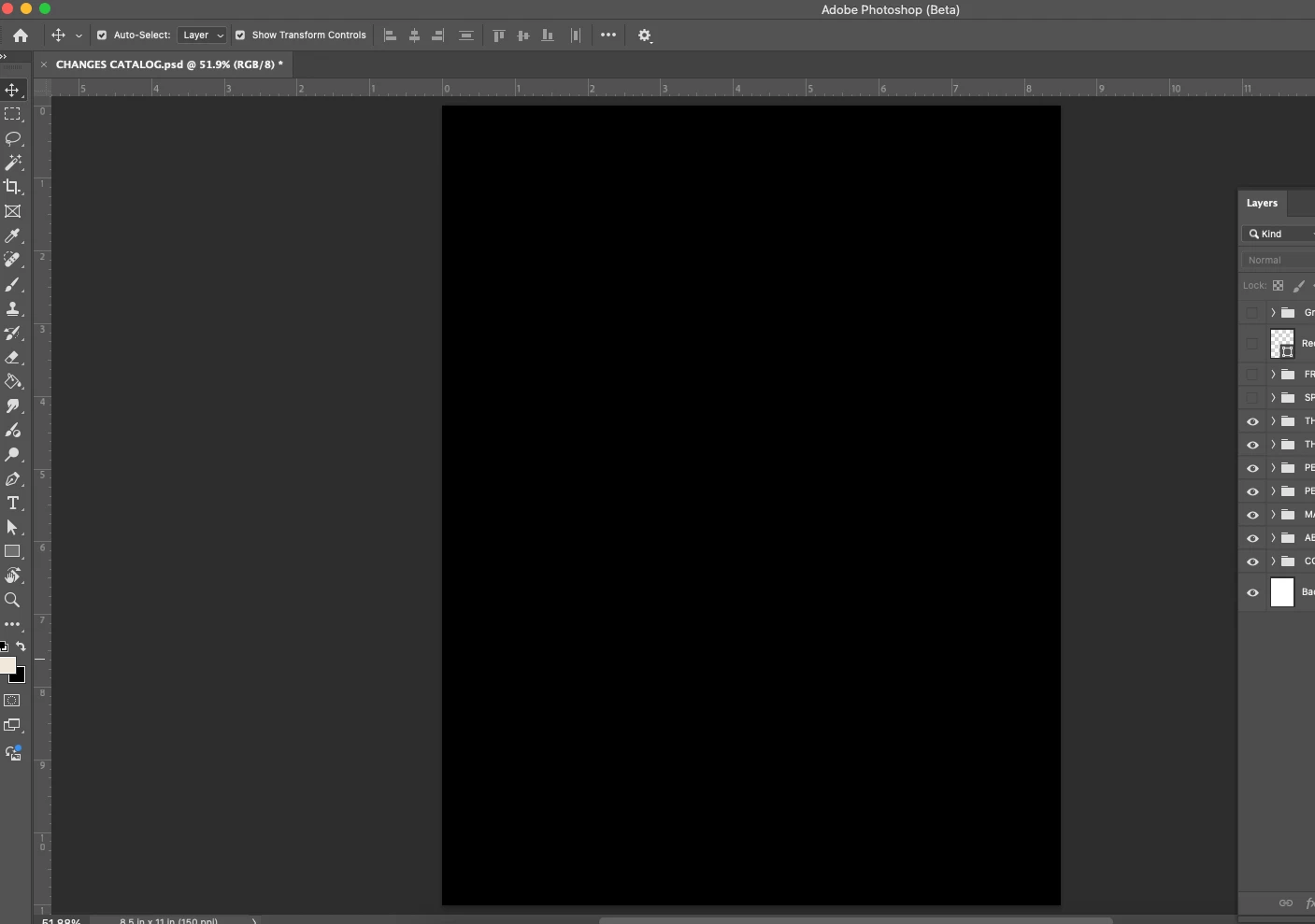
All the files I open for photoshop are showing up as a black page. The layers are clickable but not visible. 
42 replies

Participant
May 8, 2025

yes it works

Participant
May 8, 2025

When updating the application, everything is black. I closed the application, reopened it and everything is still dark.

Inspiring
May 8, 2025

Ok. It only works by converting the image to 32 bits. Cheers!

Participant
May 8, 2025

Anyone can help me understand if i am the only one to have this issue? any way to fix it? I reset my preferences and yet the problem persist. If I opne any image with PhBeta it appear completely balck, see the screenshot attached. 

McSkewy3000
Participant
May 8, 2025

Same for me on both desktop and laptop. Photoshop 25 is fine, though.

Participant
May 8, 2025

Hoy actualiacé photoshop beta en desktop y todos los archivos que abro o archivos nuevos salen negros. Es un error de la actualización creo porque antes de eso estaba todo bien. He estado investigando y cuando activo solo 1 canal, la imagen se puede ver pero cuando se activan todos sale negro. Adjunto imágenes donde se puede ver el error.

CShubert
Community Manager
Community Manager
May 8, 2025

Hi everyone, we see this as well and have the team looking into it. At this time it appears to only effect Mac, is that correct? 


A tempory fix could be to turn off your GPU in preferences: Uncheck Use Graphics Processor, restart Ps Beta and see if that works until a new version is released.


Thanks,

Cory - Photoshop Product Manager

Adam at Gerber
Participant
May 8, 2025

26.8.0 Release. First beta with this issue.

Participant
May 8, 2025

the same for me, must be bug

Participant
May 8, 2025

After photoshop beta updated it no longer allows pictures to be open from bridge.. It just shows all blaack. I'm using a MAC with the latest operating system (Sequoia 15.4.1). What happened?

Participant
May 8, 2025

Same....
