Participant
May 8, 2025

P: Black screen Photoshop

  • May 8, 2025
  • 42 replies
  • 5501 views

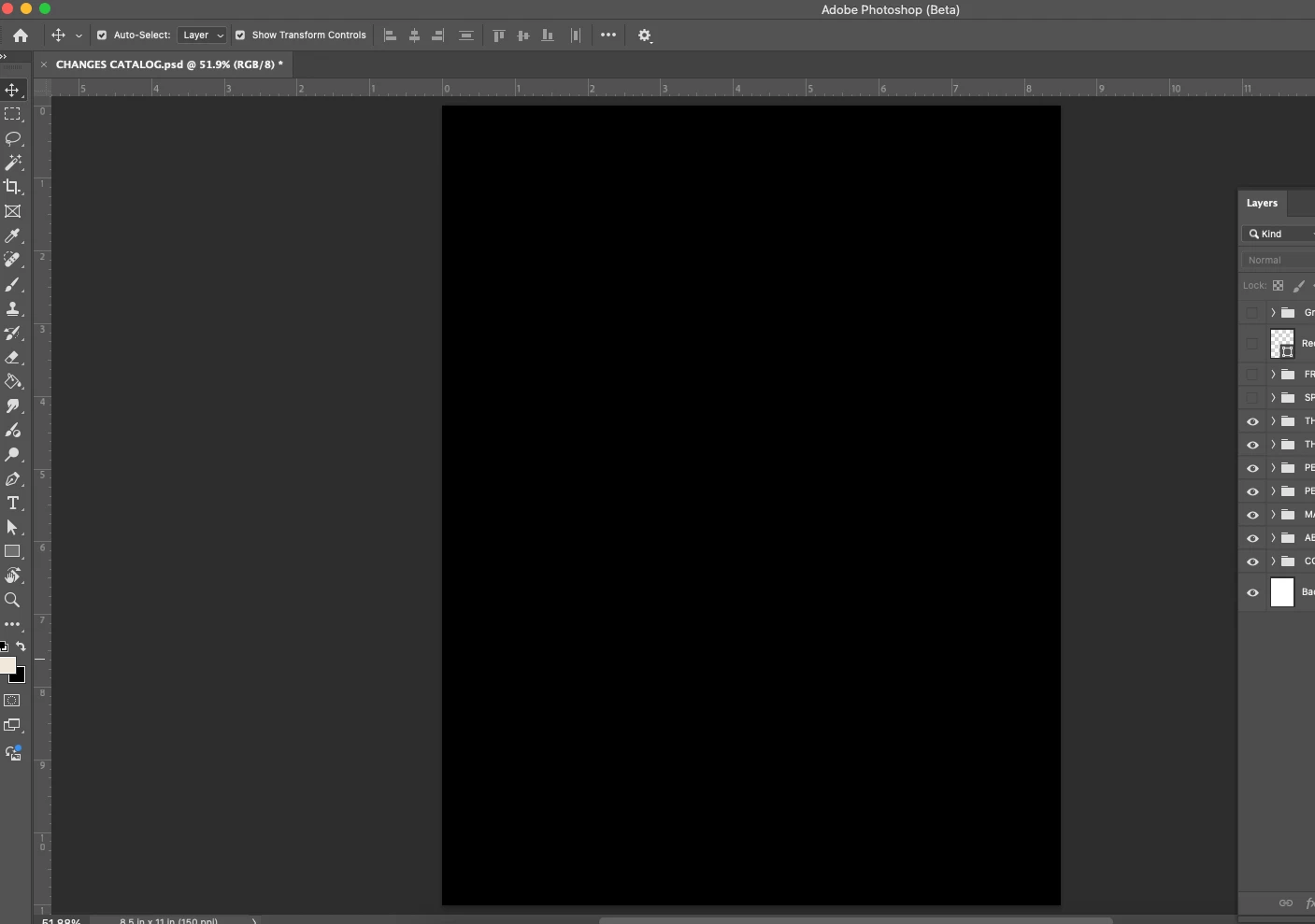
All the files I open for photoshop are showing up as a black page. The layers are clickable but not visible. 
42 replies

barbarap10724380
Participating Frequently
May 8, 2025

I just downloaded the latest version of PS (beta) but my photo is showin up black even though I can see it in Layers.  It works fine in regular Photoshop.

26.8.0 the Beta version I just downloaded where the problem occurs.

I have a Macbook Pro

Participant
May 8, 2025

Nach dem letzten Update auf Version 26.8.0 zeigte das Programm keine JPG-, PNG- und einige PSD-Dateien mehr an. NEF-Raw-Dateien werden korrekt angezeigt. Sie können daran arbeiten und sie exportieren, aber wenn Sie die exportierte Datei speichern und in PS-BETA öffnen, ist das Bild vollständig schwarz. Exportierte Dateien sind gültig und können in jeder anderen Anwendung angezeigt werden.
Wichtig: Nach dem Deaktivieren von „Grafikprozessor verwenden“ scheint alles einwandfrei zu funktionieren.
Handelt es sich hierbei um einen Fehler in der BETA-Anwendung oder unterstützt die Anwendung meine Grafikkarte nicht mehr?
Ich arbeite am Computer:

MacBook PRO 2019 16"

Grafik: AMD Radeon Pro 5600M 8 GB + Intel UHD Graphics 630 1536 MB

CPU: 2,4 GHz 8-Core Intel Core i9

MEM: 32 GB 2667 MHz DDR4

macOS 5.4.1 (24E263)


Grüße
AS.

Participant
May 8, 2025

you wrote:" turn off your GPU in preferences: Uncheck Use Graphics Processor, restart Ps Beta and see if that works until a new version is released."

Where are these "preferences"? Inside photoshop, or elsewhere????


Participant
May 8, 2025

This happens to me as well on my Macbook Air. 

Participant
May 8, 2025

After the May 8 update of LrC (ver 14.3.1) and PS Beta (26.8.0), using the LrC "Photo/Edit in/PS Beta" menu command opens the image in PSB, but the image is only shown as a black window. PS 2025 (26.6.0) opens the image from LrC without issue.


Mac Studio 2022

MacOS Sequoia 15.4.1

Participant
May 8, 2025

Turning off the GPU works. I hope that this is just a temp fix.

hector_3
Participant
May 8, 2025

Updated the Beta Version of Photoshop and now any non-jpg image I open shows up black. 

-Hector
hector_3
Participant
May 8, 2025

Version 26.8
Updated 5/8/25

-Hector
Participant
May 8, 2025

When I open files to work, I cannot see anything. It's all just a black screen in the main working space. Layers are still there, I just can't see them. See below for what I get.

Participating Frequently
May 8, 2025

Every imageI open is just a black screen now...


the only fix is to disable GPU but it's impossible to work like that.

Participant
May 8, 2025

Getting the same problem - 


Studio1138
Participant
May 8, 2025

PhotoShop Beta 26.8 will not open any files on My MAC OS running Sequoia 15.4.1 All it will do is open a black image. Doesnt matter if its a Tiff or Jpeg file.

Participating Frequently
May 8, 2025

me too and operating the same OS
