

TEJAFX
Known Participant
September 23, 2023

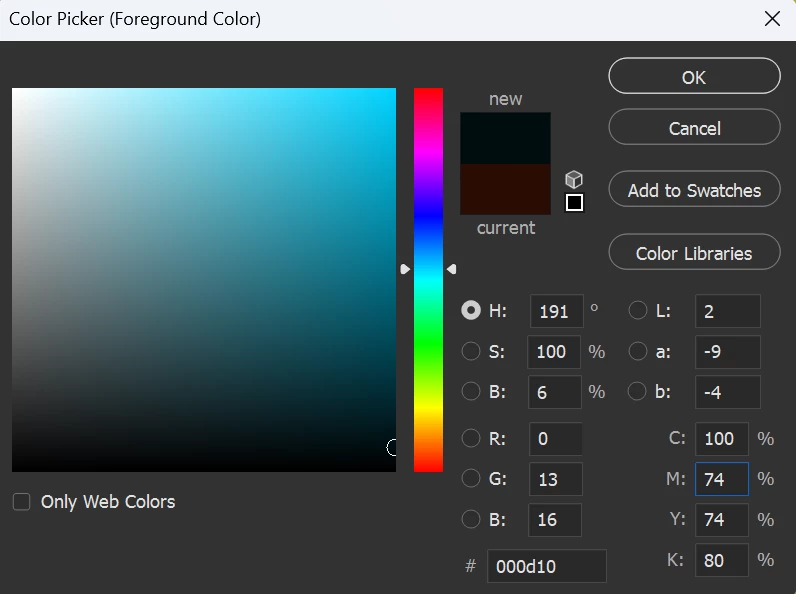
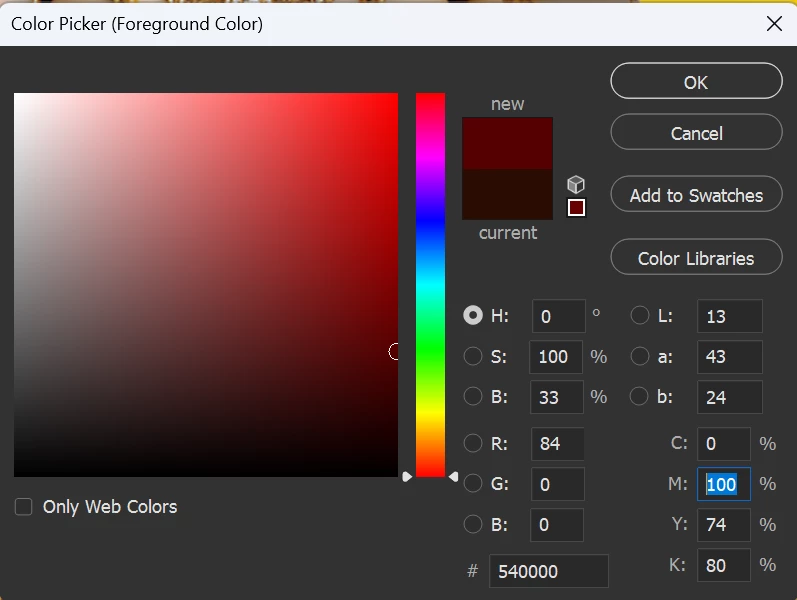
P: Color Picker Issue

  • September 23, 2023
  • 21 replies
  • 2884 views

While Entering Tab key, it Shifts to CMYK Boxes and Fills to Change Number Properly on Old Versions,

But now it is not filling i have to work with Keys (ctrl+shift+right arrow), is there any another solution to restore old version type.
This topic has been closed for replies.

21 replies

CShubert
Community Manager
Community Manager
October 22, 2024

@BokSungah this issue was fixed so if you are seeing another one, please start a new thread with your issue/screenshots or videos showing the issue as well as your system info so the team can look into this.


Thanks,

Cory - Photoshop Product Manager

Known Participant
October 15, 2024

After updating to the latest version, the function to use the color picker by holding down the Alt key in Photoshop is not working properly. I’ve tried reinstalling the tablet driver and the keyboard driver, but no matter what I do, the issue persists. Is this a Photoshop problem? it's so annoying it's dons't work in the 26ver. ** 좆같네 

TEJAFX
TEJAFXAuthor
Known Participant
November 29, 2023

Thankyou for fixing the problem.

Bakhtiar Uddin
Participating Frequently
November 29, 2023

Will this update affect any of my existing Photoshop projects?

Mohit Goyal
Community Manager
Community Manager
November 29, 2023

Hi all,


We are happy to announce the release of Photoshop version 25.2 (public version), which incorporates the resolution for this particular problem. To see the list of all fixed issues, click here


To update Photoshop to 25.2, click "Update" in the Creative Cloud desktop app next to Photoshop. More detailed instructions for updating


Let us know if the update resolves the problem for those affected, and share your feedback.


Thanks,

Mohit

CShubert
Community Manager
Community Manager
October 30, 2023

Hi @Vit32509598tthf thank you, the latest Ps beta is: Adobe Photoshop Version: 25.2.0 20231024.m.2374 4ab9439 x64 but a fix is in the works.


Participating Frequently
October 26, 2023

Hello, I have just installed the new 25.1 - still not working :((
I don't want to spend time on beta testing - please Fix this stupid bug in the regular Release ASAP.

This has been working properly for 25 years or more until NOW! 
Please fix it soon!

CShubert
Community Manager
Community Manager
October 20, 2023

@FullSpectrumMedia if this issue is not fixed for you, please start a new thread with your details, screenshots and sysinfo so the team can look into it for you.


FullSpectrumMedia
Participating Frequently
October 20, 2023
I just downloaded beta 25.2.0 and no it is not fixed.

Darren
FullSpectrumMedia
Participating Frequently
October 20, 2023

Any idea when it will update in the regular version