Participant
September 25, 2025

P: Generative Fill with Nano Banana / Flux fails / “We have encountered an issue” error

  • September 25, 2025
  • 29 replies
  • 8418 views

Hello,

I’ve been testing the new Nano Banana (Gemini 2.5 Flash Image) and Flux models in Photoshop Beta, but unfortunately, they aren’t working for me. Every time I try to generate with them, Photoshop gives the error “We have encountered an issue and cannot complete your request at this time. Please try again.” Other models seem to work fine, but the two new ones consistently fail.


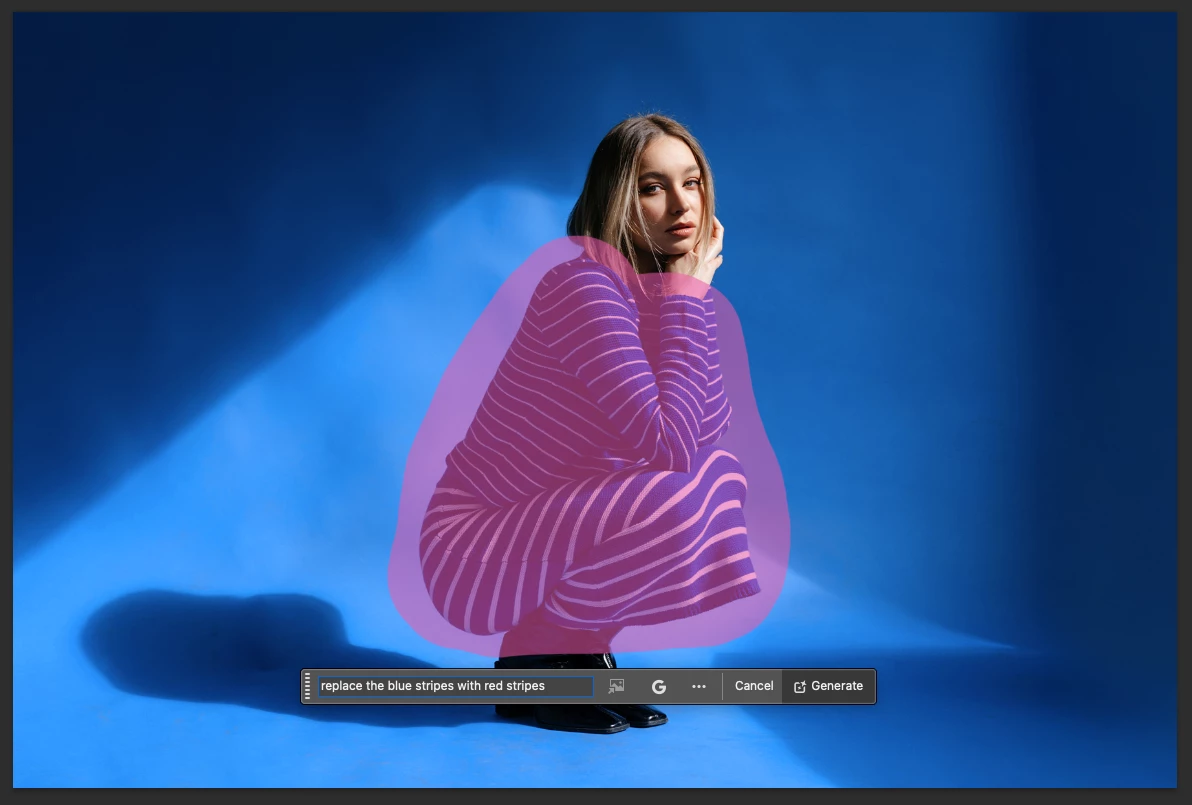
I’m on a MacBook Air M2 running macOS 26 (latest public release), and using the latest Photoshop Beta build. I’ve attached screenshots showing the issue.


1. Version & environment


  • Photoshop Beta version: 27.0.0 (latest beta release)

  • Machine: MacBook Air M2

  • macOS version: macOS 26.0 (latest public release)


2. Steps to reproduce

  1. Open Photoshop Beta
  2. Import or open an image
  3. Make a selection (e.g. using the selection brush)
  4. Invoke Generative Fill
  5. Choose the model “Nano Banana / Gemini 2.5 Flash Image” or “Flux”
  6. Enter prompt (e.g. “replace blue stripes with red stripes”)
  7. Click Generate
  8. Observe error: “We have encountered an issue and cannot complete your request at this time. Please try again.”


3. Expected vs Actual result

  • Expected: The Generative Fill tool uses the selected model (Nano Banana or Flux) and returns image edits per prompt

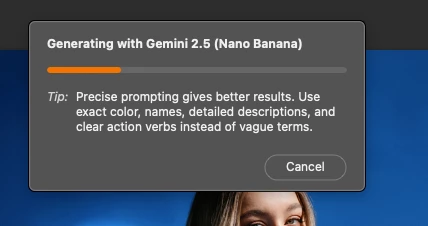
  • Actual: Shows the generating progress bar but, then shows error message (“We have encountered an issue…”) and fails to generate anything


4. Additional notes

  • This happens every time

  • Firefly models work perfectly fine as they did before


6. Workarounds tried


  • Tried re-launching the app (does not help)

  • Tried on a different images & PSDs

  • Making sure I'm on the latest Photoshop Beta

  • Tried other selection types (lasso, brush, etc.)

29 replies

Participating Frequently
October 1, 2025

Any update on how to fix this? 

Participant
October 1, 2025

Same ....


Pete.Green
Community Manager
Community Manager
September 30, 2025

Hi @DrumAddict ,


According to Amy's post on this, it sounds like you may have used the 100 alotted uses for these models. 


"From 9/25 - to MAX (10/28) users will have:

  • CC Pro: 500 free uses per day total (doesn't matter the model)
  • CC Standard, Single App, and Photography paid plan users: will have free 100 uses for EACH model."


Looks like, between now and end of October, to continue use for these models, the available options are upgrade to CC Pro or add the Firefly Pro plan.

Participating Frequently
September 30, 2025

Hi, can you tell me why I can no longer generate in PS Beta using Flux? I started getting this message yesterday and still today. I have a Teams account for PS through my company and I'm using a Mac M1. I thought we could use up to 100 generations per day?

Participant
September 30, 2025

Worked for me

Participating Frequently
September 30, 2025

@Pete.Green what makes that option not be available in some models. what should be done in that case (our case) ?

Pete.Green
Community Manager
Community Manager
September 30, 2025

Looks like the specific models aren't called out in the Admin console:

Check with your admin to see if it's available here:

Admin Console under Settings> Asset Settings > Non-Adobe Generative AI Models > Toggle the switch on/off


Pete.Green
Community Manager
Community Manager
September 30, 2025

Google has let us know that they've made some changes/fixes on the server side that should hopefully help with this. 

  1. Can folks please try again with Nano Banana and let us know if things are better on your end?
  2. For those running into this with Flux, can you also let us know if you're still seeing these issues?


Regards,

Pete

Participant
September 30, 2025

This prompt worked fine a day or 2 ago but today it no longer works.  "Change color scheme to yellow"  I am on the latest beta and also tried uninstalling and reinstalling.  Same results.

Edward Caruso Photography
Participating Frequently
September 29, 2025

I have updated to the latest beta (not Enterprise customer) and I see the optoin to use Gemini or Flux but after trying on a pixel layer, one a blank layer etc nothing happens. I do not get an error message like others here. Same issue with Remove tool, I do not get a result or an error. Firefly works fine.