


Participant
October 31, 2023

P: Photoshop Beta (BUG) Free Transform and Transform Selection no longer work

  • October 31, 2023
  • 41 replies
  • 10731 views

Repost from another forum post (I was told to repost over here).

Photoshop Beta, version 25.2 (latest)
OS: Windows 11

Troubleshooting steps:
- I have uninstalled ALL adobe products, rebooted and reinstalled. Still same issue
- Reset prefrences on quit

Steps to reproduce:
1. create new project
2. Select Rectangular Marque Tool
3. Select an area on the page
4. right-click, and chose either Free Transform or Transform Selection
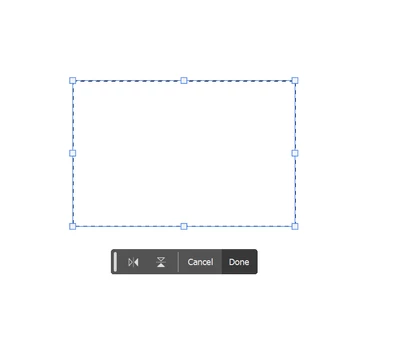


5. clicking and dragging on the handles does nothing, not even rotate works.

The only way to actually transform what you have selected is to change the values in the top bar, or by clicking on a vector (X:, Y:, W:, H:) and dragging.  Grabbing and dragging the box handles do nothing.

This works okay in Photoshop Beta 25.1 and the current version of regular, non-beta, Photoshop.

This topic has been closed for replies.

41 replies

Known Participant
October 31, 2023

I'm still using PS Beta 25.2.0 on Win 11 because I have standard PS crashes (is unstable).

Auto constrained proportions has reverted back to legacy mode (requires shift) when sizing images/objects in PS Beta 25.2.0. The "Use Legacy Free Transform" box is not checked in the preferences. Checking the box does not change behavior. 


Just checking to see if there is any info on this. Auto constrain proportions was working fine in Beta up until very recently. Perhaps something changed in an update? The auto constrain proportions works fine in Standard PS, but for some reason, standard PS is unstable on my computer. It constantly crashes when performing simple tasks like pasting an image from the clipboard.

It's not an issue to hold the shift key, but I have gotten used to the auto feature, after using it for years.

Trevor.Dennis
Community Expert
Community Expert
November 1, 2023

The default is objects maintain aspect ratio when using Free Transform, unless the Shift key is pressed.  That's working with both current full release and beta 25.2 M.2374 for me also with Windows 11.


Have any thought on why you are having problems running the current full release version? Are you able to run all the Neural and Parametric filters on 25.2.0 ? How recent is your Win11 system, and is the OS in good health?

Known Participant
November 6, 2023

My Beta Version is: 25.2.0 20231101.m.2385. Constrained aspect ratio when sizing objects is no longer the default (I must hold shift key). This change is very recent and seems to correspond with the recent update.