

cesar.cintron
Inspiring
December 22, 2023

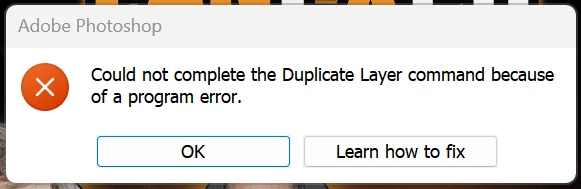
P: Photoshp Beta (25.4.0.2439) Program Error when Duplicating Layer to different document

  • December 22, 2023
  • 41 답변들
  • 7041 조회

Photoshop Beta 25.4.0 Release.


Right clicking on layer and selecting "duplicate" then setting the destination to a different document results in a "Could not complete the Duplicate Layer command because of a program error.


However, the duplication does occur correctly.


이 주제는 답변이 닫혔습니다.

41 답변

Inspiring
January 19, 2024

fixed in Adobe Photoshop Version: 25.5.0 20240118.m.2471 fdb70b5 x64

Inspiring
January 16, 2024


@Stu32314935j7it 

[Abuse removed by moderator. Please follow the guidelines to be kind and respectful.]


Bakhtiar Uddin
Participating Frequently
January 16, 2024

A standard solution: If the error significantly hinders your workflow, consider using a stable, non-beta version of Photoshop until a fix is released.

Inspiring
January 15, 2024

Decided to do my compositing on the regular PS (not Beta).  I suppose at some point move tools will be debugged on the Beta - it's such a fundamental part of PS.  Thanks for the replies, I am sure it will be elivated because of all our comments.  

Inspiring
January 15, 2024

@jane-e Thanks for the tip! xD

quote

@DiodorS wrote: still broken Adobe Photoshop Version: 25.5.0 20240113.m.2464 3301ee8 x64


Use the current version of Photoshop 2024 (released), which is 25.3.1.


Jane


Inspiring
January 15, 2024
That's good, but what does it have to do with this issue?
jane-e
Community Expert
Community Expert
January 15, 2024


@Chuck Uebele wrote: Adobe used to tell us that the beta and prerelease versions were not for production work.


I found this, Chuck: 

Adobe does tell us that "while Generative Fill and Generative Expand will still be available for use in the Photoshop (beta) app, the content generated in the Photoshop (beta) app may not be used for commercial purposes"

https://helpx.adobe.com/photoshop/using/photoshop-beta-desktop-app.html


Jane


Inspiring
January 15, 2024
Most of us are smart enough to figure that out on our own Chuck. Simple
things that work in the regular version should also work in the Beta. When
they don't, but have been, they should be immediately fixed when reported.
There is no excuse for this! Adobe has continued to release several
versions of the Beta since this problem was first reported. Does anyone
who actually works for Adobe, in a position to light some fires, ever read
these reports?
Inspiring
January 15, 2024

@Stu32314935j7it It was fine in 2434, then broken in 2439, then again fine in 2455 and then broken in 2462 and 2464.


The beta releases started resembling nightly builds released with not much internal testing at all.


I'm fine with testing those releases, provided there is a direct and timely response from Adobe - is the bug confirmed, reproducible, will it be fixed, etc..

I've reported many bugs (including this one which was merged into a bug reported later by some other user), some of them fixed without any response or acknowledgement from Adobe (like broken gradient map in production (non-beta) Photoshop which prevented opening PSD files). Sometimes it seems like I'm screaming into the void...

Chuck Uebele
Community Expert
Community Expert
January 15, 2024

Some bugs are a game stopper. There have been a few, where I stopped using the beta version until that bug was fixed. Perhaps that will make Adobe move faster on the bugs that are critical. But if you can't work, then don't use the beta. I don't recall if they still do this, but Adobe used to tell us that the beta and prerelease versions were not for production work.