Inspiring
December 27, 2023

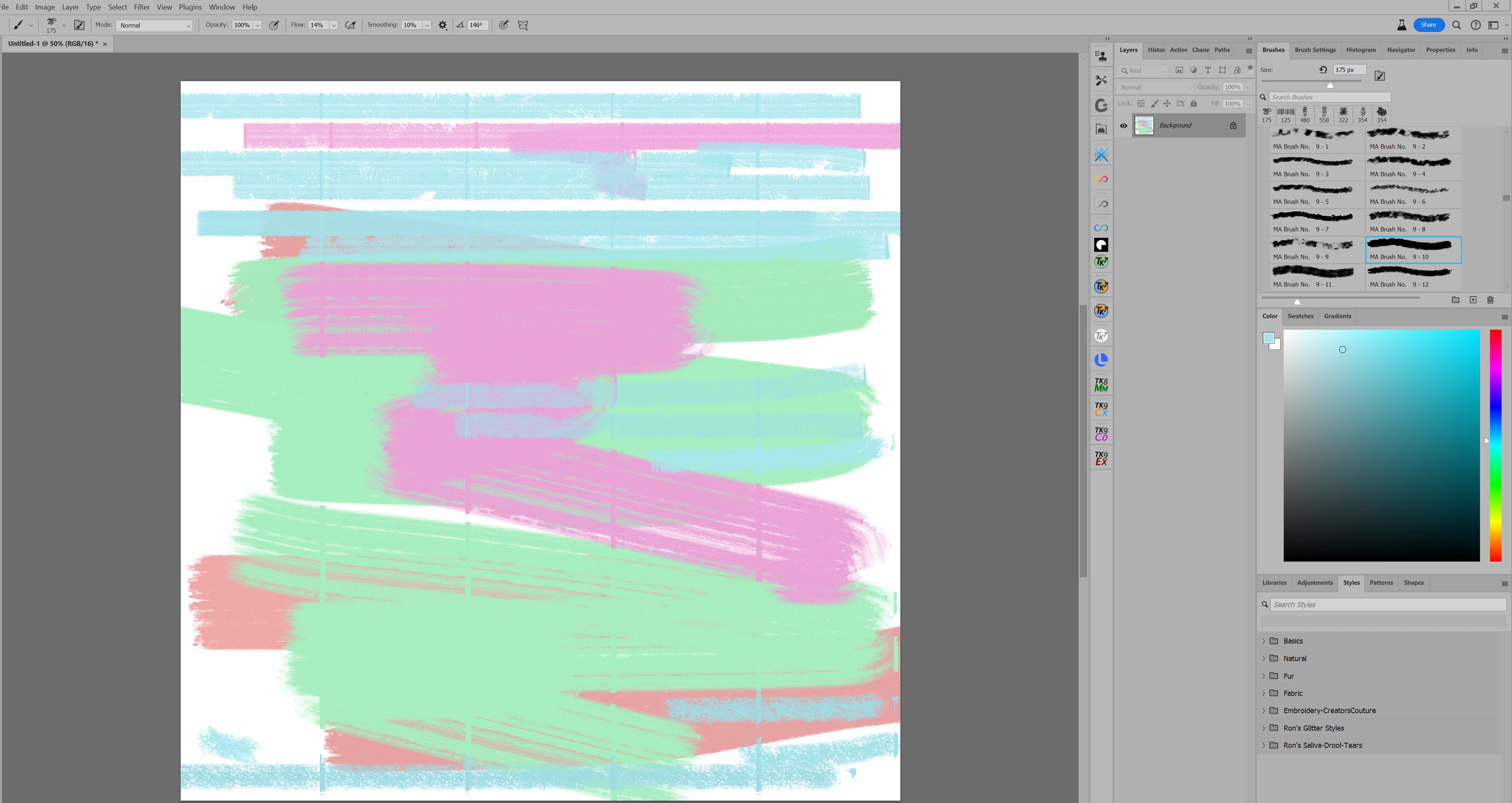
P: Vertical lines appear when using a brush.

  • December 27, 2023
  • 49 replies
  • 6343 views

I make a 12X12 inch canvas, and paint with a brush. It appears to make vertical lines on the canvas.

This topic has been closed for replies.

49 replies

CShubert
Community Manager
Community Manager
February 5, 2024

Hi everyone, could someone confirm if they still see this issue with the latest Ps beta: Adobe Photoshop Version: 25.5.0 20240131.m.2486 6ce06b2 arm64


If you can, please share your sysinfo so the team can look into this.  If this is happening on the general release, please post your findings on the Ps release forum so we don't cross up the info.


Thanks,

Cory - Photoshop Product Manager

Participant
February 5, 2024

I have the same issue, ugly vertical lines appearing in my brushes when brushing. I had to revert to an older version to continue working. 

Participant
February 2, 2024

So a way to "fix" the problem is :

Just use the previous Photoshop version 25.3.1 to remove the bug.

Go to your Adobe Dock ---> Applications 

On the Photoshop line clic on the "..." Other versions and select 25.3.1.

Hope it helps  


FreeTime
Known Participant
February 2, 2024
Participant
February 2, 2024

Hello, got the same bug here. Is there a way to use the previous version of Photoshop (commercial version) while waiting for them to fix the bug ?

Inspiring
February 2, 2024

Does anyone know if this issue is being worked on or addressed? Now that it is not just happening in beta.

Inspiring
February 1, 2024

Yes, I linked you.And yes, they need to make this a priority to fix, now that it is not only in the beta version, but the "commercial" version.

Participant
January 31, 2024

Hey I've been having the same issue and was linked to this page by someone on my page. After reading some of the comments here, it seems that the current solution is to simply reinstall a previous version. I'm personally using 25.3.1. Hopefully Adobe recognizes this issue and has it resolved sooner than later!

EmeraldParrot
Participant
January 30, 2024

I'm having the same problem. Are the devs aware of this yet? This is really annoying.

Inspiring
January 29, 2024

I am on Windows 11. It happens in both versions of Photoshop now.