Inspiring
December 27, 2023

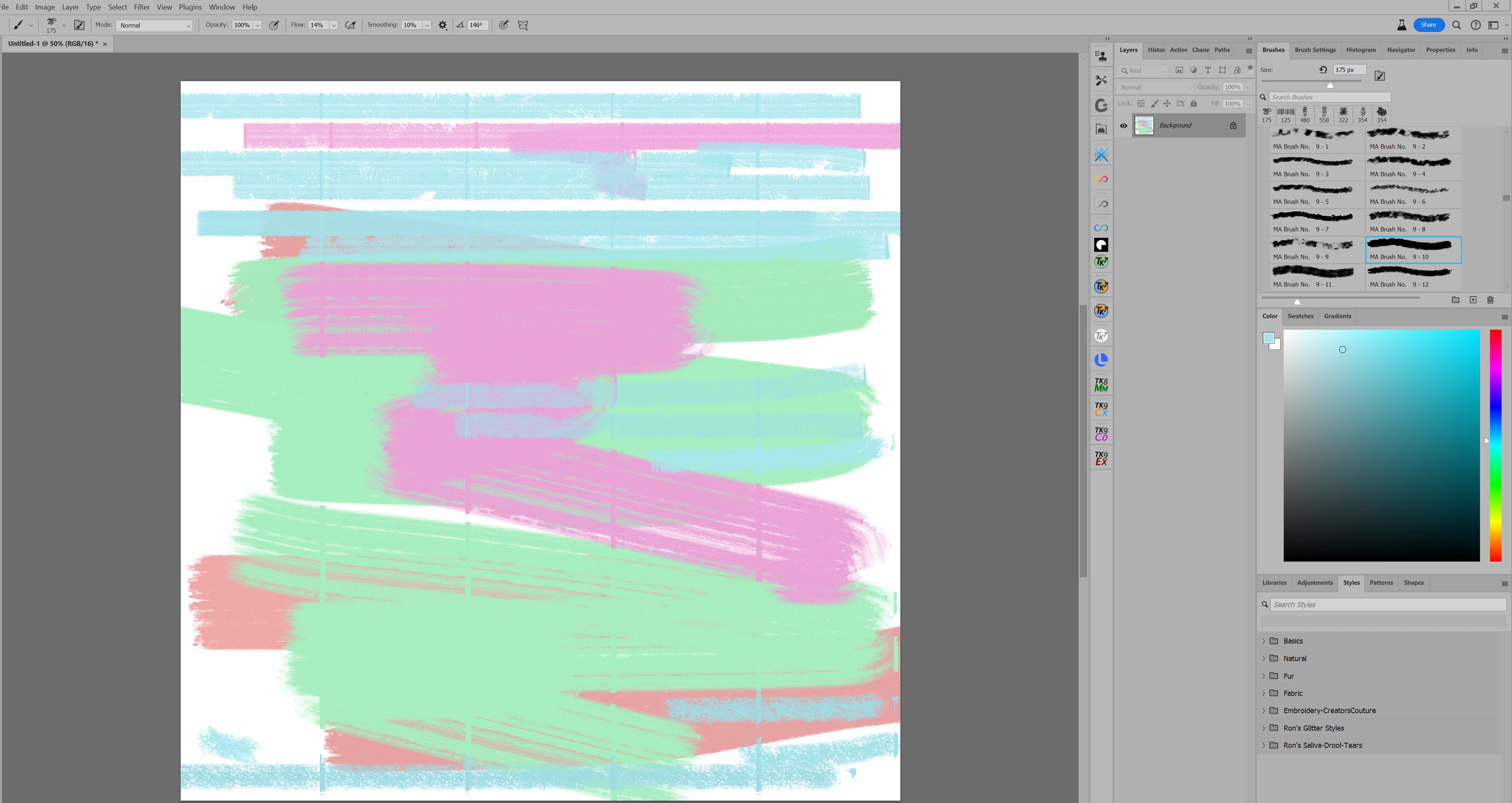
P: Vertical lines appear when using a brush.

  • December 27, 2023
  • 49 replies
  • 6346 views

I make a 12X12 inch canvas, and paint with a brush. It appears to make vertical lines on the canvas.

This topic has been closed for replies.

49 replies

Paolo Domeniconi
Known Participant
January 29, 2024

It happens with any color dynamics other than zero plus Transfer, applying pressure to the flow.

Known Participant
January 29, 2024

I am using windows 10 - it seems to happen with any brush. Most notably with the default round soft. Color Dynamics on creates the lines, color dynamics off removes the artifacting. 

Trevor.Dennis
Community Expert
Community Expert
January 29, 2024

I can't make it happen with either version now, using the same presets and settings that showed the issue last time I tested.

I am using Windows 11.

Known Participant
January 29, 2024

Yup this is happening now in 25.4 live version. Just updated today. Big mistake. Have to revert. Nice one adobe. 

Inspiring
January 26, 2024

Yep! Now it is happening in non- beta version. This is really frustrating! Only certain brushes, though. Not the butterfly brush as refernced above. So far, I have only seen it in 3rd party brushes. But, guess what? It does not matter who makes the brush! A brush is just a shape, with a bunch of settings dialed in. Should not be happening AT ALL! I had to downgrade photoshop from today's update. I love my brushes, and need them to work correctly!                             

Participant
January 25, 2024

The same thing is happening to me as well after updating to 25.4 - I've reset my brushes/settings with no results. Not only are there vertical lines, but pixelated bits appear around each brush stroke as well.

Paolo Domeniconi
Known Participant
January 24, 2024

Hello, this is still happening on the official 25.4.0 with any brush that uses both Color Dynamics and Transfer, pressure to flow.

Paolo Domeniconi
Known Participant
January 24, 2024

After updating to version 25.4.0, any brush, even the simplest one that uses both Color Dynamics and Transfer (pressure to flow) produces these terrible vertical lines.
Mac M1 with Sonoma OS.

Inspiring
January 9, 2024

Thank you for the clarification, Jane!

Trevor.Dennis
Community Expert
Community Expert
January 8, 2024

Yes. It only happens with the beta version.

jane-e
Community Expert
Community Expert
January 8, 2024


@vickim68445947 wrote: Did anyone report this bug? I would, but I am not sure to report it.


Vicki, this post is in "Bugs", so you reported it and Trevor confirmed it. The purpose of the Beta is to find and report bugs to the product developers so they don't make it into the released version, so thank you for you finding this one. As Trevor said, use the released version of Photoshop for now.


Trevor, for completeness, did you test the butterfly brush in the released version?


Jane