Participating Frequently
August 7, 2024

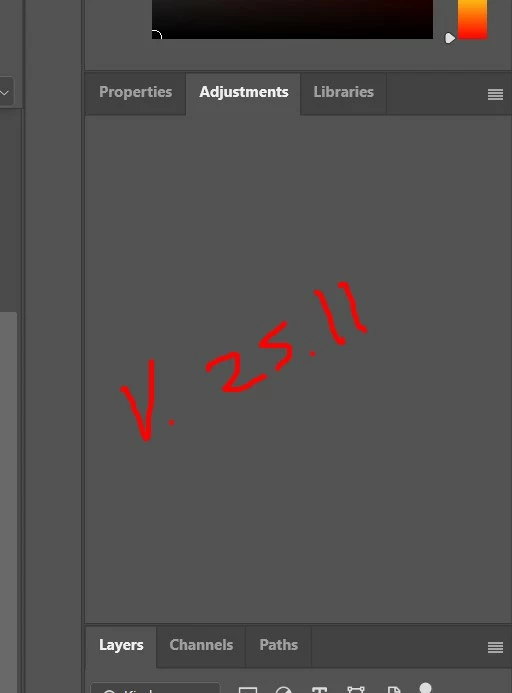
Adjustments Panel Not Working v. 25.11

  • August 7, 2024
  • 14 replies
  • 1011 views

My adjusments panel is empty after update. I have already tried removing and bringing back the panel but it's just empty. (not eve grayed out...just simply empty) I use the adjusments tools all the time and I need them available.


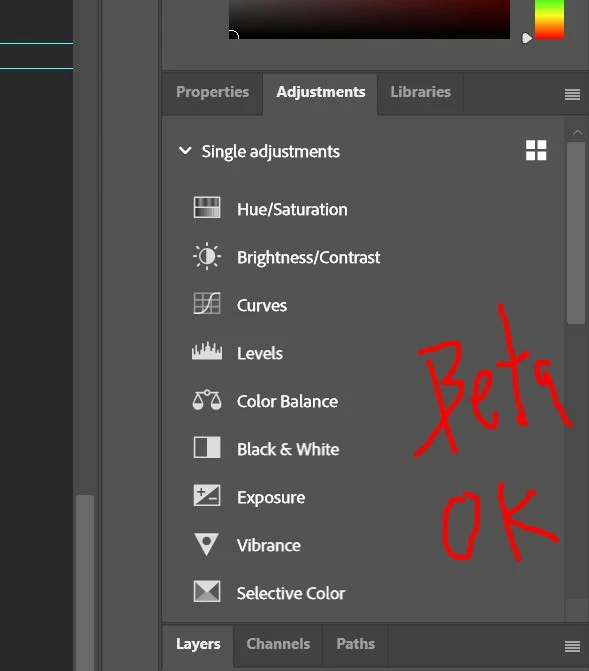
I tried the beta version v. 25.12 and the adjusments is working fine. 


Is anyone else encountering this issue? Is there a fix for this?


I run on windows 10
 

14 replies

J E L
Community Expert
Community Expert
August 8, 2024

@PSHoudini, curious to know if your fly out menu is there? What happens when you try to toggle between Modern and Classic view?


PSHoudiniAuthor
Participating Frequently
August 8, 2024

@Sameer K Please man!!! I seriously need a solution for this 😞


Am I doing something wrong? Did the adjusments go elswhewre and I'm just not knowing where? 

PSHoudiniAuthor
Participating Frequently
August 7, 2024

I have already done that. I also unninstalled all the apps and re-installed but the missing adjusments still persists. 

Ged_Traynor
Community Expert
Community Expert
August 7, 2024

@PSHoudini try manually resetting your Photoshop preferences
https://helpx.adobe.com/ie/photoshop/using/preferences.html#Manually
Remember to back up your settings before doing the preference reset
https://helpx.adobe.com/ie/photoshop/using/preset-migration.html