
Adobe Photoshop for Web Use's Color Wheel is always off screen.
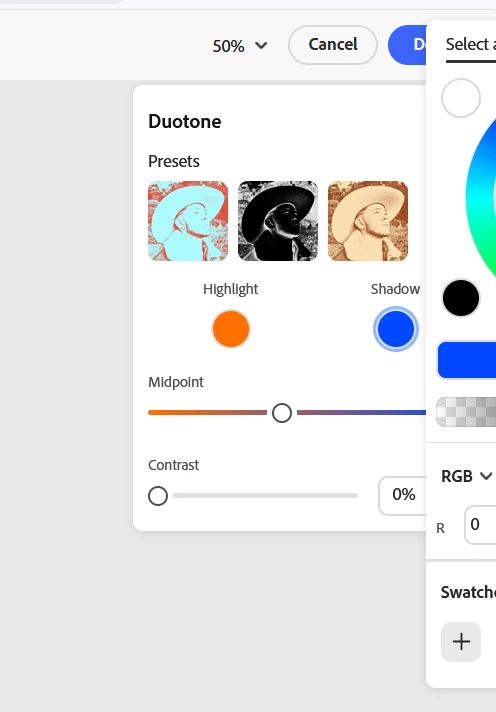
When I am using Adobe Photoshop on the web, the color wheel is always off screen with no way to center it. This makes choosing anything from the right side of the color wheel impossible. Ive tried minimizing my screen or dragging it, but its locked in one fixed part of the screen and wont move. The first color circle is cut off slightly, making easier to navigate but the second circle is always cut off. As you can see I can only access cool colors, the rest cant even be scrolled to. PLEASE, fix this issue. I love the web version of Adobe for its quickness, but this is kinda killing the need to use it. It isnt just with Duotone but basically any effect where you can change the color of the effect.


 AdChoices