
After using Remove Background to create a mask. Creating a new layer and using the Remove tool adds areas that was masked out.
For starters this has been reproduced using both PS 27.1 and 27.11. I’m using a PC Windows 11. 64-bit operating system, x64-based processor. Processor is 12th Gen Intel(R) Core(TM) i7-12700H. 32GB RAM.
I noticed this yesterday when I started working on some retouching projects. If I use Remove Background to create a mask removing the background, create a new layer and use Remove Tool, there are areas that were masked out that show up in the new retouching layer. Erasing those artifacts and using the Remove Tool again will cause those same artifacts to reappear in the same spot.
I’m including screen shots. Setting for Remove tool is last image.
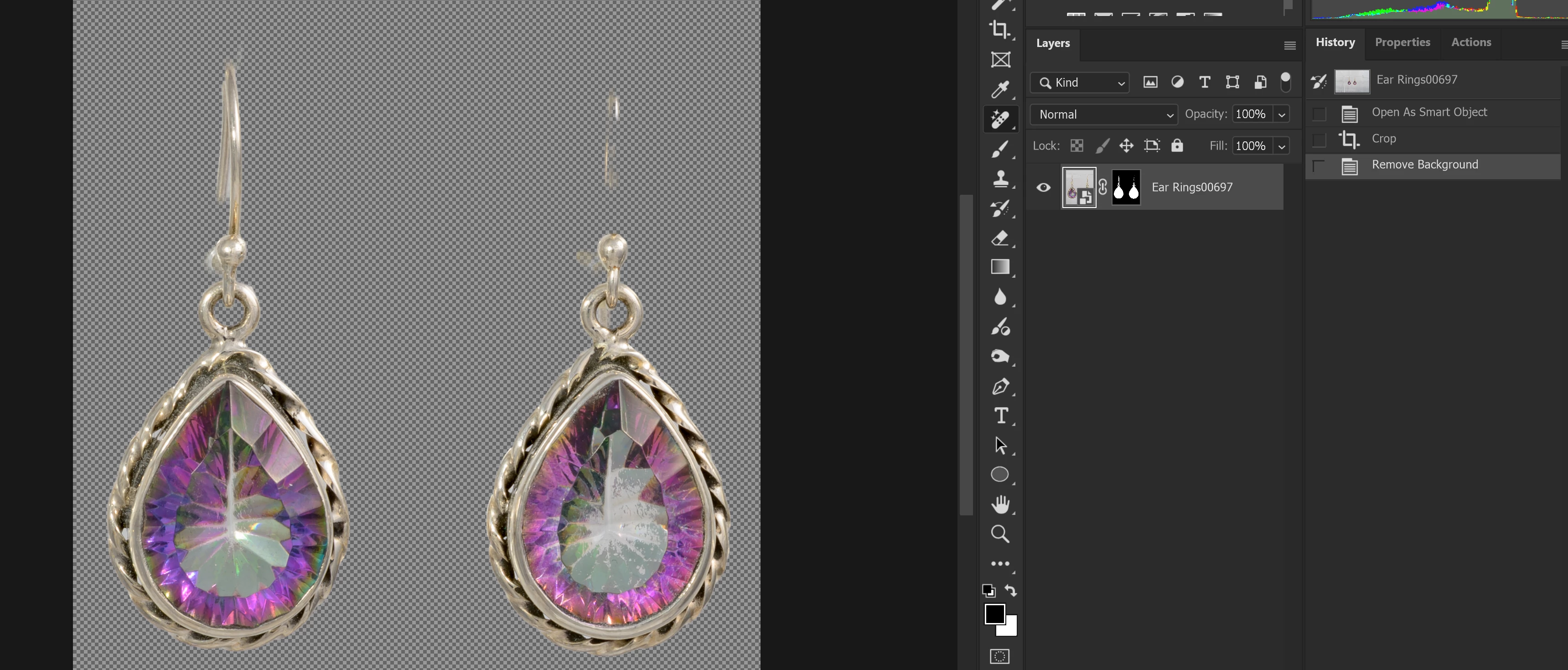
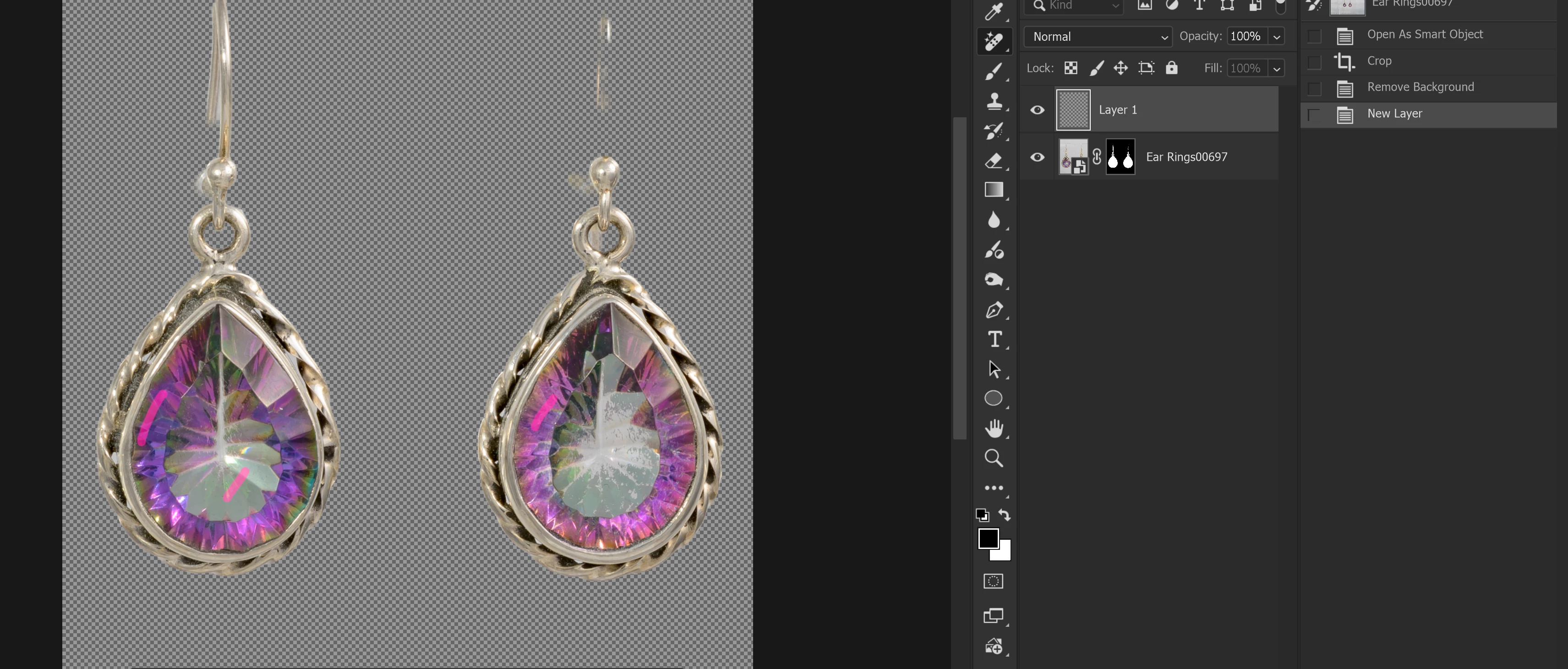
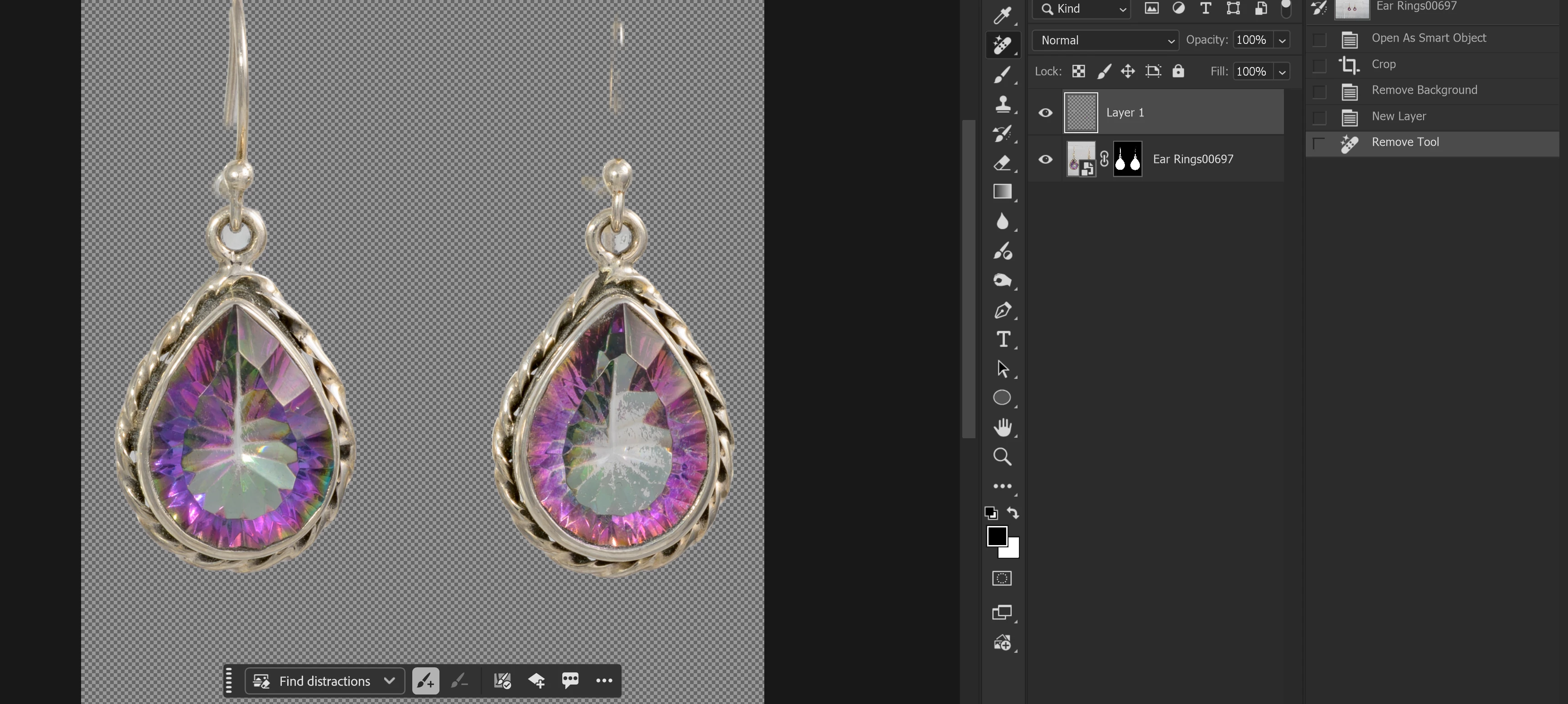
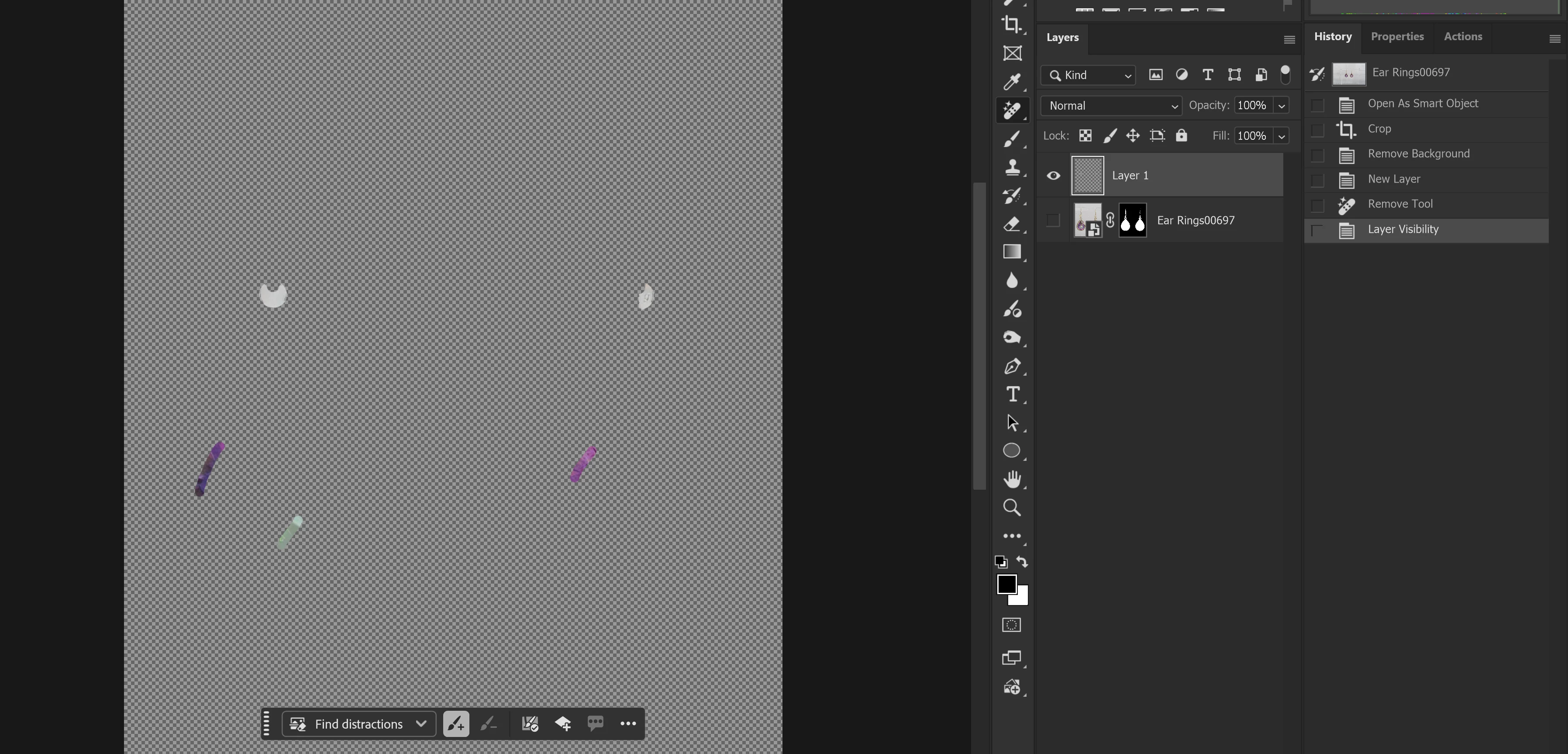

This happens consistently when using Remove Tool if Remove Background was used to make the mask. I have not tried it using Remove Tool after manually creating a mask. This also only happens with Remove Tool and not the Spot Healing or Healing Brush tools.


 AdChoices