


Participating Frequently
August 2, 2024

Camera RAW looks different in the editor

  • August 2, 2024
  • 4 replies
  • 352 views

Hi! I've been following the same routine with my renders for almost two years and never had this problem.


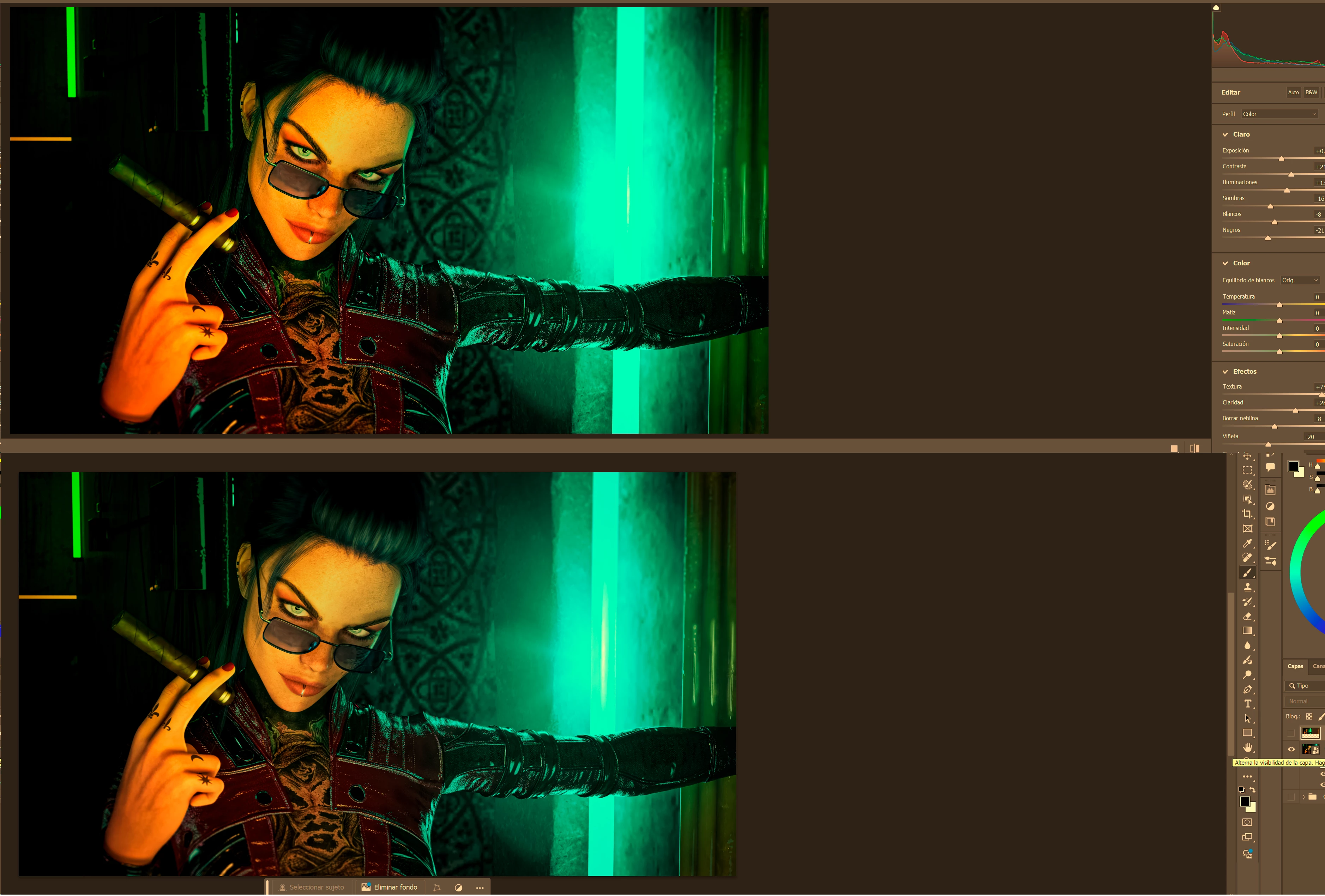
The issue is that when I open the Camera RAW editor, everything works fine, but once I accept it as a smart filter, it looks different in Photoshop, as well as when I export it.


I'm uploading screenshots. I hope this helps because this issue is driving me crazy, and I've already tried the usual fixes: resetting settings, changing the color profile... and nothing works.
 

4 replies

Participating Frequently
August 4, 2024

I just discovered something! When I turn off HDR, both colors match again. Could that be the problem?

Participating Frequently
August 4, 2024

Hello! Thanks for responding. It indeed has to do with the monitor because all this started when I changed monitors last week. Now I have a Philips Evnia 49M2C8900 48.9" QD OLED Dual QHD 240Hz G-Sync.


I've tried what you suggested, changing the profile in both the workspace and the camera raw to match, restarting Photoshop... but it doesn't work, the problem still persists.

D Fosse
Community Expert
Community Expert
August 4, 2024

Apparently you have a broken/defective monitor profile.


Are you using a calibrator to make your monitor profiles, if so which one?


If not, you're probably getting manufacturer profiles distributed through Windows Update, and manufacturer profiles are surprisingly often defective in various ways.


To test, replace your current profile with sRGB IEC61966-2.1 (or Adobe RGB if the monitor is wide gamut). Relaunch Photoshop when done, the profile is loaded at application startup.

Participating Frequently
August 4, 2024

No one? 😞