Participant
Sep 15, 2024 11:59 PM UTC
Open for Voting

Can't get rid of a screen that is blocking access to Creative Cloud App
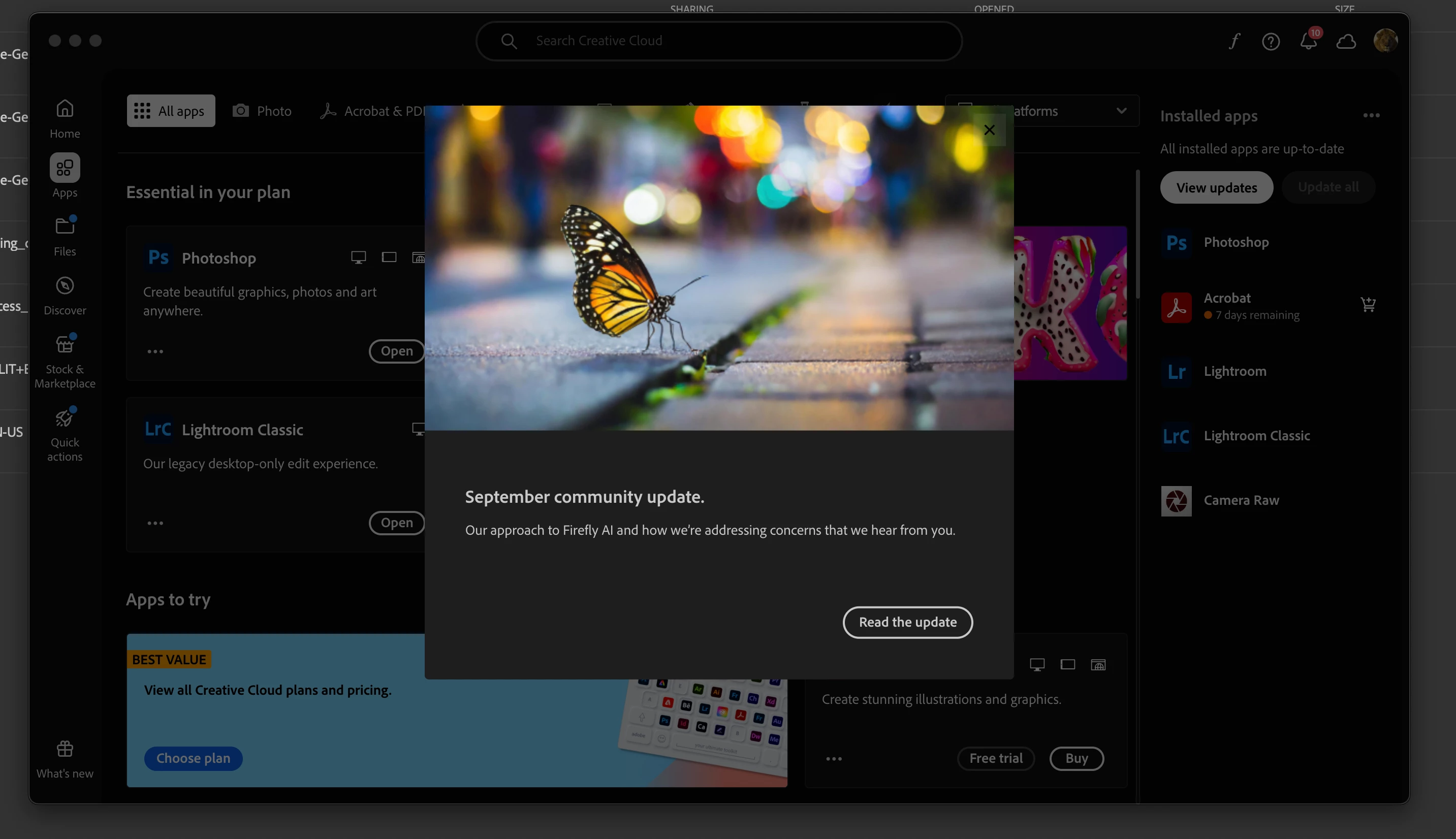
This screen showed up on my computer about a week ago and I can't delete it. I is preventing access to the Creative Clous App

3 replies

Participant
Sep 16, 2024 1:17 AM UTC

Semaphoric, I tapped around on the butterfly photo and, lo and behold, an X appeared. I was hidden until I tapped around. Needless to say, I will not be hunting for the "What's New" icon. Thanks again.

Translate
Participant
Sep 16, 2024 1:10 AM UTC

Thank you for the reply, however, there is no X in the upper right corner, as there would normally be, and the only icon that is active is the "Read the update" button below the photo of a butterfly. We'll keep looking.

Translate
Semaphoric
Community Expert
Community Expert
Sep 16, 2024 12:12 AM UTC

Click on the X in the upper right corner to close it. You can open it back up by clicking on the "What's New" icon in the lower left.

Translate