Participant
Nov 26, 2026 4:32 PM UTC
Open for Voting

cannot select colors from swatch panel

i try to select colors from the swatch panel using the select and eyedropper tools, but it won’t register that i am selecting it
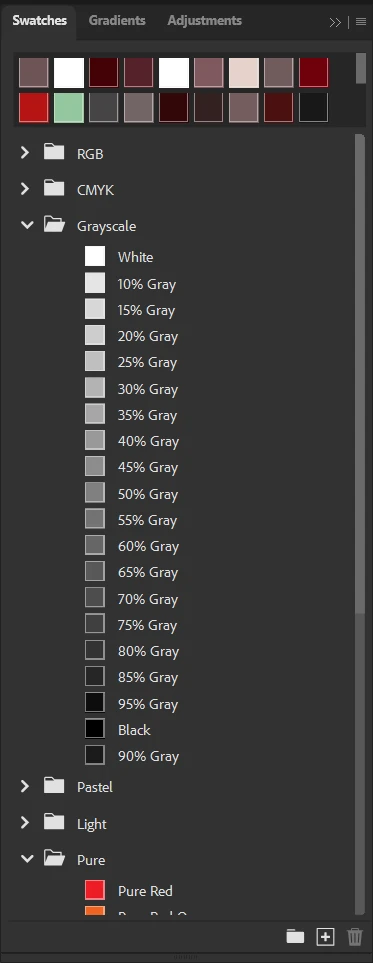

 

    1 reply

    Community Expert
    Nov 26, 2026 5:52 PM UTC

    Try to restore the Photoshop preferences to the default settings.

    https://helpx.adobe.com/ie/photoshop/using/preferences.html#Manually

    Remember to back up your settings before doing the preference reset

    https://helpx.adobe.com/ie/photoshop/using/preset-migration.html

    If this doesn’t help check if your system is up-to-date. Do you have installed all recent updates and patches for the operating system and the device drivers, especially the graphic driver? If you have a NVidia graphic card installed, make sure that you are using the recent Studio version of the driver, not the Game Ready version.

    If this already doesn’t help, we need informations about your system. Which operationg system, how much RAM, which graphic device etc.

    The best is to provide a copy of your 'System Info' if it's possible. This can be get from the Photoshop menu item Help > System Info. There's a copy button in the System Info dialog. Press this button and paste the info into your next forum post.


    Translate
    My System: Intel i7-8700K - 64GB RAM - NVidia Geforce RTX 3060 - Windows 11 Pro 26H2 -- LR-Classic 16 - Photoshop 28 - Nik Collection 9 - PureRAW 6 - Topaz Photo AI