


Inspiring
September 15, 2026

Crop with Generative Expand broken after 27.10 update

  • September 15, 2026
  • 3 replies
  • 15 views

After upgrading to 27.10 the crop with Generative Expand co longer works. If I select a crop and go beyond the image, even tough I have Generative Expand selected on the toolabar the new area is rendered transparent.  If I then subsequently just select the area ans use Generative Fill, that works - but I shouldnt have to !!!  Can we expact a fix anytime soon ??? 

I’ put a little pic below - I would post a little video but not sure how to upload it to here
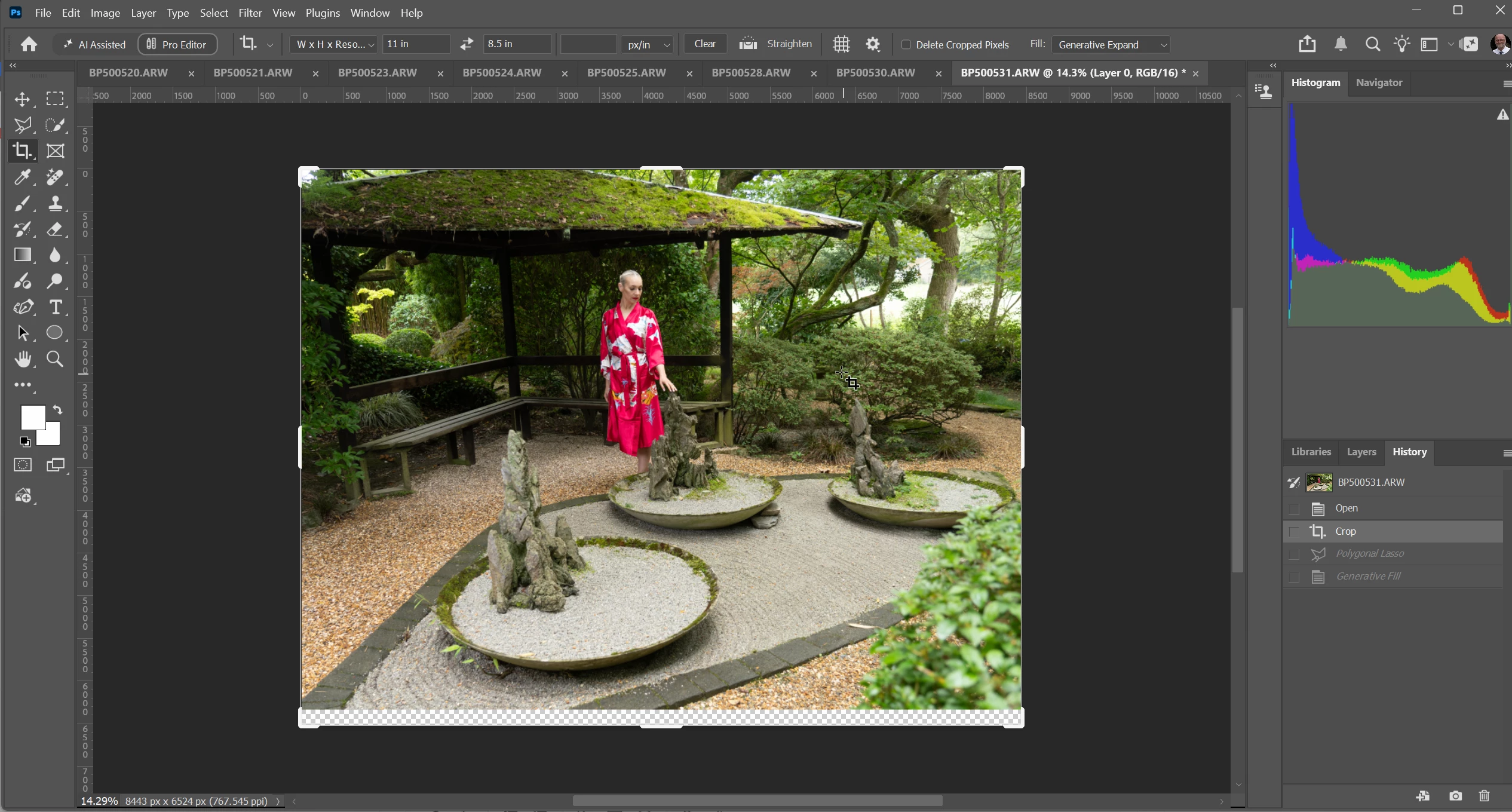


BTW can we please have the ‘check mark’ and  the ‘discard’ icons back on the crop toolbar - its a right pain putting down the mouse/stylus and having to press ENTER or ESC when before we could just do s imple click to confirm or discard. 

    3 replies

    Inspiring
    September 15, 2026

    I’ve found the issue.  If I just select a cropping ratio then the Generative Expand Fails.
    If I specify a DPI then it works. Not sure if this is - ‘by design’ or a bug. I suspect its a bug as I would have thought it it wasn’t designed to work, then a sutable error message/dialog box would appear explaining the issue.  

    J E L
    Community Expert
    Community Expert
    September 15, 2026

    Hi ​@brianp49895668, Generative Expand is working as expected for me (Windows 11 Pro; Photoshop 27.10.0 Release), albeit with a single-layer RGB JPG file. You can upload a screen recording video by clicking on the paperclip icon in the tray below the chat window, as I did here to share mine.

    Inspiring
    September 15, 2026

    I think this link to my Youtube video shows the problem