


Don’t use forbidden characters (colon or slash) in file names
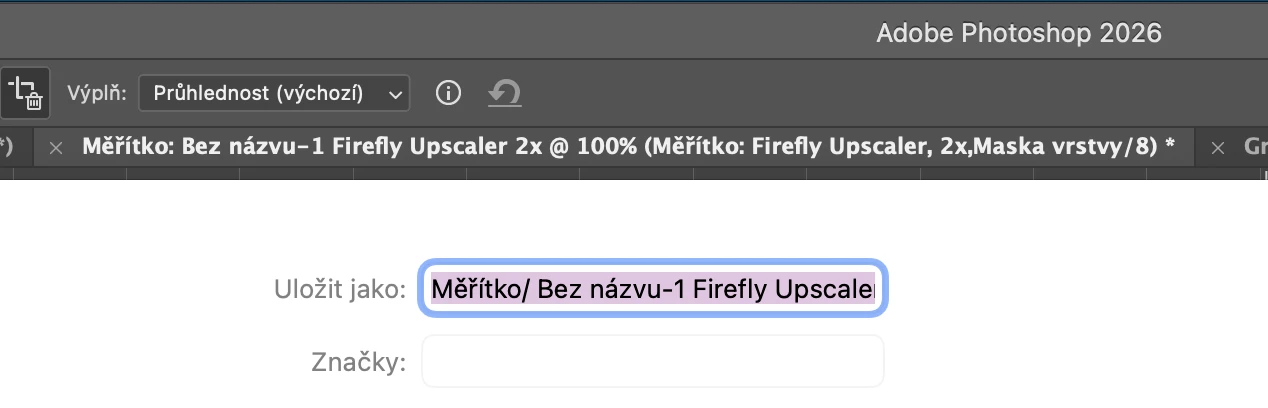
Generative upscaler in Photoshop automatically creates file names for upscaled images. The file names not only include accented characters* but it also include colon (:) or slash (/), which are characters banned for use in filenames since the 1970s and 1980s, respectively! Please fix this nonsense.
On the attached screenshot, you can see, Photoshop internally uses colon in file name (“Měřítko :”) which means Scale. And when saving, the colon is converted into another forbidden character, slash.
* Although files with accented filenames should work without any issues, some Adobe applications actually have problems with standard Unicode characters. In InDesign, for example, accented characters cause all sorts of problems and trigger nonsensical error messages claiming that folders or files do not exist. In 2026, several decades after the Unicode standard…
 AdChoices