





dragging handles for adjustment layer in properties panel results in incorrect display if an adjustment layer above is clipping masked to a 0% Fill-Layer
Adobe Photoshop 27.10.0 on Mac OS 14.6.1
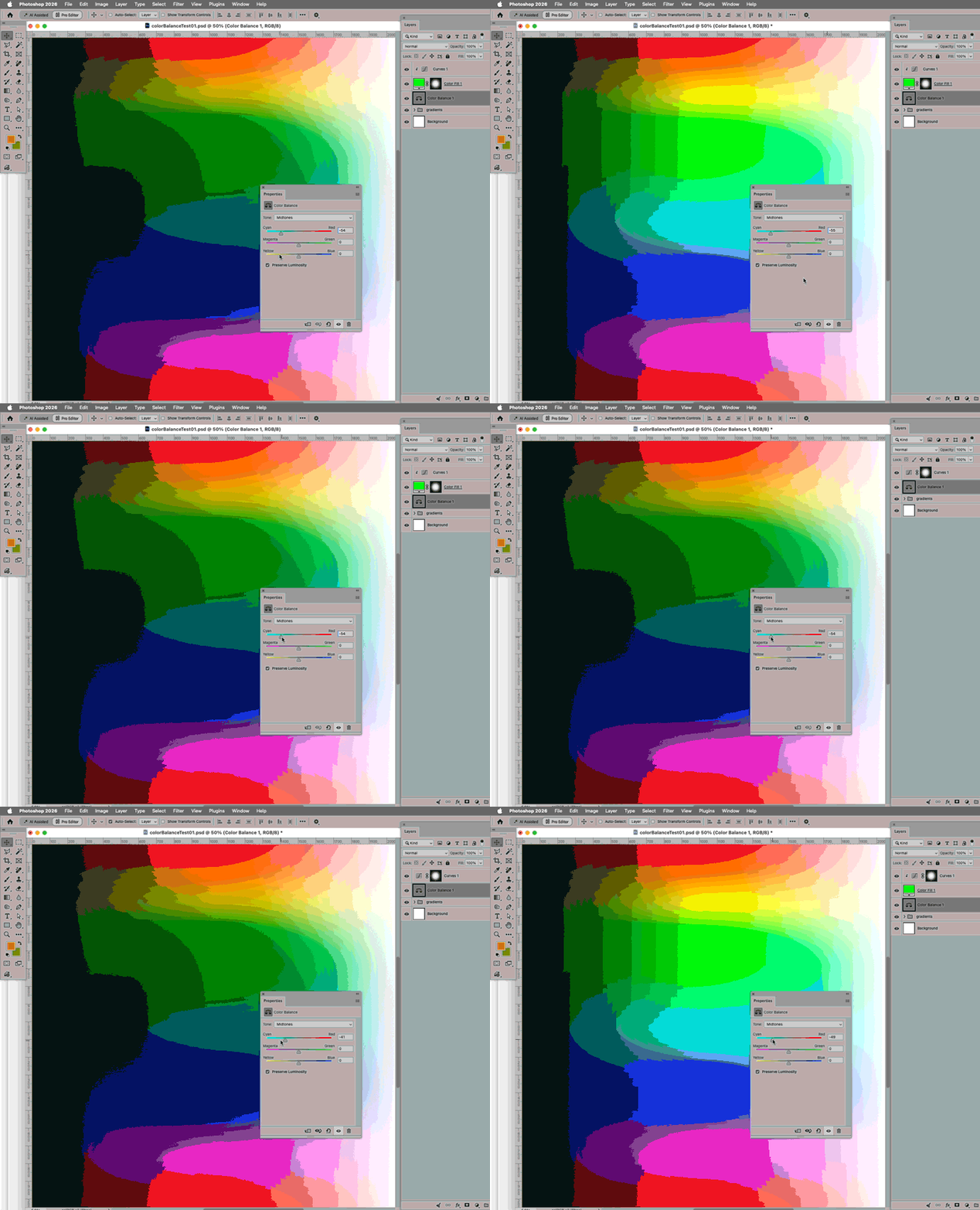
When adjusting a Color Balance (or other) Adjustment Layer by dragging the handles in the Properties Panel it incorrectly disregards the effect of a Curves Layer above that is Clipping Masked to a 0% Fill Layer.
This does not happen when the Color Balance Layer is edited by entering numbers or when the Curves Layer has a Layer Mask instead of being Clipping Masked.
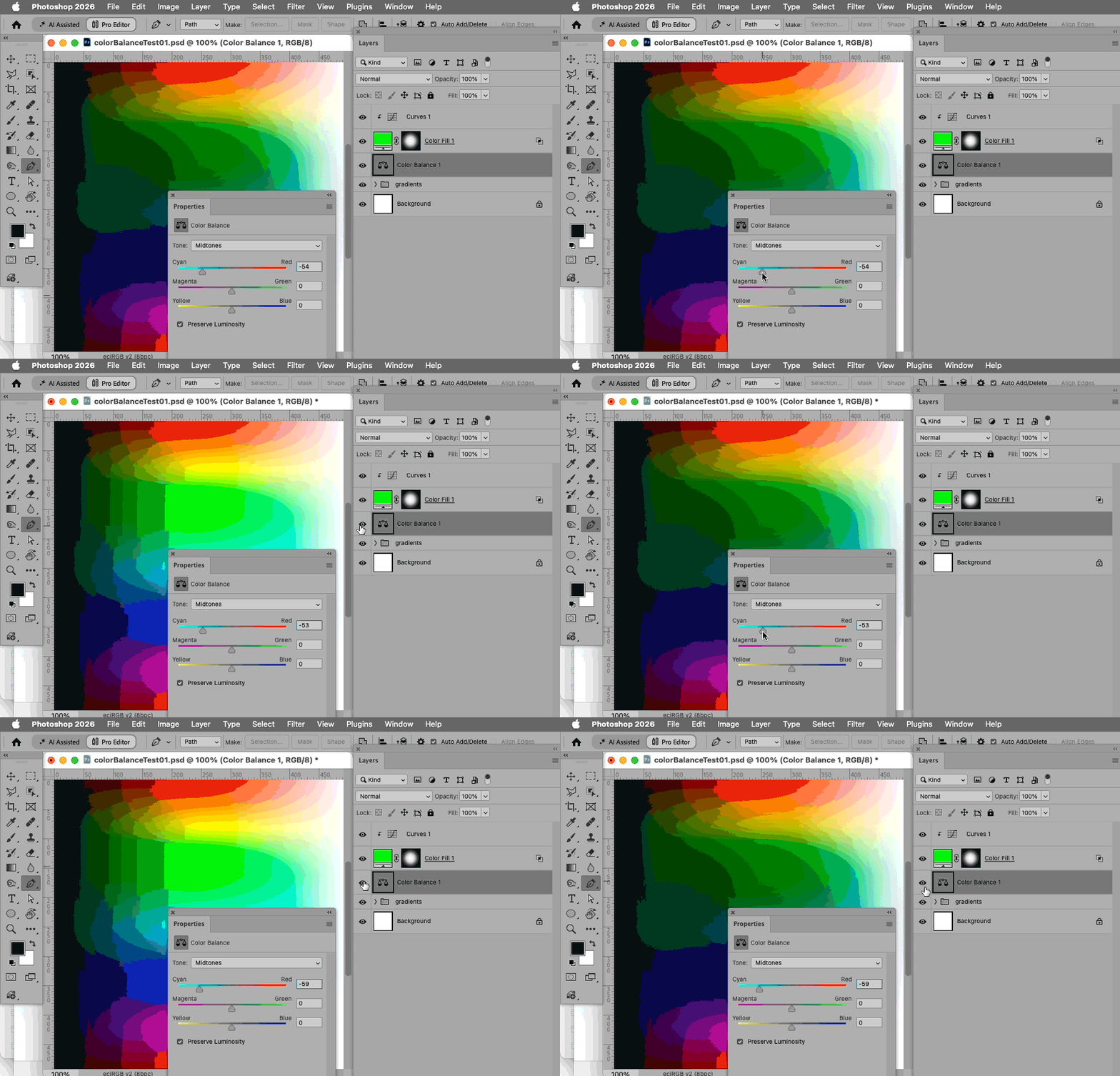
Hiding and revealing the Color Balance Layer corrects the display.
Steps to recreate:
• create a Color Balance Adjustment Layer with some changes
• create a Layer with pixels (plain, Solid Color, Smart Object, …) and set it to 0% Fill and uncheck »Blend Clipped Layers as Group«
• create a Curves Adjustment Layer with some changes
• Clipping Mask the Curves Layer to the 0%-Fill-Layer
• drag one of the handles of the Color Balance Layer in the Properties Panel
Expected result:
The combination of adjustments should be displayed correctly.
Actual result:
The Curves Layer’s effect is not honored.
Why it matters:
For certain tasks, for example if one Mask for Adjustments has to be used across multiple documents and at varying sizes or to be able to nondestructively apply Filters to a Mask, a Linked Smart Object-0% Fill-Clipping Mask-approach is relevant.
Edit: A second gif showing how hiding/revealing the Adjustment Layer updates the display.
 AdChoices