


Drop shadow on a group problem
I am high school graphic design teacher, currently working in Photoshop 2024, Windows 10. (We finally got the upgrade to CC from CS6 this year)
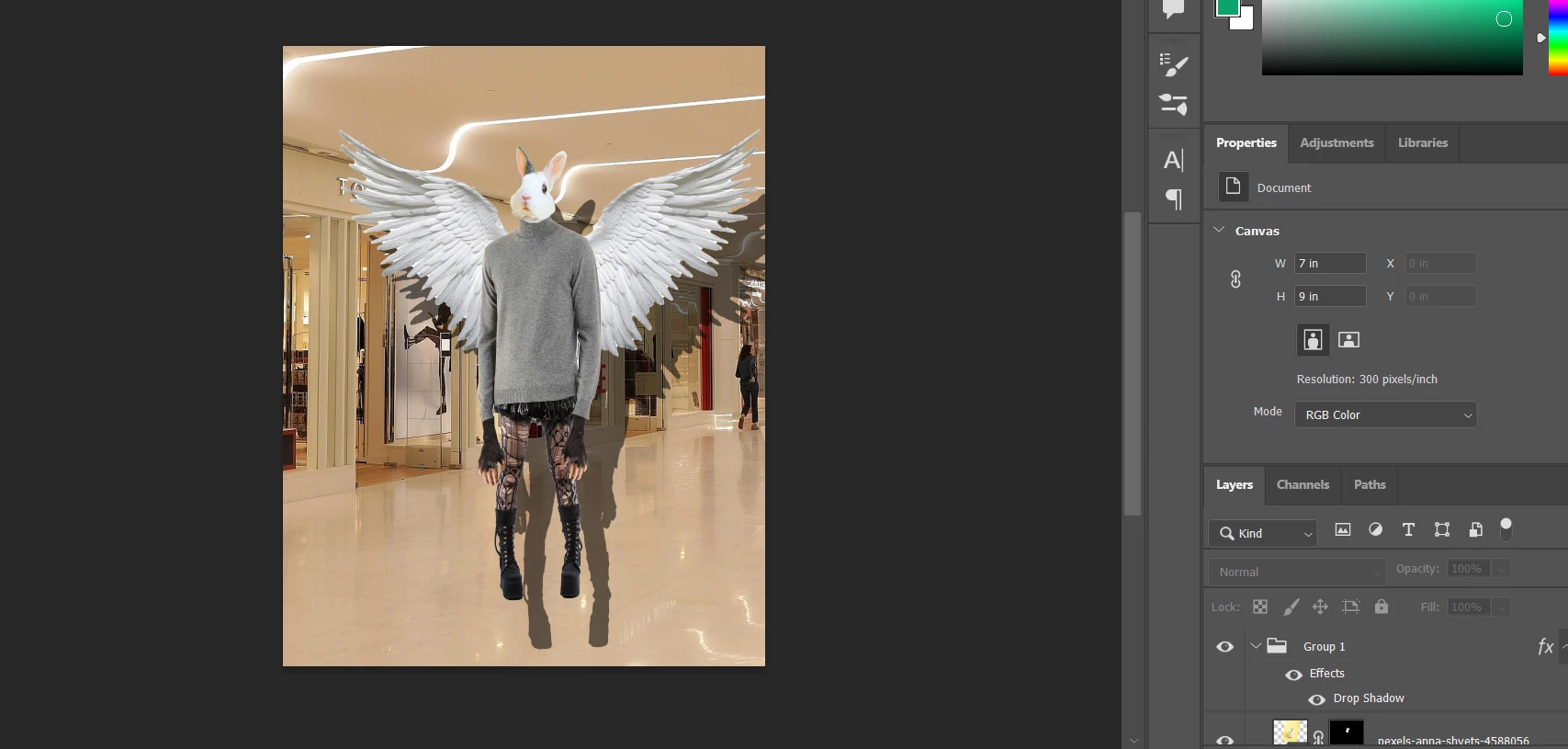
We're working on a project that I have taught many times before without issue, in which students practice with selection tools by creating a "Frankenstein" creature made up of 10 different image sources with layer masks. They then put all the body parts in a group and create a drop shadow for their creature, separate the drop shadow as its own layer and distort it to look like a realistic shadow in space.
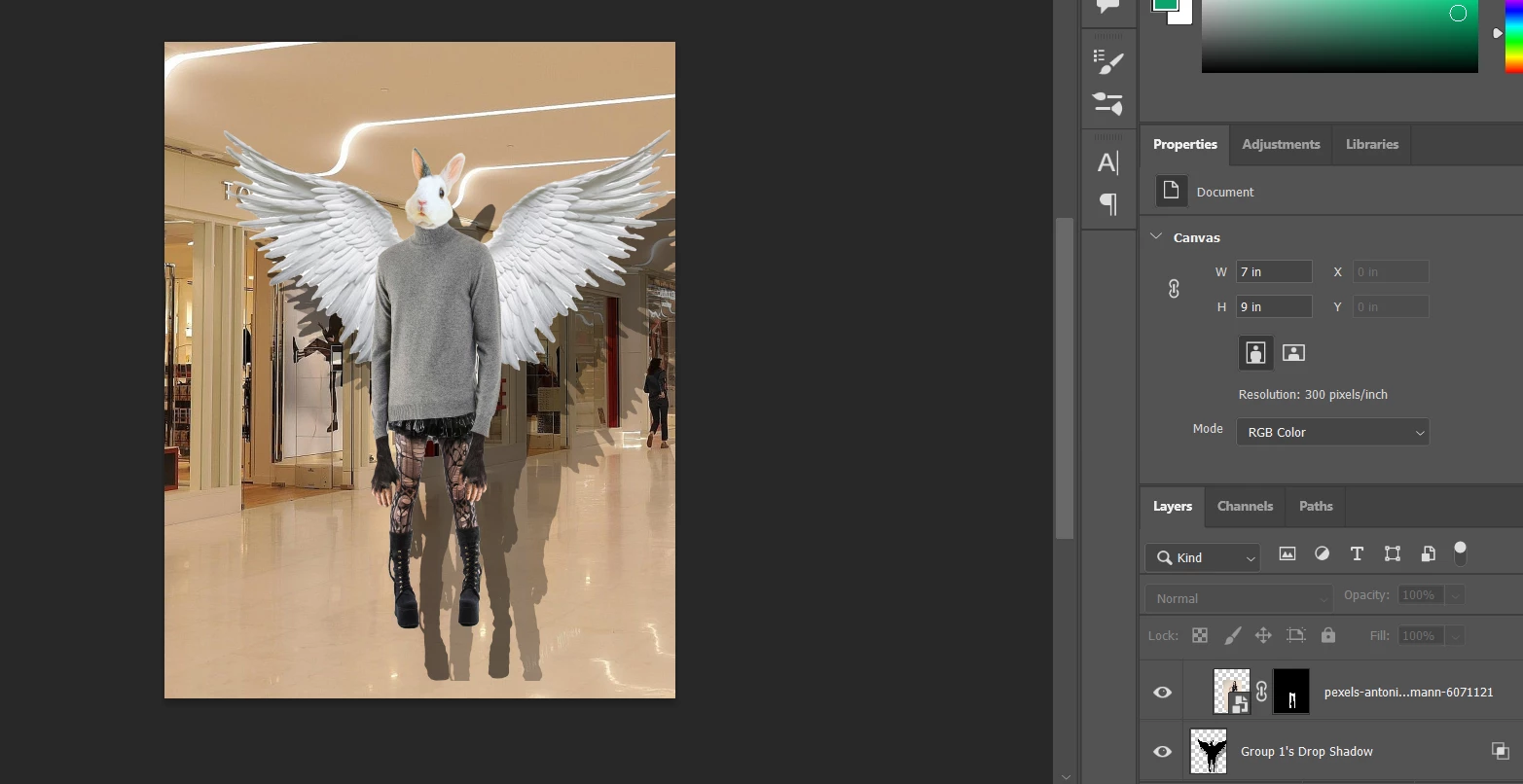
This year every time anyone selects "create layer" to separate the drop shadow from the group the shadow becomes a weird double of itself. It behaves normally before that, and I also tested the process on a single layer instead of a group and it behaved normally with one layer, but always doubles when produced from a group.
 AdChoices