Known Participant
April 20, 2026

generative expand not working

  • April 20, 2026
  • 2 replies
  • 55 views

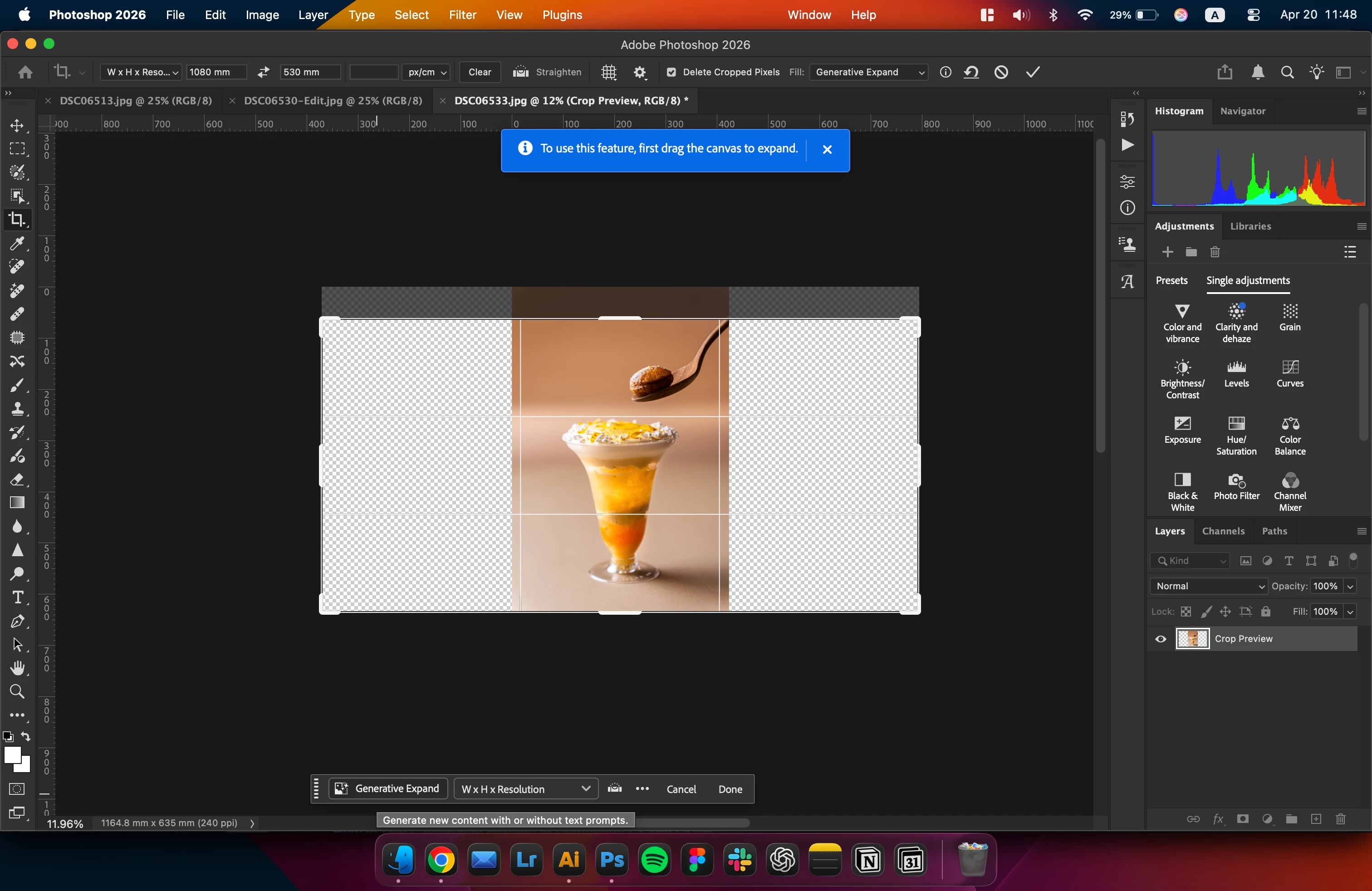
After cropping out the layer outside of the original image, GE should fill in the blanks.

It is telling me to drag out the canvas first but I’ve already done so.

I attached a screenshot.
 

    2 replies

    Claire H.
    Community Manager
    Community Manager
    April 23, 2026

    Hi ​@szymon_5776, thanks for reaching out to the Photoshop community! Unfortunately, I was unable to replicate the issue you’re experiencing. Let’s try a few basic troubleshooting steps first:1. 

    1. Resetting Photoshop preferences: try manually resetting your Photoshop preferences: https://helpx.adobe.com/ie/photoshop/using/preferences.html#Manuall. Remember to back up your settings before doing the preference reset: https://helpx.adobe.com/ie/photoshop/using/preset-migration.html
    2. Test on other media and see if you are still experiencing the same issue.
    3. Try different generative models to test if it’s a specific model not expanding.
    4. Turn off your GPU and follow these steps: https://helpx.adobe.com/photoshop/desktop/troubleshoot/performance-stability-issues/resolve-graphics-processor-gpu-and-graphics-driver-issues.html

    If none of these steps work for you, please let us know and we can continue to troubleshooting the issue. I hope this helps! ^CH

    Known Participant
    April 20, 2026

    Further information. 
    It seems that generative expand works if you expand the original ratio, not a custom.

    I do not understand why it cannot fill in a custom ratio when expanded, but that is how it is.


    Dear developers, when can you fix this?
