


Participant
November 19, 2025

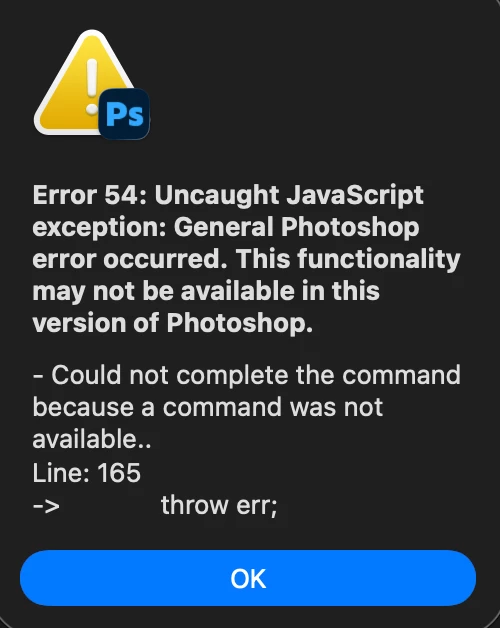
Generative Fill not working encountering "Error 54"

  • November 19, 2025
  • 返信数 3.
  • 62 ビュー

Hello guys,

I keep running into Error 54 with my photoshop whenever I try to use generative fill. I am updated to the lastest version (V.27), I have uninstalled and reinstalled Photoshop, I have even gone to older versions of PS (I went back to V.26) and I am still getting the same issue.

Running on macOS and updated to the latest OS Tahoe 26.1

Any help or tips would be appreciated!

Thanks,

Byron
返信数 3

byron_5713作成者
Participant
November 19, 2025

This resolved it, it was thepreferences that needed to be reset! Thank you so much.

Participant
November 19, 2025

This resolved my issue! it was the preferences that needed to be reset. Thank you!

nikunj.m
Community Manager
Community Manager
November 19, 2025

Hi, thanks for reaching out, and we're sorry about the trouble! 

Please ensure that Photoshop is added to Full Disk Access on macOS using the steps mentioned here: https://adobe.ly/4oHuVjM

Once done, restart the computer and check if that helps. If you continue to experience the same behavior, try to reset the preferences of Photoshop using the steps mentioned here: https://adobe.ly/3JM67bk

Please backup your settings prior to resetting the preferences. You can check: https://adobe.ly/4oOx0KN


Let us know how it goes!

Thanks,
Nikunj