James Photography
Participant
July 21, 2024

GPS ISSUE

  • July 21, 2024
  • 2 replies
  • 183 views

Hi Adobe Team,


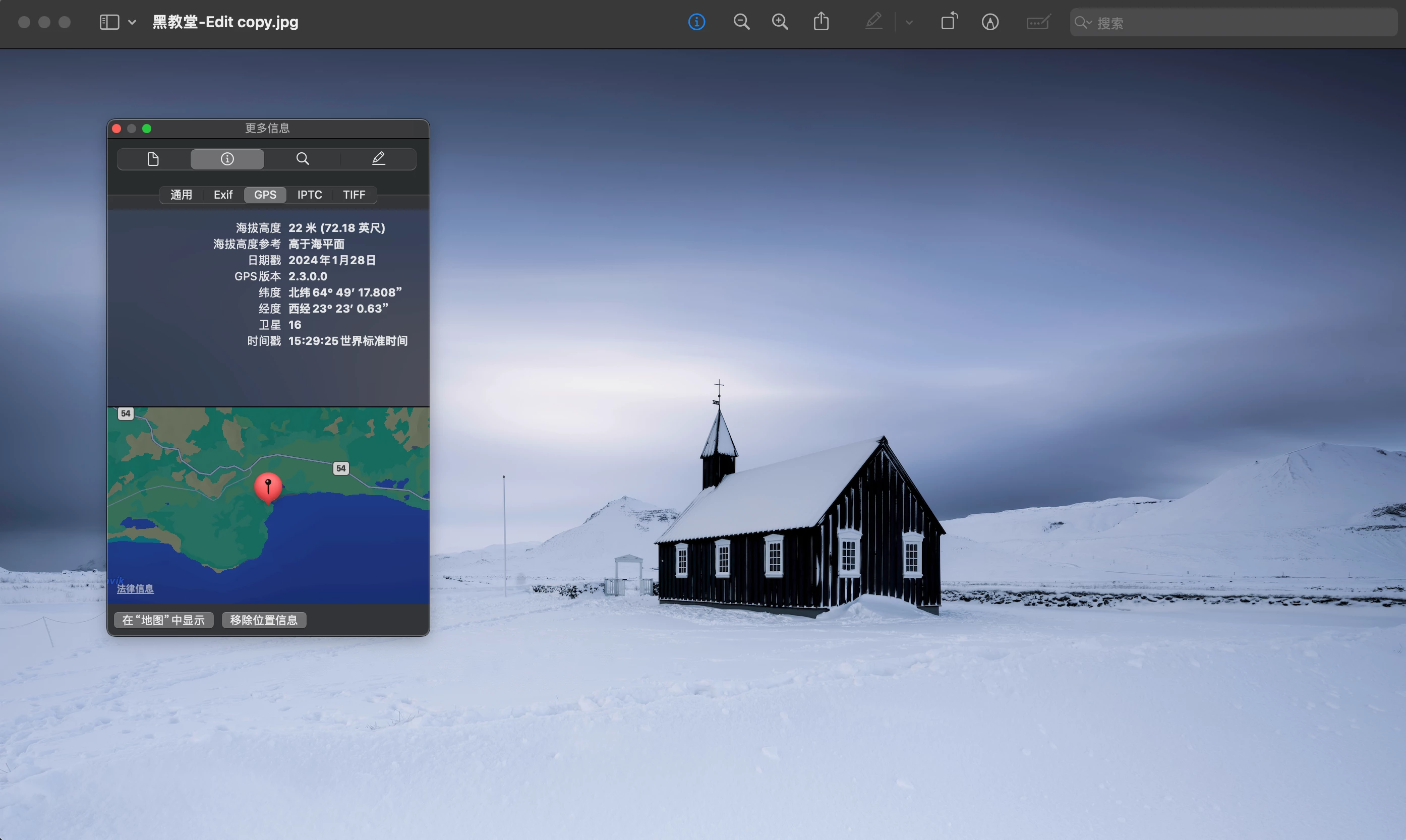
I found a bug in Photoshop when using “Save for Web.” When saving a photo with GPS info, the latitude and longitude sometimes get messed up. South latitude gets saved as north latitude, and east longitude as west longitude.


Interestingly, if I use “Save as Copy” and choose JPEG, the GPS info is correct.


This mix-up is causing problems for those of us who rely on accurate GPS data.


Can you guys check this out and fix it in the next update?


Thanks!


James
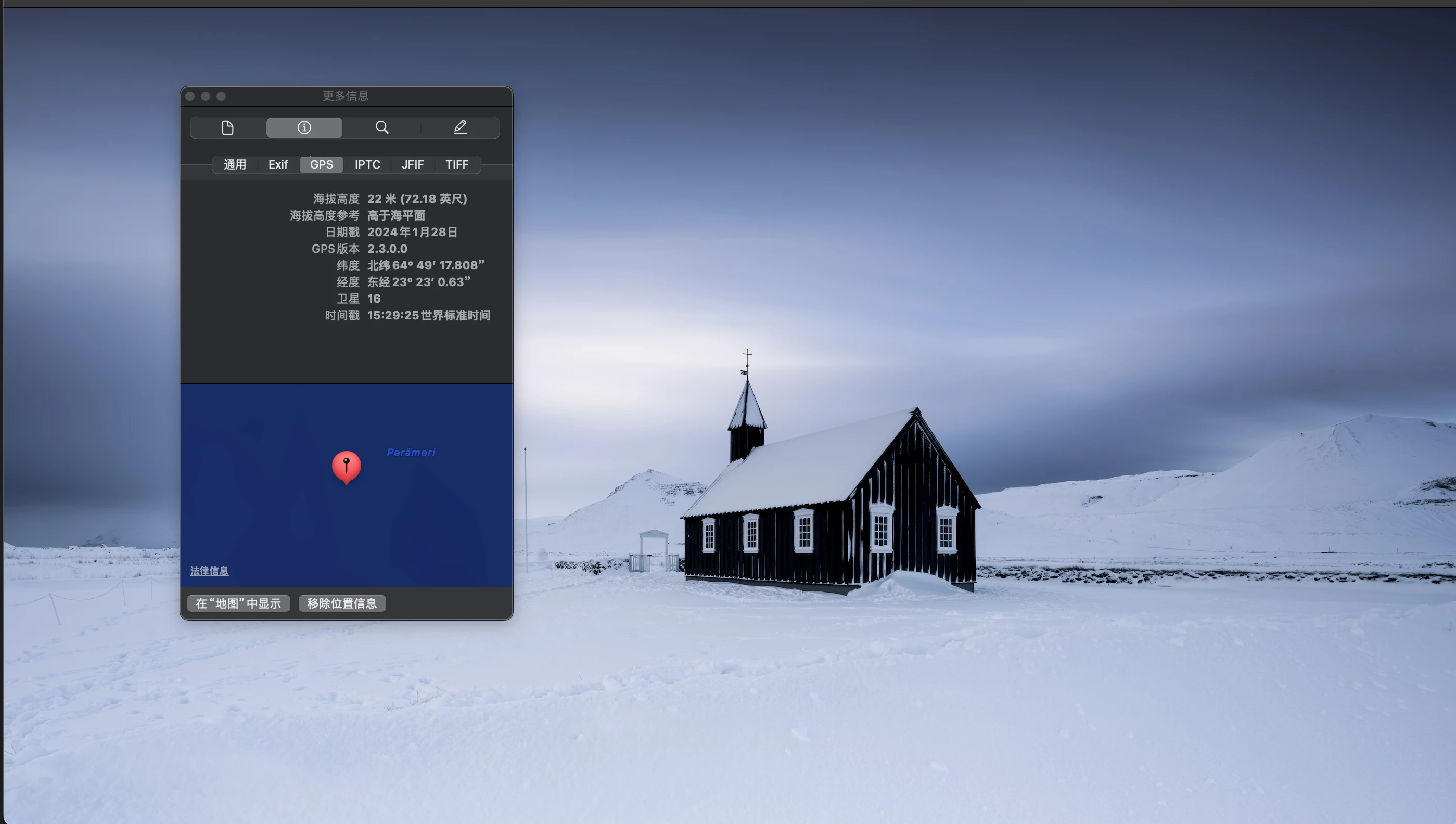
same photo  diffrent way to save as jpg , diffrent GPS result

2 replies

Participant
September 28, 2024

Hi Jeff, I've encountered the same issue as James mentioned. And it's the exact same issue since it only changes the longitude from W to E. I'm currently using Photoshop 25.12.0, and I did have Metadata set to All. This issue started bothering me roughly a year ago, but I can't remember which version it was specifically.

Jeff Arola
Community Expert
Community Expert
July 21, 2024

What version of Photoshop and macOS are you using?


Did it work correctly in prior Photoshop versions?


In Save for Web do you have Metadata set to All?