

Participant
October 15, 2026
Open for Voting

GPU Incompatible with M4 Max Mac Studio

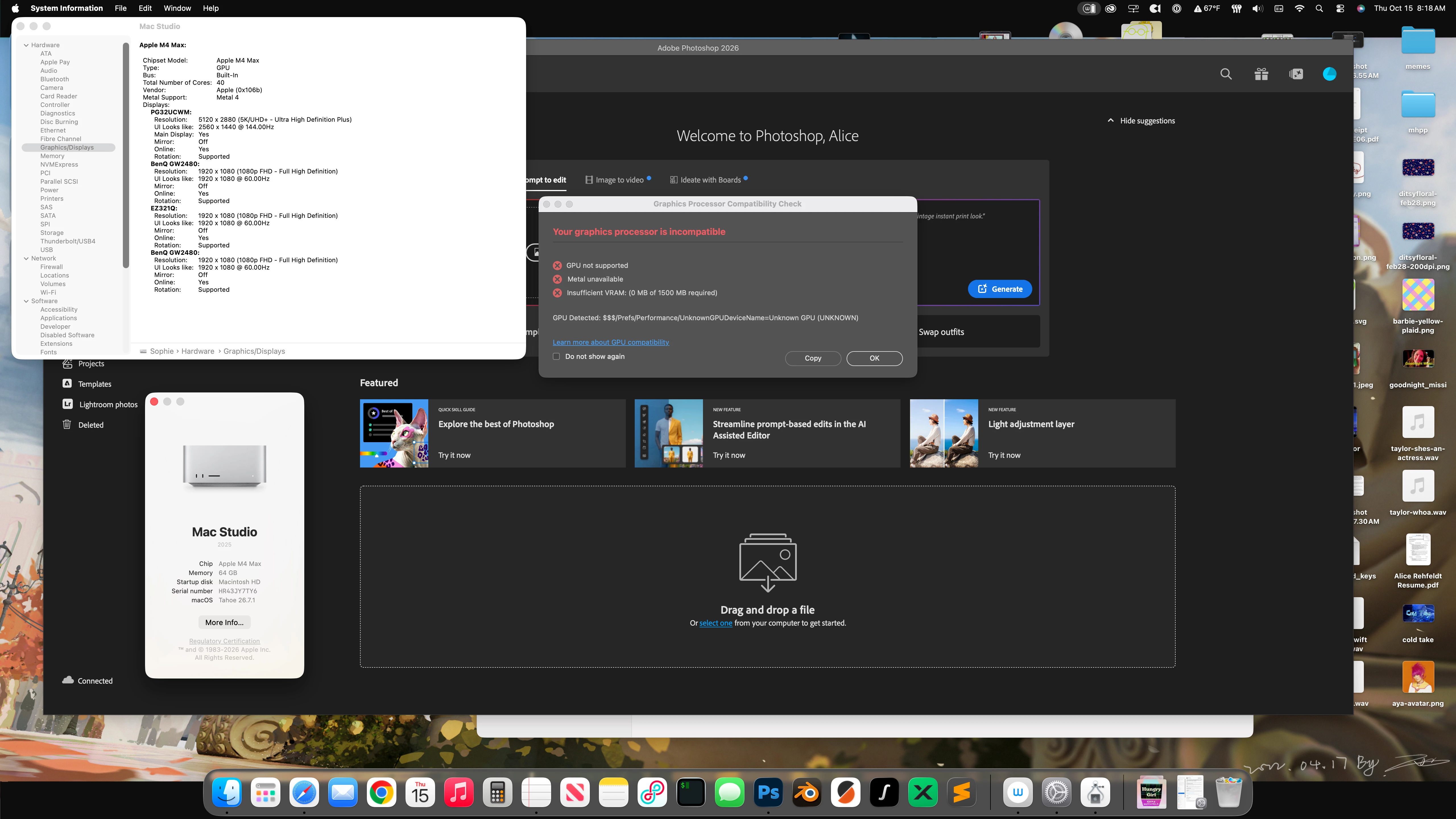
After installing Photoshop 27.11, when starting on a Mac Studio M4 Max with macOS Tahoe 26.7.1 there is a GPU Incompatible error. I rolled back to 27.10 and did not receive this error.



    1 reply

    Anshul_Saini
    Community Manager
    Community Manager
    October 15, 2026

    Hi @alicel62850399,

    Thanks for the detailed report and screenshot. The fact that Photoshop 27.10 works normally on the same Mac Studio, while 27.11 reports the M4 Max as an Unknown GPU, with Metal unavailable and 0 MB GPU memory detected, is particularly useful.

    Could you please try the latest Photoshop Beta from the Creative Cloud desktop app and let us know whether you see the same GPU compatibility warning there?

    If the issue also occurs in the latest Beta, please go to Help > System Info > Copy while running the Beta and paste the complete System Info report here.

    If possible, please do the same for Photoshop 27.11 as well, so we can compare the GPU/Sniffer information across the affected builds.

    Since 27.10 doesn't show the problem on the same system, please copy & paste the system info from it as well, and you can continue using 27.10 as a temporary workaround.

    Once we have those results, I’ll pass the details to the Photoshop team for investigation.

    Best,
    Anshul Saini

    Translate