

michaljanata
Inspiring
Nov 24, 2026 3:23 PM UTC
Open for Voting

Hard to use Stamp tool with Wacom with PS 2027

I’m expiriencing problem using Clone Stamp tool with Wacom (PTK-640, driver 6.3.4-41) on Win11.

Clone source is almost imposible to gain, it is like pen would have very bad sensitivity when clicking to get source. When I click to get source, then I can’t clone and I get error. 

Other tools (Brush, Lasso tools etc.) work well.
With mouse it is woring OK.

Clone Stamp tool is also working without any problem in PS 2026 with same settings.
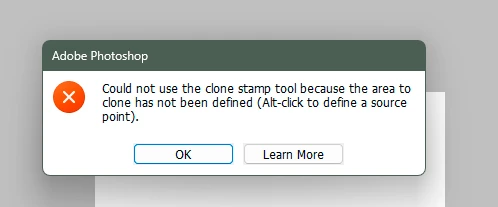


    1 reply

    davescm
    Community Expert
    Community Expert
    Nov 24, 2026 3:39 PM UTC

    I have no issue with the clone stamp in v28.0 on Windows 11 using Driver 6.3.42-2 and with Windows Ink on.
    I can pick up the source using Alt+a pen click (that is using Alton the Wacom or on the keyboard).
    A few things to check :

    1. If cloning to an empty layer, is Current & below checked in the options bar (current layer would give that error.
    2. In Preferences > Tools is ‘Use WinTab’ checked? It is not checked here.
    3. If WinTab is not checked in PS Preferences, is Windows Ink checked in the Wacom Properties > Mapping 
       

    Dave

    Translate