


Participant
October 3, 2024

I can't download photoshop, help please !
  • October 3, 2024
  • 3 replies
  • 473 views

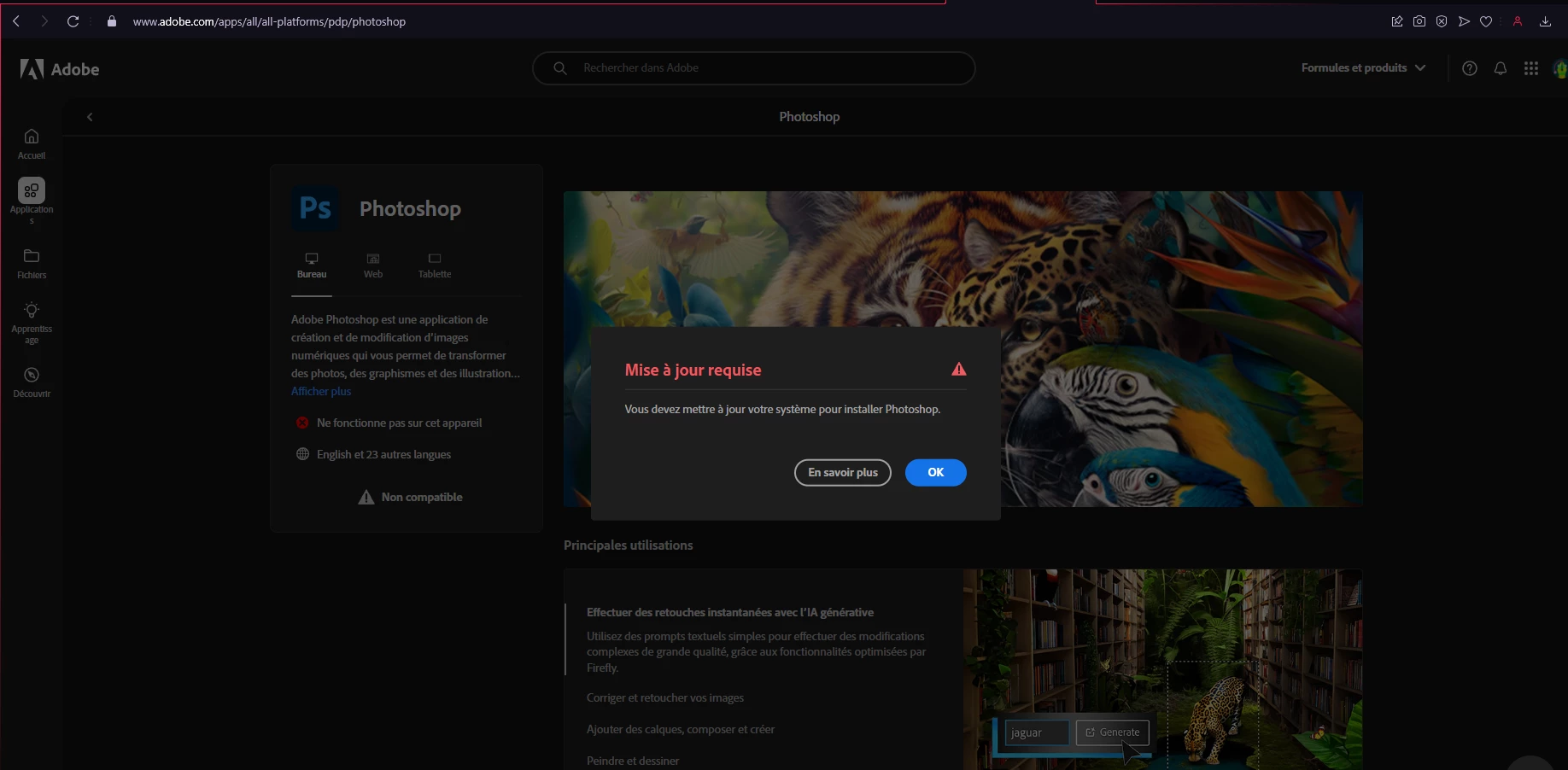
Hello, I really need help. As you see here, Adobe tells me that to install Photoshop I need to update my system. I have Windows 11 up to date with all the drivers, and a very good PC. I'm using the student version of Photoshop that I need for my school. I hope someone knows the solution!

3 replies

jane-e
Community Expert
Community Expert
October 3, 2024

You're welcome @Yoxip and I'm glad you were able to download Photoshop! 😊


Jane


jane-e
Community Expert
Community Expert
October 3, 2024


quote

Adobe tells me that to install Photoshop I need to update my system.

By @Yoxip


We've seen several instances of this when the user is using Windows and trying to download with Opera. Opera gives them a link to a .dng file which is Mac-only and they get this message.


The solution that has worked for others is to use a different browser.


Is this what is going on for you? Please let us know if changing browsers gives you the .exe file that you need for Windows.


Jane


YoxipAuthor
Participant
October 3, 2024
I found the solution, you just have to load the creative cloud, if it is not possible (as was my case) you go through the alternative download link at the bottom of the page or found on this forum. then you load photoshop directly on it.

thanks !
Rick Spaulding -
Legend
October 3, 2024

Double check that your system meets the requirements for Photoshop here:


https://adobe.ly/3Nd57Lc


^RCS