
Image Size dialog freezes on large files with many layers
The preview function in the Image Size dialog is seemingly incapable of dealing with complex large resolution files.
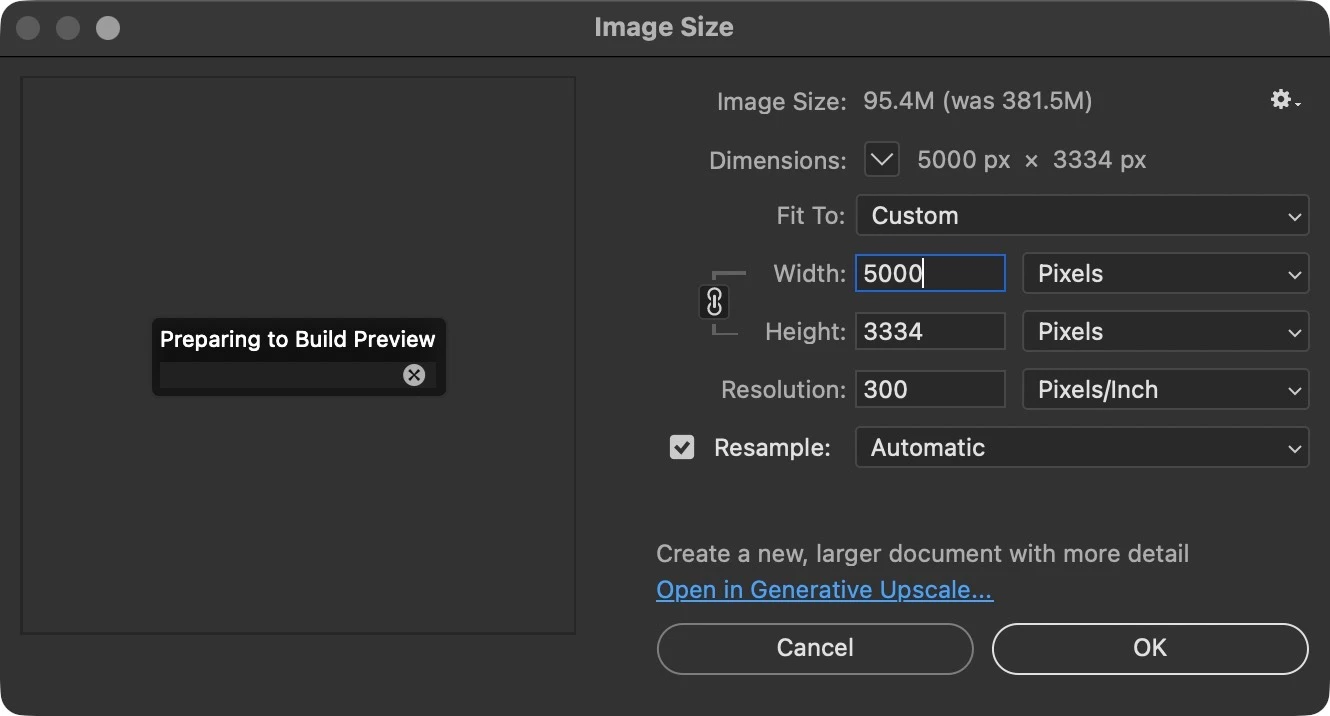
For example, I am working a 10,000x6,000pixel image, with about 100 layers, there is a mix of Smart Objects (with and without filters applied, both linked and embedded), pixel layers, and adjustment layers. If I attempt to resize the document, by any amount, the Preparing to Build Preview comes up, then I instantly get a spinning beach ball, no chance to even cancel the preview. Out of curiosity, I have let it run for up to an hour, never finishes. Only solution is to force quit the app.
This has happened across multiple versions of Photoshop on multiple computers going back years.
If there is no fix, please let me disable the preview, in 30 years of using this app, I have never once needed a preview of how my image is going to re-size.
System info and a screen shot of the image size dialog doing nothing attached.
-Sam


 AdChoices